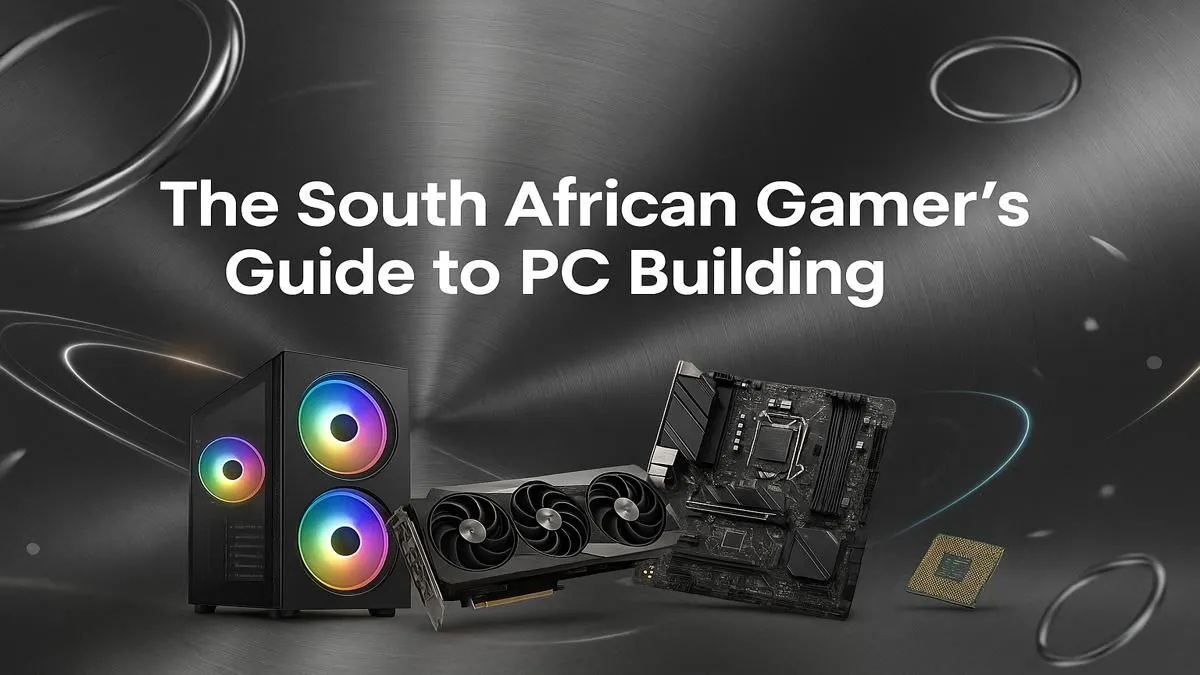
Dreaming of building your own beastly gaming rig right here in South Africa? The thought of hand-picking every component and bringing it to life is thrilling, but it can also feel a bit daunting. Where do you even start? Don't stress. This PC building guide for South Africa is the step-by-step manual you need. We'll walk you through everything from choosing parts to the glorious first boot, turning your dream into a high-performance reality. 🚀
Planning Your Build: The Blueprint for Your Dream Rig
Before you even think about adding a graphics card to your cart, you need a plan. A solid PC build starts with two key questions: What's your budget, and what do you want to do with it? Setting a clear budget in ZAR from the outset prevents overspending and helps focus your component choices.
Are you aiming for a 1080p esports machine that can dominate in games like Counter-Strike 2, or a 4K monster that can handle graphically intense titles? Your performance goals will dictate every choice you make in this gamer's step-by-step manual.
Choosing Your Core Components: The Heart of Your Machine
This is where the magic happens. Your core components—CPU, motherboard, GPU, and RAM—form the foundation of your gaming experience. Getting this combination right is the most critical part of any guide to building a PC.
The CPU (The Brain)
The Central Processing Unit (CPU) is your PC's command centre. For gamers in South Africa, the choice is usually between Intel's Core series and AMD's Ryzen series. AMD Ryzen CPUs often excel in multi-core performance (great for streaming and gaming), while Intel Core processors are legendary for their raw single-core gaming speed. Look at current-generation chips like the AMD Ryzen 5 or Intel Core i5 for a fantastic price-to-performance sweet spot.
The Motherboard (The Nervous System)
Your motherboard connects everything. The most important factor here is compatibility. Your motherboard's "socket" must match your CPU (e.g., AM5 for modern Ryzen, LGA 1700 for modern Intel). Chipsets (like B650 for AMD or B760 for Intel) determine features like port availability and overclocking support. Don't skimp here; a good motherboard provides a stable foundation for a reliable machine ready for games like Fortnite.
The GPU (The Soul) ✨
For a gaming PC, the Graphics Processing Unit (GPU) is the undisputed star. It's responsible for rendering the beautiful worlds you'll explore. The main players are NVIDIA (GeForce RTX series) and AMD (Radeon RX series). Your choice will depend on your budget and performance target. For breathtaking visuals in demanding games like Microsoft Flight Simulator, you'll want to allocate a significant portion of your budget to the GPU.
RAM (Short-Term Memory)
Random Access Memory (RAM) is your PC's active workspace. For modern gaming, 16GB is the recommended minimum, allowing you to run demanding titles like Call of Duty: Warzone 2.0 smoothly while having other apps open. If you're future-proofing or into heavy multitasking, 32GB is the new gold standard. Pay attention to speed (measured in MHz) and type (DDR4 or the newer, faster DDR5).
The Supporting Cast: Storage, Power, and Casing
With the core components sorted, it's time to round out your build. These parts are just as crucial for a balanced and reliable system. This is a vital step in any complete PC building guide for South Africa.
Storage (The Filing Cabinet)
Forget old-school hard drives for your main drive. A Non-Volatile Memory Express (NVMe) Solid State Drive (SSD) is non-negotiable for your operating system and favourite games. The lightning-fast load times they provide in open-world games like Cyberpunk 2077 are incredible. You can always add a larger, cheaper SATA SSD later for extra game storage.
PSU Power Tip ⚡
When choosing a Power Supply Unit (PSU), don't just meet the minimum wattage for your parts. Aim for about 20-30% more wattage than you need. This "headroom" ensures the PSU runs more efficiently and quietly, and it gives you the flexibility for future upgrades without needing to buy a new power supply.
Power Supply Unit (PSU - The Engine)
The PSU powers your entire rig. This is the one component you should never cheap out on. A poor-quality PSU can be inefficient, unreliable, and even damage other parts. Look for units from reputable brands with an "80 Plus" efficiency rating (Bronze is a great starting point). A quality PSU is essential for any PC, from a simple rig for Minecraft to a high-end powerhouse.
The Case (The Armour)
Your PC case houses and protects your expensive components. But it's not just about looks! Good airflow is critical for keeping temperatures down and performance high. Consider the case size (ATX, Micro-ATX), cable management options, and how easy it is to build in.
The Assembly: Bringing Your Beast to Life 🔧
This is the hands-on part. It’s like building with high-tech LEGO. Take your time, stay organised, and follow the manuals that come with your components.
- Prep Your Space: Work on a large, non-conductive surface like a wooden table.
- Motherboard Prep: Install the CPU, clip in the RAM sticks, and screw in your M.2 SSD on the motherboard before putting it in the case. It's much easier this way.
- Case Installation: Install the motherboard into the case, followed by the GPU.
- Power Up: Mount the PSU and begin the satisfying (or frustrating) process of cable management. Connect the power cables to the motherboard, CPU, and GPU. A clean setup for a rig that will run games like PUBG isn't just for show; it improves airflow.
- Final Connections: Plug in your case fans and front panel connectors (USB, power button, etc.). This can be tricky, so consult your motherboard manual! Once done, you're ready for competitive titles like Overwatch 2.
The Moment of Truth: First Boot and Software Setup
With everything assembled, it's time to plug it in, press the power button, and watch your creation come to life. Seeing the BIOS screen appear for the first time is a rite of passage for every PC builder. From there, you'll install your operating system (like Windows 11), update your drivers, and start downloading your games. Soon you'll be exploring the vast world of GTA V on a machine you built with your own two hands.
This PC building South Africa guide shows that creating your own custom rig is an incredibly rewarding experience that gives you ultimate control over performance and aesthetics.
Ready to Build or Buy Your Dream Rig?
Building a PC is an epic journey, but sometimes you just want to jump straight into the game. Whether you're ready to pick your parts one-by-one or want a master-built rig with zero fuss, we've got you covered.
Explore Our Massive Range of Gaming PCs and find the perfect machine to conquer your world.