


Clean Gaming Keyboard: Guide for Dusty & Humid Conditions
Clean gaming keyboard quickly and safely in dusty or humid conditions with step-by-step tips, tool checklist, and maintenance routines to prevent corrosion and switch failure. 🧼💨
Read morePC case airflow matters: learn fan roles, intake vs exhaust, and simple layouts to lower temps and noise. Clear, actionable tips for new builders. 🔧❄️
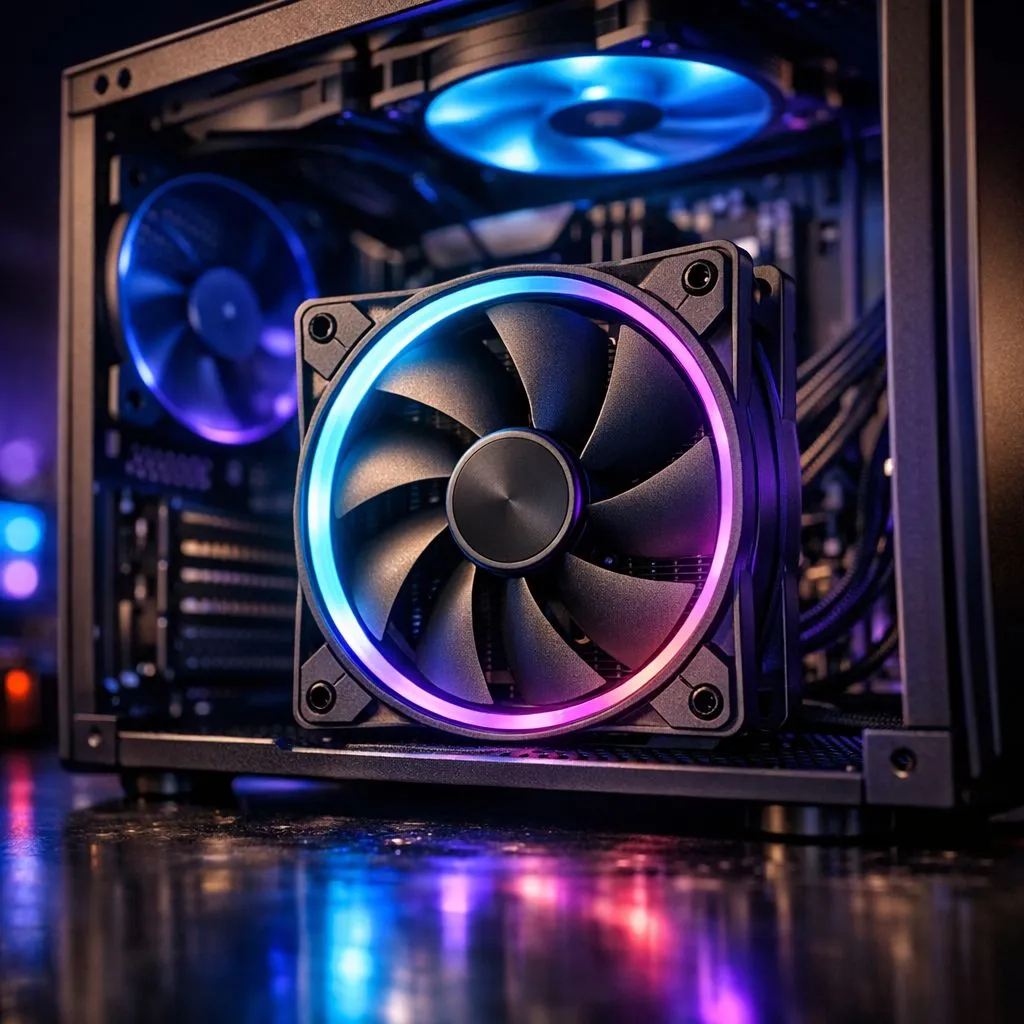
Summer in South Africa can turn your gaming room into a sauna. Without proper PC case airflow, your expensive components will throttle and lose performance. It is not just about spinning blades... it is about moving heat away from your hardware efficiently. Whether you are building a new rig or upgrading an old one, mastering your ventilation is the best way to protect your investment. 🔧
Most PC fans move air in one direction. You can usually tell which way the air flows by looking at the plastic "ribs" or the brand logo. The side with the ribs is almost always the exhaust side. To start your journey toward better thermals, you can explore our full range of case fans to see which designs suit your chassis.
A standard setup uses a "front-to-back" flow. This means cool air enters through the front and hot air leaves through the back or top. If you get this wrong, you might end up recirculating hot air... which is a recipe for a crashed system during a heated match.
sure which way your air is moving? Hold a thin piece of tissue paper near the fan while the PC is running. If the paper sticks to the mesh, it is an intake. If it blows away, it is an exhaust. This simple trick ensures your PC Case Airflow: Beginner's Guide to Fan Setup & Ventilation principles are applied correctly without taking the whole rig apart.
Size plays a massive role in how much noise your PC makes. Most modern cases are designed to fit 120mm fans because they are the industry standard. They offer great compatibility and enough static pressure to push air through tight spaces.
However, if your case has the mounting points, 140mm fans are often a better choice. Because they are larger, they can move the same amount of air at lower speeds. This results in a much quieter experience... especially when you are rendering video or playing demanding titles.
We know that South African gamers love a build that looks as good as it performs. If you want your rig to stand out, RGB fans provide that signature glow that can be synced with your other components. It adds a touch of personality to your desk setup.
On the other hand, some builders prefer a "sleeper" look. If you want a professional, understated machine for the office or a dark room, choosing fans with no lighting effects is the way to go. These often focus purely on blade geometry and motor longevity. 🚀
When it comes to high-end cooling, brand reputation matters. Many local enthusiasts opt for CORSAIR fans because of their sophisticated software control. Being able to set custom fan curves based on your GPU temperature is a massive advantage.
If you are looking for a balance between price and cooling power, Deepcool fans are a fantastic local favourite. They provide reliable airflow at a price point that leaves more room in your budget for a better graphics card or more RAM. ✨
In South Africa, dust is our biggest enemy. To keep your PC clean, try to maintain "positive pressure". This means you have more intake fans than exhaust fans. This setup forces air out of every small crack in the case... preventing dust from settling on your motherboard.
Make sure your intake fans have filters and clean them at least once a month. A small amount of maintenance goes a long way in ensuring your PC Case Airflow: Beginner's Guide to Fan Setup & Ventilation remains effective for years to come.
Ready to Chill Your Rig? Don't let high temperatures throttle your gaming performance this season. Whether you need silent 140mm intake fans or a full RGB overhaul, we have the stock to keep you cool. Explore our massive range of case fan specials and find the perfect cooling solution for your South African gaming setup.
PC case airflow is the movement of air through your case to remove heat. Good pc case airflow lowers component temps and reduces fan noise.
Intake fans pull cool air into the case; exhaust fans push hot air out. Balancing intake vs exhaust improves overall ventilation.
Most gaming PCs perform well with 3-4 fans: two intakes up front, one exhaust at the rear, and an optional top exhaust for extra airflow.
Use front and top dust filters on intake vents, vacuum or wash filters monthly, and maintain positive airflow to limit dust buildup.
Airflow fans move more air in open cases; static pressure fans push air through radiators or tight grills. Choose by placement and obstruction.
Face intake fans inward toward components and exhaust fans outward. Follow front-to-back, bottom-to-top flow for predictable cooling.
Yes: use HWMonitor or BIOS fan curves for temps and RPMs. A simple paper or tissue test shows direction; CFM needs specialized tools.
Clean gaming keyboard quickly and safely in dusty or humid conditions with step-by-step tips, tool checklist, and maintenance routines to prevent corrosion and switch failure. 🧼💨
Read more
Best gaming keyboard features to prioritize when building a high-end setup: mechanical switches, low latency, hot-swap, RGB, macros, durability and ergonomics 🎮⌨️
Read more
Custom actuation point keyboard setup guide: learn to set per-key actuation on your analog gaming keyboard for faster, precise inputs and better control 🎮⚙️
Read more
Cable management for home entertainment helps you eliminate cable clutter quickly and safely. Learn routing, concealment, and product picks to tidy your setup fast 📺🔌
Read more
conference room setup Microsoft Teams Zoom: Upgrade AV, camera, mic, and network to ensure seamless meetings, clear audio, and crisp video 🎯🔧
Read more
• Audit setup • Link accounts • Configure ViewBoard • Test workflows Integrate Google Workspace with ViewSonic ViewBoard to enable secure SSO, calendar and Drive sync, and smooth collaborative whiteboarding 🔗📋
Read more
Discover webcams that automatically adjust light and color for crystal-clear video calls 🎥✨. Boost your streaming quality today!
Read more
Discover webcams that blend into your workflow 🎯 Capture moments while you work, stream, or create. Upgrade your setup with smart, multitasking tech!
Read more
Dedicated media keys give streamers one-touch control to mute, switch scenes, clip highlights, and adjust audio — cutting task time and boosting consistency 🎛️⚡
Read more
PBT vs ABS keycaps: Clear, local guide for South African gamers—compare feel, sound, durability and where to buy. Find the best material for your budget and playstyle 🎮🇿🇦
Read more
- Multi-Function Digital Dial: define benefits - Show gamer setups and macros - Offer buying and setup tips Multi-Function Digital Dial puts programmable control at your fingertips for faster actions and smoother streaming. 🎮⚙️
Read more
- Explain benefits; - Show the science; - Compare options; - Recommend picks. Magnetic wrist rest for gaming cuts wrist strain and boosts comfort during long sessions 🕹️✨
Read more