


Clean Gaming Keyboard: Guide for Dusty & Humid Conditions
Clean gaming keyboard quickly and safely in dusty or humid conditions with step-by-step tips, tool checklist, and maintenance routines to prevent corrosion and switch failure. 🧼💨
Read moreDiscover why PCIe slots for AI are the backbone of any powerful DeepSeek-ready PC. The right configuration unleashes your GPU's full potential, ensuring lightning-fast data transfer for complex models. Ready to build an AI powerhouse? Let's dive in! 🚀💻
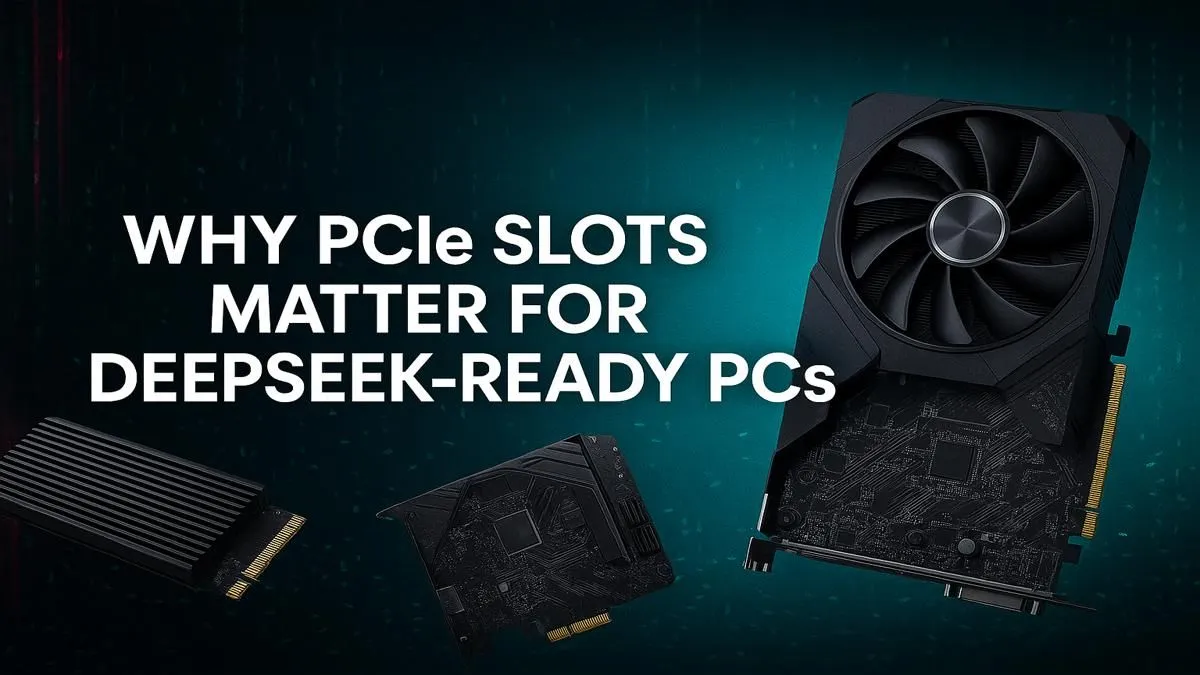
Jumping into the world of AI with tools like DeepSeek? It’s not just about the software. The hardware humming inside your rig is what makes the magic happen. Your PC's motherboard has hidden highways called PCIe slots, and for AI, they're the difference between lightning-fast results and frustrating lag. Understanding these crucial PCIe slots for AI is your first step towards building a true next-gen machine. Let's dive in. 🚀
Think of a PCIe (Peripheral Component Interconnect Express) slot as a multi-lane super-highway on your motherboard. It connects your most powerful components—like your graphics card—directly to your CPU. For gaming, this means high frame rates. For AI, it means something even more critical: massive data throughput.
AI models and large datasets are enormous. When you run a query, your PC needs to shuttle gigabytes of data to your GPU for processing. A slow or limited connection creates a bottleneck, leaving your powerful processor waiting. This is where having the right PCIe slots for AI becomes non-negotiable. More lanes and higher speeds mean data moves faster, your models train quicker, and your results appear in seconds, not minutes.
You've probably seen terms like "PCIe 4.0" or "PCIe 5.0" on motherboard boxes. These numbers represent the generation, and each new generation roughly doubles the bandwidth of the previous one.
For most users experimenting with AI, a solid PCIe 4.0 setup is perfect. But for professionals and serious hobbyists, the bandwidth of PCIe 5.0 can significantly cut down on waiting time.
Think of PCIe bandwidth like water pipes. PCIe 3.0 is a standard garden hose. PCIe 4.0 is a fire hose. PCIe 5.0 is a massive municipal water main. For AI's huge data requirements, you want the biggest pipe possible to avoid a clog!
Your GPU is the star of the show, but it's not the only component that relies on fast PCIe lanes. An optimised AI PC uses these data highways for several key parts.
Modern NVMe SSDs use PCIe lanes to deliver read/write speeds that are orders of magnitude faster than older SATA drives. Loading a multi-gigabyte dataset from a Gen4 or Gen5 NVMe SSD takes seconds, getting you to work faster. This speed is a core feature in many of the latest AMD Radeon gaming PCs, where fast loading is essential.
While less common in consumer builds, dedicated AI accelerator cards are becoming more accessible. These cards work alongside your GPU and require their own high-speed PCIe slot to function effectively.
If you're pulling datasets from a local server or NAS, a 10GbE (or faster) network card is a must. These also plug into a PCIe slot, ensuring your network connection doesn't become the weakest link in your workflow.
When planning your build, don't just look at the CPU and GPU specs. The motherboard is the foundation that determines your PC's potential.
Ultimately, building a powerful AI machine is about creating a balanced system where no single component holds another back. Your PCIe slots for AI are the vital arteries of that system, ensuring every part can perform at its peak. ✨
Ready to Build Your AI Powerhouse? Choosing the right motherboard and components is the foundation of a killer AI rig. The journey starts with understanding how everything connects. Explore our massive range of PC components and find the perfect parts to bring your DeepSeek PC to life.
For a serious AI PC, aim for a motherboard with at least two full-length PCIe x16 slots. This allows for multiple GPUs, dramatically accelerating model training and inference.
Yes, PCIe 5.0 doubles the bandwidth of 4.0, which is crucial for feeding massive datasets to powerful GPUs. It helps reduce bottlenecks for large language models like DeepSeek.
Both are vital. More lanes (like x16) provide a wider data path, while a newer version (like PCIe 5.0) increases the speed on that path. A balance is key for optimal AI performance.
For best performance, install your primary GPU in the top-most PCIe x16 slot. This slot typically connects directly to the CPU for maximum bandwidth and the lowest latency.
High PCIe bandwidth is critical for LLMs. It allows faster data transfer between system RAM, storage, and the GPU's VRAM, reducing wait times during training and processing.
A high-end gaming motherboard can be sufficient. Look for models with robust power delivery (VRMs) and multiple high-speed PCIe slots to handle the sustained load of AI workloads.
Clean gaming keyboard quickly and safely in dusty or humid conditions with step-by-step tips, tool checklist, and maintenance routines to prevent corrosion and switch failure. 🧼💨
Read more
Best gaming keyboard features to prioritize when building a high-end setup: mechanical switches, low latency, hot-swap, RGB, macros, durability and ergonomics 🎮⌨️
Read more
Custom actuation point keyboard setup guide: learn to set per-key actuation on your analog gaming keyboard for faster, precise inputs and better control 🎮⚙️
Read more
Cable management for home entertainment helps you eliminate cable clutter quickly and safely. Learn routing, concealment, and product picks to tidy your setup fast 📺🔌
Read more
conference room setup Microsoft Teams Zoom: Upgrade AV, camera, mic, and network to ensure seamless meetings, clear audio, and crisp video 🎯🔧
Read more
• Audit setup • Link accounts • Configure ViewBoard • Test workflows Integrate Google Workspace with ViewSonic ViewBoard to enable secure SSO, calendar and Drive sync, and smooth collaborative whiteboarding 🔗📋
Read more
Discover webcams that automatically adjust light and color for crystal-clear video calls 🎥✨. Boost your streaming quality today!
Read more
Discover webcams that blend into your workflow 🎯 Capture moments while you work, stream, or create. Upgrade your setup with smart, multitasking tech!
Read more
Dedicated media keys give streamers one-touch control to mute, switch scenes, clip highlights, and adjust audio — cutting task time and boosting consistency 🎛️⚡
Read more
PBT vs ABS keycaps: Clear, local guide for South African gamers—compare feel, sound, durability and where to buy. Find the best material for your budget and playstyle 🎮🇿🇦
Read more
- Multi-Function Digital Dial: define benefits - Show gamer setups and macros - Offer buying and setup tips Multi-Function Digital Dial puts programmable control at your fingertips for faster actions and smoother streaming. 🎮⚙️
Read more
- Explain benefits; - Show the science; - Compare options; - Recommend picks. Magnetic wrist rest for gaming cuts wrist strain and boosts comfort during long sessions 🕹️✨
Read more