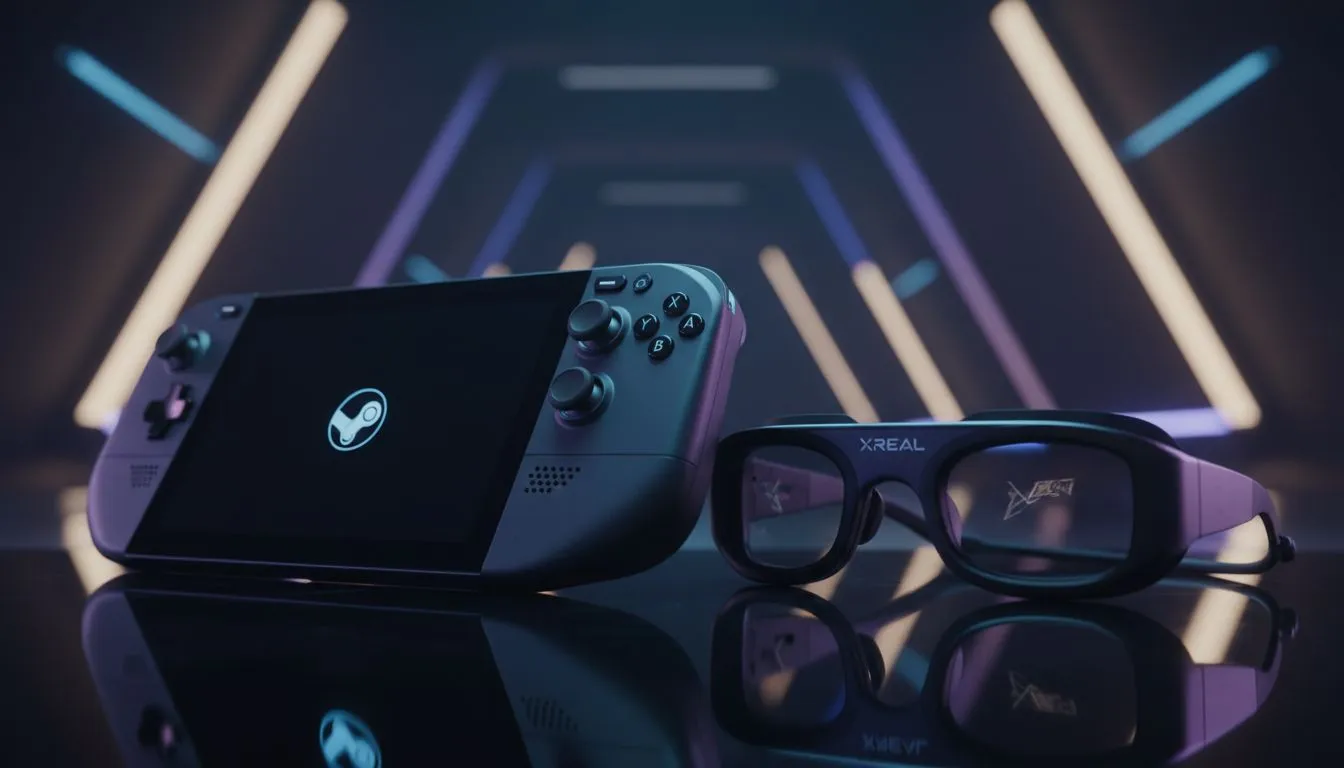
Imagine catching a flight from Jozi to Cape Town. You pull out your Steam Deck... but the 7-inch screen feels cramped for a massive RPG. You want that 120-inch cinema vibe without lugging a monitor through OR Tambo. This Portable Gaming Rig: Steam Deck + XREAL One Pro Guide shows you how to turn any seat into a private theatre. It is the ultimate setup for South African gamers on the move. ✨
Why the Steam Deck and XREAL One Pro are a Power Couple
The Steam Deck is a marvel of engineering... but its display has limits. When you pair it with the XREAL One Pro, those limits vanish. These glasses project a massive virtual screen directly in front of your eyes. It is like having a high-end gaming monitor that fits in your pocket. Because the glasses draw minimal power, your battery life remains manageable for those long sessions during an unexpected outage.
If you want to see the latest hardware, you can browse premium AR glasses to upgrade your mobile setup. The XREAL One Pro specifically offers a high refresh rate... which is vital for smooth gameplay in fast-paced titles like Elden Ring or Cyberpunk 2077.
Setting Up Your Ultimate Portable Gaming Rig
Getting started is surprisingly simple. The Steam Deck features a USB-C port that supports DisplayPort Alt Mode. This means you just plug the glasses directly into the handheld. No bulky adapters or external power bricks are required for the basic setup. 🚀
For those who want to explore more variety, Evetech offers a wide range of AR glasses suited for different devices. When you connect the XREAL One Pro, the Steam Deck recognises it as an external display. You can then adjust the UI scale in the SteamOS settings to ensure every menu is crisp and readable.
Power Management Tip ⚡
To extend your gaming sessions, use a USB-C splitter or a dedicated hub that supports Power Delivery. This allows you to charge your Steam Deck while the glasses are plugged in. It is a must-have for long road trips where you might not have access to a wall socket for several hours.
Immersive Visuals Without the Bulk
One of the biggest perks of this setup is privacy. Whether you are in a crowded coffee shop in Sandton or on a bus, nobody can see what you are playing. The XREAL One Pro provides incredible colour accuracy and deep blacks... making your favourite indie games look better than ever. 🔧
If you are looking for high-end AR glass options that offer premium features, checking the latest local pricing is essential. Investing in quality optics ensures you do not suffer from eye strain during extended sessions. The lightweight design of the One Pro means you can wear them for hours without discomfort... which is a massive win for dedicated gamers.
Optimising Your Experience for South African Conditions
We know that portability is not just about size... it is about reliability. This rig is perfect for staying entertained when the lights go out. Since the glasses do not require a separate wall plug, you can keep gaming as long as your Deck has juice. Just remember to keep your lenses clean with a microfibre cloth to maintain that crystal-clear image. ⚡
Ready to Find Your Perfect Match?
The portable gaming revolution is here, and the Steam Deck paired with AR glasses is the ultimate way to play. Explore our massive range of AR glasses and find the perfect gear to take your gaming experience to the next level.