Prebuilt Upgrade Reality: What You Can Actually Swap Later
Quick Answer
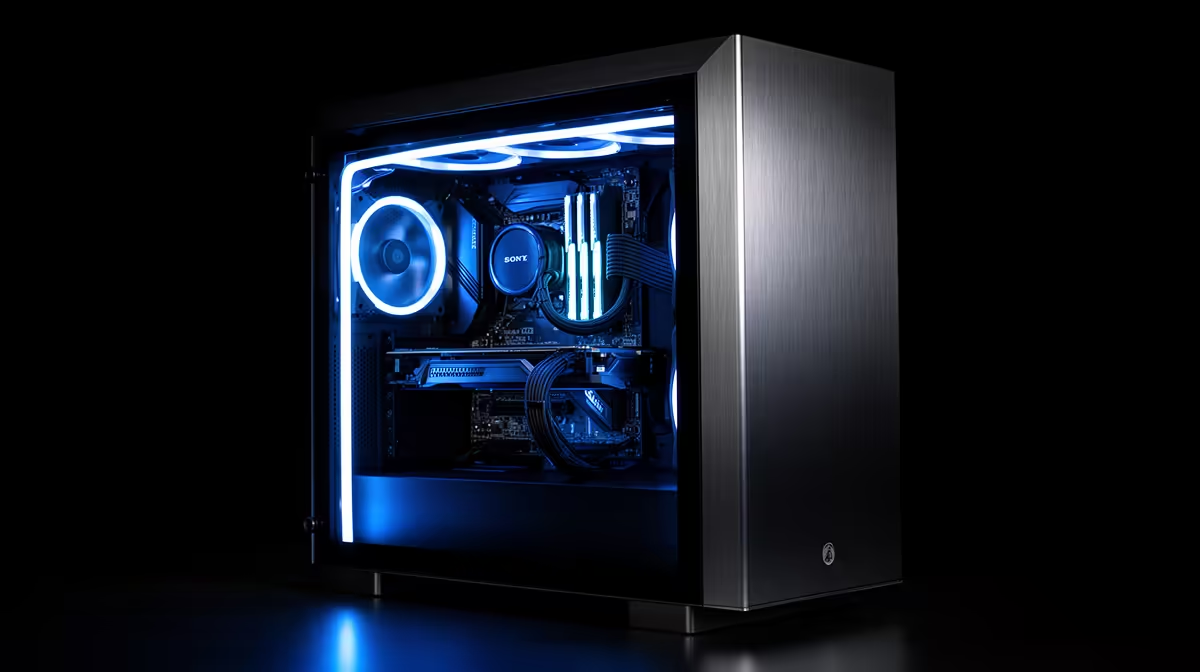
Memory and storage are often the cleanest prebuilt upgrades. A graphics card can also be straightforward when the case, power supply, motherboard slot and processor support it. The power supply and case decide whether a future GPU is a single-part change or the start of a rebuild.
Read the exact system specification before buying. "Prebuilt" describes how the PC arrives, not whether every component follows the same standard.
Record the Starting Machine
Save the full model name, component list and warranty terms. Photograph the inside after shutdown and before changing anything. Record the power-supply label, motherboard model, memory layout and storage slots.
Use gaming PC deals to compare named systems, then open the live specification. Do the same with PC best sellers. Similar tower names can hide different boards, power supplies or cases.
Check written upgrade and warranty guidance for the exact product. Opening or changing a part may have conditions, and warranty treatment can depend on whether the work or new component caused damage. Ask the seller when the terms are unclear.
Memory Is Easy When the Layout Cooperates
Identify memory generation, module count, installed capacity, rated speed and free slots. A single 16GB module plus a matching second module may look simple, but loose modules can use different revisions.
A matched kit is the safer route when you want predictable compatibility. Replacing the existing kit costs more but avoids mixing. Check the motherboard's supported capacity and profile behaviour.
Install at default settings and run a full memory test. Enable a supported profile after the system is stable, then test again.
Storage Usually Gives the Cleanest Win
An extra SSD adds library space without changing the CPU or GPU balance. Check free M.2 or SATA positions, supported drive lengths, lane sharing and available power cables.
Some M.2 slots disable a SATA port or share bandwidth with another connection. Read the board manual. If the system specification does not name the motherboard, inspect the model printed on the board or ask for detail before purchase.
Back up important files before moving the operating system. Adding a second game drive is simpler than cloning the boot drive and changing partitions.
A GPU Upgrade Has Four Gates
First, measure case clearance. Check card length, thickness, height and room for the power connector to bend without strain. Count occupied slots and look for drive cages or front fans in the path.
Second, identify the power supply. Confirm the exact model, capacity, age and native connectors. Follow the graphics-card maker's power guidance.
Third, check CPU balance and the games. A much faster GPU can sit underused when the processor limits high frame rates. Find tests with a similar CPU.
Fourth, match the display. A stronger card earns its cost when your monitor resolution and refresh rate can use the gain.
The Power Supply May Be the Hidden Wall
A prebuilt can ship with enough power for its original parts and little connector or capacity room beyond them. Wattage alone does not settle the upgrade.
Check form factor and physical dimensions. Standard ATX units are easier to replace than proprietary shapes. Confirm the motherboard and GPU power connectors; custom pinouts can stop a normal unit from fitting even when the case has space.
Modular cables stay with their original power-supply model. Never reuse a cable from the old unit because the device-side plug looks familiar.
The Case Can Turn a Swap Into a Rebuild
Compact towers may limit GPU length, cooler height and power-supply size. Closed front panels can also struggle with the heat from a stronger card.
Check whether fans use standard sizes and connectors. Look for removable drive cages and a clear intake path. A new GPU that fits by millimetres may still lack room for airflow or its power cable.
Moving the motherboard into another case is possible when it uses a standard form factor, mounting pattern, front-panel connection and power layout. Proprietary boards can make that move impractical.
CPU Upgrades Depend on the Platform
A CPU must match the socket, chipset, firmware and board power support. A processor sharing the socket does not guarantee support.
Read the motherboard CPU list and required firmware version. Update firmware through the documented process while the current CPU is still installed when that process requires it.
Check cooler capacity and mounting. A higher-power processor may need a better cooler and stronger case airflow, turning one line into three.
Plan One Upgrade Before You Buy
Choose the likely first move: more storage, 32GB of memory or a stronger graphics card. Trace every dependency now.
For storage, reserve the slot. For memory, understand the module arrangement. For a GPU, protect power, clearance and CPU headroom.
If the proposed upgrade needs a new case, power supply and motherboard, compare that total with buying a better starting configuration. A prebuilt should work as purchased, and its planned path should remain believable.
Test After Every Change
Boot at defaults and check that Windows sees the full component. For memory, run a memory test. For storage, check health and transfer behaviour. For a GPU, install supported drivers and run the same games used for the decision.
Watch temperatures after the case warms. Keep the old part until the new setup passes. Store screws, brackets, spare cables and the original specification together.
FAQ
Can I upgrade the GPU in a prebuilt PC?
Often yes, when the case, power supply, CPU, slot and display support the exact card. Verify all five before ordering.
Is storage the easiest prebuilt upgrade?
It often is. A free compatible M.2 or SATA connection can add capacity with little effect on the rest of the build.
Will a self-done upgrade affect the warranty?
It depends on the written terms and whether the work causes damage. Read the exact warranty and ask the seller before opening the system when unclear.
Choose your first future upgrade now, then verify its slot, clearance, power, firmware and written warranty path on the exact prebuilt.