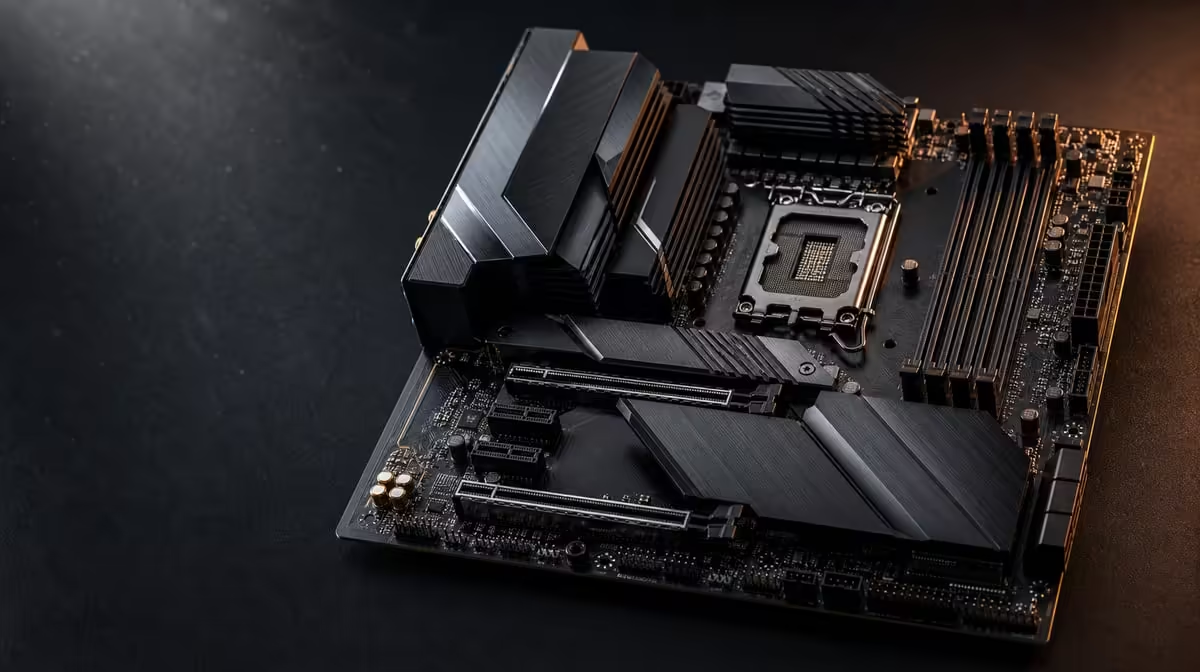
Multi-gig networking helps most where a PC talks to fast devices inside the home or studio. Multi-gig networking for gaming and work can improve large local transfers and support busy traffic, while online gaming still depends heavily on consistency and external routing. The X870E Extreme offers two wired speeds for different jobs.
Quick Answer
Use 10G LAN for a compatible high-throughput local path, 5G where it better matches existing infrastructure, and judge gaming by stable latency rather than the largest port number. R24,899 buys both wired tiers and a Wi-Fi 7 fallback on the Extreme, while switches, cables, endpoints and storage decide what is realised.
?? Map the large-file route
Draw the path from the PC to the receiving system: motherboard port, cable, switch, remote network interface and both storage devices. The slowest relevant part can set the transfer ceiling.
The X870 motherboard range can help compare modern connectivity after the network diagram exists.
?? Keep gaming expectations precise
Ten-gigabit Ethernet does not shorten every internet route. A good wired link can reduce local wireless variables, but service routing and game servers remain outside the motherboard.
Test an actual session under normal household traffic. Record latency consistency, interruption and download behaviour separately.
Give 5G its own role
The 5G port may fit a current switch or a general network segment while 10G serves dedicated storage. It is not merely a slower duplicate if the household has different infrastructure tiers.
?? Plan for home-office traffic
Video calls, backups, game downloads and project transfers can overlap. Assign important local transfers to the route that supports them and schedule heavy background work where it does not disrupt play or calls.
Platform selection starts elsewhere. Build the CPU shortlist with Evetech's AMD processor options, then value networking within the remaining system budget.
?? Price the complete upgrade
The R24,899 Extreme also includes five M.2 positions and other flagship features. A buyer paying only for one network port should compare Evetech's broader AMD motherboard category.
Include any switch, cabling and compatible storage required to realise multi-gig transfers. A dormant 10G port is potential, not current productivity.
Verify with two tests
Run one local file move and one online gaming session. They answer different questions and stop a strong result in one area from disguising a limitation in the other.
Check storage at both ends
A high-speed network can wait on a slower source or destination disk. Observe transfer behaviour and drive activity together, using a data set large enough to represent the work.
If a short burst begins quickly and then falls, repeat under the same conditions before changing the network. Storage temperature, cache behaviour or background tasks may be part of the result.
Keep traffic roles understandable
Label the cables and document which port serves each route. A two-port board is less useful if future troubleshooting cannot tell whether the system is using 5G, 10G or Wi-Fi.
Review the map whenever the switch or storage endpoint changes. The network should remain easy to explain, test and return to a known-good state.
Test congestion, not only peak speed
Move a representative project file while another household device streams and the PC maintains a call. Observe whether the transfer disrupts interactive work, then repeat through the alternate wired port. This shows whether separate 5G and 10G roles improve the busy network.
Keep the source, destination and storage conditions stable. If the receiving disk changes, the network comparison loses meaning. Record the route at every stage, including the switch interface.
The useful result may be smoother shared traffic rather than a larger single transfer number. Multi-gig networking earns its cost when it makes recurring work more predictable.
Frequently Asked Questions
What does multi-gig LAN improve most directly'
It can improve large local transfers when every relevant network and storage component supports the path.
Which wired speeds are built into this board'
The X870E Extreme provides 5G LAN and 10G LAN.
Will 10G lower every game's ping'
No. External service routing and game servers remain part of online latency.
Why keep a 5G port'
It can match a different switch, endpoint or traffic role while 10G serves a specialised route.
Can fibre use the full local port automatically'
The internet service has its own limit. Test local network capability separately from internet throughput.
Does multi-gig replace good traffic planning'
No. Scheduling large background transfers and keeping important routes clear can matter even on a very fast local network.
Ready to assign multi-gig networking a real job'
Compare Evetech's AMD motherboards with the complete local route in view, including switch, cables and storage at both ends.