


Clean Gaming Keyboard: Guide for Dusty & Humid Conditions
Clean gaming keyboard quickly and safely in dusty or humid conditions with step-by-step tips, tool checklist, and maintenance routines to prevent corrosion and switch failure. 🧼💨
Read morePSU length — Checklist: • Identify case compatibility; • Check airflow & cable clearance; • Choose proper form factor. Learn why PSU length matters and avoid fit issues. 🛠️🔌
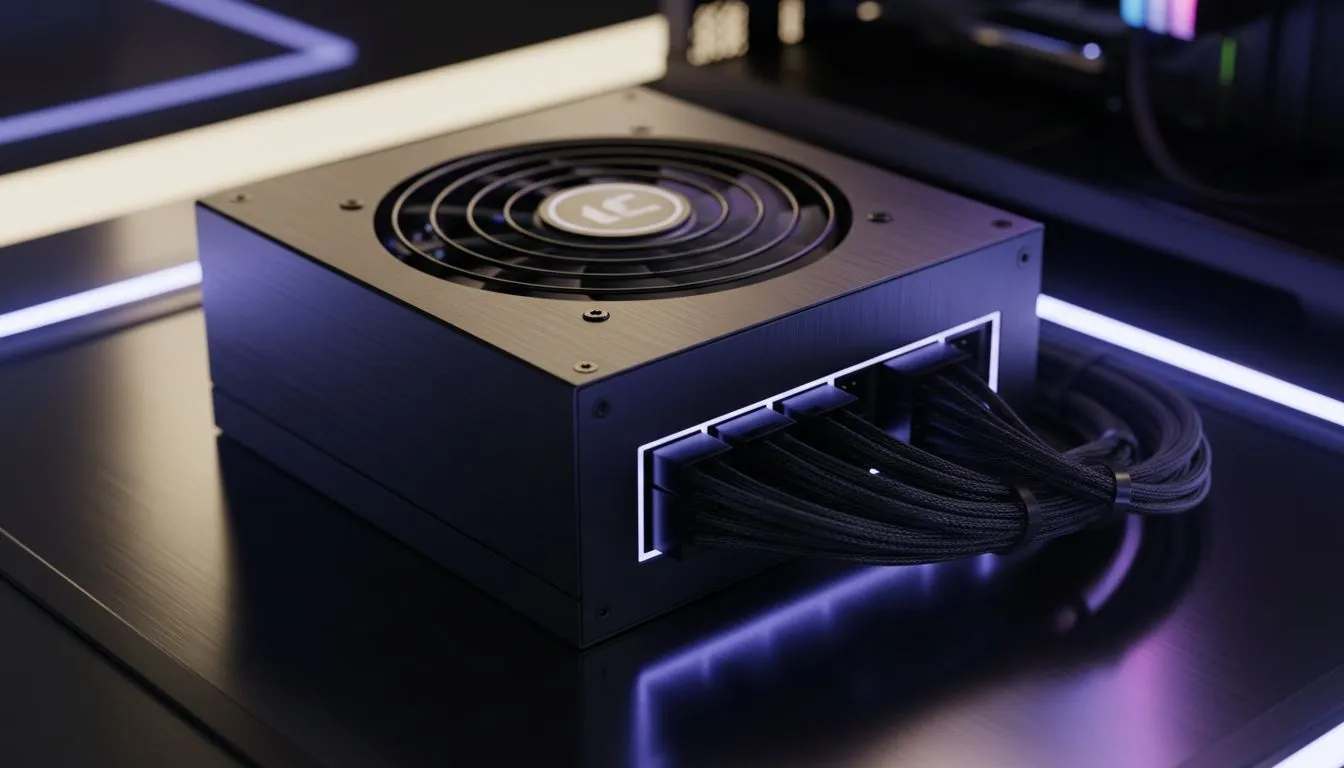
You’ve finally secured that high-wattage 80 Plus Gold unit for your dream rig. You start building... but the cables won't clear the drive bay. It’s a classic DIY headache. Understanding PSU length and what your PC case should support is vital for a clean build. In South Africa, where we value every Rand spent, getting the fit right the first time saves both stress and shipping fees.
When browsing our wide selection of computer cases, you might notice that "ATX" is a standard. However, ATX only defines the height and width of the power supply. The length can vary wildly between 140mm and 220mm. If you are building in a compact mid-tower, a long power supply might collide with your 3.5-inch HDD cages. This makes cable routing nearly impossible.
High-performance builds often require 1000W or 1200W units. These premium power supplies are usually longer because they house more capacitors and larger cooling fans. If you prefer a clean, minimalist aesthetic, Fractal Design PC cases are famous for providing detailed clearance specs. They often allow you to move or remove drive cages to accommodate longer units. 🔧
Always add at least 20mm to the official PSU length spec when checking case compatibility. This extra space accounts for the modular cable connectors and the bend radius of the wires. Without this buffer, you risk putting unnecessary strain on your power ports and motherboard headers.
It isn't just about whether the box fits. It is about how the air moves. A cramped basement shroud chokes the power supply fan. This leads to higher temperatures and louder fan noise. Many Gamdias gaming cases feature ventilated PSU shrouds to help mitigate this. If the fit is too tight, you lose the ability to tuck away excess cables. This creates a "rat's nest" that blocks intake air from reaching your GPU. 🚀
You don't need to spend a fortune to get a chassis with decent clearance. We offer several budget-friendly cases under R1,500 that support standard 160mm power supplies comfortably. Always check the manufacturer's website for the "Max PSU Length" specification before you click buy. It is the best way to ensure your building process is smooth and your cable management looks professional. ✨
Ready to Find Your Perfect Match? Getting your PSU length right is the secret to a professional-looking build. For the best compatibility, choice, and value in South Africa, our curated selection is hard to beat. Explore our massive range of computer cases and find the perfect home for your high-performance hardware.
Measure from the PSU rear mounting plate forward to the nearest internal obstruction and compare to the PSU length spec to ensure pc case psu compatibility.
Most mid-tower cases accept 160–180mm PSUs, but always check the case's max psu length for case to confirm clearance and cable routing.
Yes. Longer PSUs can block intake/exhaust paths and obstruct fans; pick the best psu length for airflow to keep temperatures down.
Shorter PSUs free space behind drive cages, simplifying psu cable management clearance and making routing easier in tight builds.
Yes. SFX units are significantly shorter than ATX; compare sfx vs atx psu length before selecting a case or adapter.
Long PSUs can reduce room for long GPUs. Verify psu length and gpu clearance in your case to avoid fit conflicts.
If the PSU exceeds the max psu length for case, use a shorter PSU, an SFX adapter, or choose a larger case to prevent fit and airflow issues.
Clean gaming keyboard quickly and safely in dusty or humid conditions with step-by-step tips, tool checklist, and maintenance routines to prevent corrosion and switch failure. 🧼💨
Read more
Best gaming keyboard features to prioritize when building a high-end setup: mechanical switches, low latency, hot-swap, RGB, macros, durability and ergonomics 🎮⌨️
Read more
Custom actuation point keyboard setup guide: learn to set per-key actuation on your analog gaming keyboard for faster, precise inputs and better control 🎮⚙️
Read more
Cable management for home entertainment helps you eliminate cable clutter quickly and safely. Learn routing, concealment, and product picks to tidy your setup fast 📺🔌
Read more
conference room setup Microsoft Teams Zoom: Upgrade AV, camera, mic, and network to ensure seamless meetings, clear audio, and crisp video 🎯🔧
Read more
• Audit setup • Link accounts • Configure ViewBoard • Test workflows Integrate Google Workspace with ViewSonic ViewBoard to enable secure SSO, calendar and Drive sync, and smooth collaborative whiteboarding 🔗📋
Read more
Discover webcams that automatically adjust light and color for crystal-clear video calls 🎥✨. Boost your streaming quality today!
Read more
Discover webcams that blend into your workflow 🎯 Capture moments while you work, stream, or create. Upgrade your setup with smart, multitasking tech!
Read more
Dedicated media keys give streamers one-touch control to mute, switch scenes, clip highlights, and adjust audio — cutting task time and boosting consistency 🎛️⚡
Read more
PBT vs ABS keycaps: Clear, local guide for South African gamers—compare feel, sound, durability and where to buy. Find the best material for your budget and playstyle 🎮🇿🇦
Read more
- Multi-Function Digital Dial: define benefits - Show gamer setups and macros - Offer buying and setup tips Multi-Function Digital Dial puts programmable control at your fingertips for faster actions and smoother streaming. 🎮⚙️
Read more
- Explain benefits; - Show the science; - Compare options; - Recommend picks. Magnetic wrist rest for gaming cuts wrist strain and boosts comfort during long sessions 🕹️✨
Read more