


Clean Gaming Keyboard: Guide for Dusty & Humid Conditions
Clean gaming keyboard quickly and safely in dusty or humid conditions with step-by-step tips, tool checklist, and maintenance routines to prevent corrosion and switch failure. 🧼💨
Read more• PWM fans vs standard fans: compare control, noise, and compatibility • Explain wiring, speed control, and efficiency • Show best use cases and build tips • Recommend top picks for quiet and gaming builds 🌀🔧
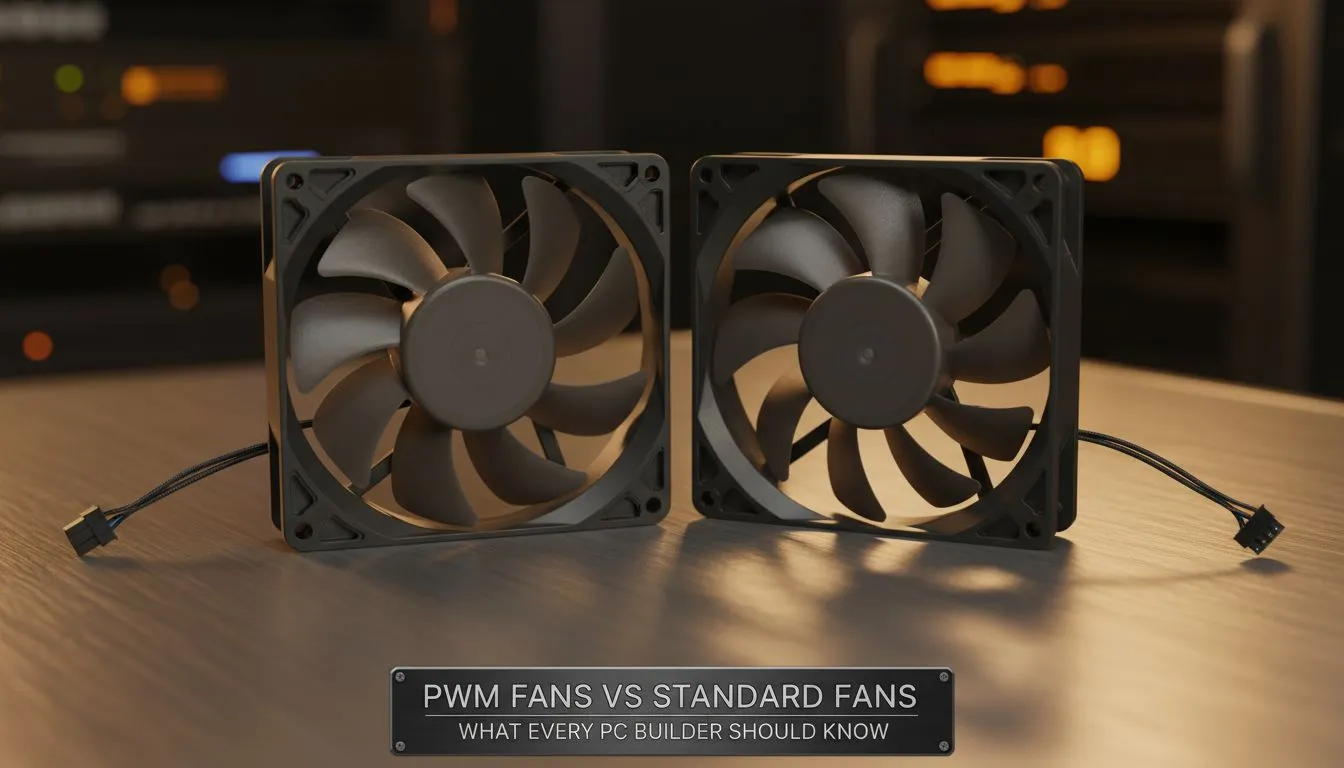
If you’re building a PC in Mzansi and want quieter, smarter cooling, the PWM fans vs standard fans debate matters. In the first 70 words: PWM fans let your motherboard control speed precisely, while standard (3‑pin) fans rely on voltage changes or fixed speeds. Read on for practical tips, local buying signals, and where to spend your rand.
PWM fans (4‑pin) include a pulse‑width modulation signal that tells the motor exactly how fast to spin. Standard 3‑pin fans are controlled by voltage and give less granular control. For an accessible technical primer, Noctua’s explanation of 3‑pin vs 4‑pin fans is useful for builders who want the deeper detail. Using PWM can reduce noise during light loads and keep temps in check during heavy gaming sessions. For case compatibility and airflow planning, check Evetech’s range of computer cases to know how many fan mounts you’ll need: Evetech cases guide.
you want quiet desktop use: set your motherboard fan curve to prioritise temperatures under 50°C; let the fans ramp above that. That gives silent idle and responsive cooling for spikes.
Price matters in ZAR. PWM fans often cost a little more, but they give long‑term value via automated control. If you’re shopping for affordable cases that make fan installation easy, browse Gamdias gaming cases at Evetech — they frequently have models optimised for multiple fan mounts and RGB options. If you’re on a strict budget, use the Gamdias filter to find options under R1,500 that still allow for a mix of PWM and standard fans.
Ready to Find Your Perfect Match? The Mac vs Windows debate is complex, but for maximum power, choice, and value in South Africa, Windows is hard to beat. Explore our massive range of laptop specials and find the perfect machine to conquer your world.
PWM fans use a 4-pin PWM signal for precise speed control; standard 3-pin fans vary speed by voltage. See pwm vs 3-pin fans for details.
Often yes — are pwm fans better because pwm fan benefits include finer control, lower noise at idle, and improved thermal management under load.
You can plug a 4-pin PWM fan into a 3-pin header, but you'll lose PWM control and fallback to voltage-based speed (pwm vs dc fans).
Yes. PWM fan speed control lets fans run slower at low loads, cutting RPMs and lowering noise — ideal for quiet builds and silent pwm fans for pc.
Decide by noise, control, and compatibility: choose PWM for granular control and quieter operation. For quick guidance, read how to choose pc fans.
PWM fans can be more efficient because they idle at lower RPMs and draw less power under light loads — a key pwm fan benefit.
Silent pwm fans for pc are top picks; combine quality PWM fans with tuned fan curves for minimal noise while maintaining temps in gaming builds.
Clean gaming keyboard quickly and safely in dusty or humid conditions with step-by-step tips, tool checklist, and maintenance routines to prevent corrosion and switch failure. 🧼💨
Read more
Best gaming keyboard features to prioritize when building a high-end setup: mechanical switches, low latency, hot-swap, RGB, macros, durability and ergonomics 🎮⌨️
Read more
Custom actuation point keyboard setup guide: learn to set per-key actuation on your analog gaming keyboard for faster, precise inputs and better control 🎮⚙️
Read more
Cable management for home entertainment helps you eliminate cable clutter quickly and safely. Learn routing, concealment, and product picks to tidy your setup fast 📺🔌
Read more
conference room setup Microsoft Teams Zoom: Upgrade AV, camera, mic, and network to ensure seamless meetings, clear audio, and crisp video 🎯🔧
Read more
• Audit setup • Link accounts • Configure ViewBoard • Test workflows Integrate Google Workspace with ViewSonic ViewBoard to enable secure SSO, calendar and Drive sync, and smooth collaborative whiteboarding 🔗📋
Read more
Discover webcams that automatically adjust light and color for crystal-clear video calls 🎥✨. Boost your streaming quality today!

Discover webcams that blend into your workflow 🎯 Capture moments while you work, stream, or create. Upgrade your setup with smart, multitasking tech!

Dedicated media keys give streamers one-touch control to mute, switch scenes, clip highlights, and adjust audio — cutting task time and boosting consistency 🎛️⚡

PBT vs ABS keycaps: Clear, local guide for South African gamers—compare feel, sound, durability and where to buy. Find the best material for your budget and playstyle 🎮🇿🇦

- Multi-Function Digital Dial: define benefits - Show gamer setups and macros - Offer buying and setup tips Multi-Function Digital Dial puts programmable control at your fingertips for faster actions and smoother streaming. 🎮⚙️

- Explain benefits; - Show the science; - Compare options; - Recommend picks. Magnetic wrist rest for gaming cuts wrist strain and boosts comfort during long sessions 🕹️✨