


Clean Gaming Keyboard: Guide for Dusty & Humid Conditions
Clean gaming keyboard quickly and safely in dusty or humid conditions with step-by-step tips, tool checklist, and maintenance routines to prevent corrosion and switch failure. 🧼💨
Read more• Diagnose noise sources • Tweak fan curves & airflow • Swap to quiet parts — Reduce PC fan noise without sacrificing cooling performance. Step-by-step tuning, airflow fixes, and product tips to lower noise fast. 🔧❄️
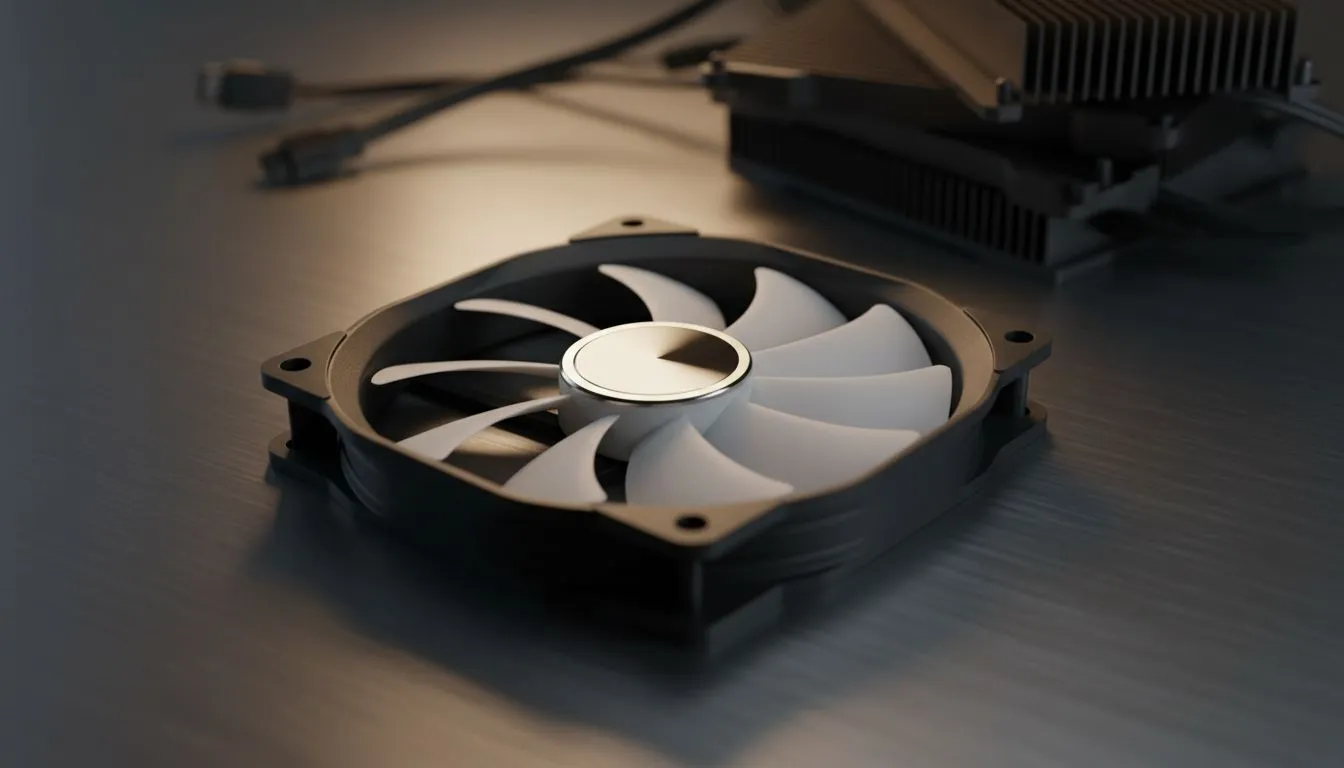
Is your PC sounding like a Boeing 747 taking off from OR Tambo? We have all been there. You are mid-clutch in a heated match and the roar from your case is louder than the game itself. You want to reduce PC fan noise without your components melting during a South African summer. It is a delicate balance... but one you can easily master.
Before you spend a single Rand, look at your software. Most modern motherboards allow you to customise fan curves. If your fans are spinning at 100% while you are just browsing Chrome, you are wasting acoustics. You can set a "Silent" or "Standard" profile in your BIOS to ensure they only ramp up when things actually get hot.
Use your motherboard BIOS or software like Fan Control to set a custom curve. Try keeping your fans at a steady 30% speed until your CPU hits 55 degrees. This prevents that annoying revving sound during basic tasks like watching YouTube or checking emails.
Sometimes, the hardware itself is the limitation. If your current setup uses generic blowers, it might be time to browse some high-quality case fans. Older fans with worn-out bearings often produce a high-pitched whine that no software can fix.
Physics plays a massive role in how much noise your PC makes. Larger fans can move the same amount of air as smaller ones but at much lower speeds. This is why many local enthusiasts prefer 140mm fans for their front intake. They provide a deeper, less intrusive hum. If your chassis is more compact, premium 120mm fans with rubber dampeners are still a fantastic choice for quiet cooling.
Reliability and build quality vary between brands. If you are looking for a budget-friendly way to quieten your rig, Deepcool offers excellent performance for the price. For those who want the absolute top tier of acoustic engineering, CORSAIR provides fans with magnetic levitation bearings that virtually eliminate mechanical friction.
Does your PC’s look impact the sound? Not directly... but the fans you choose do. High-end RGB fans often come with dedicated controllers that help you sync speeds across your entire build. However, if you are building a professional workstation or a stealthy sleeper build, choosing fans with no lighting effects can often save you money while providing the same silent cooling performance.
By balancing your fan curves and choosing the right hardware, you can keep your PC cool and quiet even during the hottest December days.
Ready to Silence Your Rig? Don't let a noisy PC ruin your immersion. Whether you need high-airflow 140mm fans or silent PWM controllers, we have the gear to keep your system whisper-quiet. Explore our full range of case fans and upgrade your cooling today.
Adjust fan curves, improve airflow, and swap noisy fans for quiet pc fans. Use balanced fan curve settings to lower noise while maintaining safe temps.
Yes. Fan speed control software is safe when used properly—set conservative curves, monitor temps, and use trusted apps from your motherboard maker.
Both can. Case fans often create constant background noise; under load CPU coolers can spike. Upgrading to best quiet case fans reduces overall noise.
Yes. Replacing stock fans with quiet pc fans or fluid dynamic bearing models cuts noise and often improves cooling efficiency.
Aim for low idle RPMs and smooth ramping under load via fan curve settings for silence. Exact RPM depends on your fans and case airflow.
Yes. Anti-vibration mounts and foam reduce transmitted noise. Combine them with improved airflow to maintain cooling while lowering resonance.
Run brief load tests and listen: whining or grinding suggests bearings; rattles indicate loose parts. Swapping fans helps confirm the source.
Clean gaming keyboard quickly and safely in dusty or humid conditions with step-by-step tips, tool checklist, and maintenance routines to prevent corrosion and switch failure. 🧼💨
Read more
Best gaming keyboard features to prioritize when building a high-end setup: mechanical switches, low latency, hot-swap, RGB, macros, durability and ergonomics 🎮⌨️
Read more
Custom actuation point keyboard setup guide: learn to set per-key actuation on your analog gaming keyboard for faster, precise inputs and better control 🎮⚙️
Read more
Cable management for home entertainment helps you eliminate cable clutter quickly and safely. Learn routing, concealment, and product picks to tidy your setup fast 📺🔌
Read more
conference room setup Microsoft Teams Zoom: Upgrade AV, camera, mic, and network to ensure seamless meetings, clear audio, and crisp video 🎯🔧
Read more
• Audit setup • Link accounts • Configure ViewBoard • Test workflows Integrate Google Workspace with ViewSonic ViewBoard to enable secure SSO, calendar and Drive sync, and smooth collaborative whiteboarding 🔗📋
Read more
Discover webcams that automatically adjust light and color for crystal-clear video calls 🎥✨. Boost your streaming quality today!
Read more
Discover webcams that blend into your workflow 🎯 Capture moments while you work, stream, or create. Upgrade your setup with smart, multitasking tech!
Read more
Dedicated media keys give streamers one-touch control to mute, switch scenes, clip highlights, and adjust audio — cutting task time and boosting consistency 🎛️⚡
Read more
PBT vs ABS keycaps: Clear, local guide for South African gamers—compare feel, sound, durability and where to buy. Find the best material for your budget and playstyle 🎮🇿🇦
Read more
- Multi-Function Digital Dial: define benefits - Show gamer setups and macros - Offer buying and setup tips Multi-Function Digital Dial puts programmable control at your fingertips for faster actions and smoother streaming. 🎮⚙️
Read more
- Explain benefits; - Show the science; - Compare options; - Recommend picks. Magnetic wrist rest for gaming cuts wrist strain and boosts comfort during long sessions 🕹️✨
Read more