


Clean Gaming Keyboard: Guide for Dusty & Humid Conditions
Clean gaming keyboard quickly and safely in dusty or humid conditions with step-by-step tips, tool checklist, and maintenance routines to prevent corrosion and switch failure. 🧼💨
Read moreSecure guest WiFi: quick, practical steps for hotels and cafes to deploy VLANs, captive portals, WPA3, network isolation, and bandwidth controls that protect guests and your infrastructure. 🔐☕
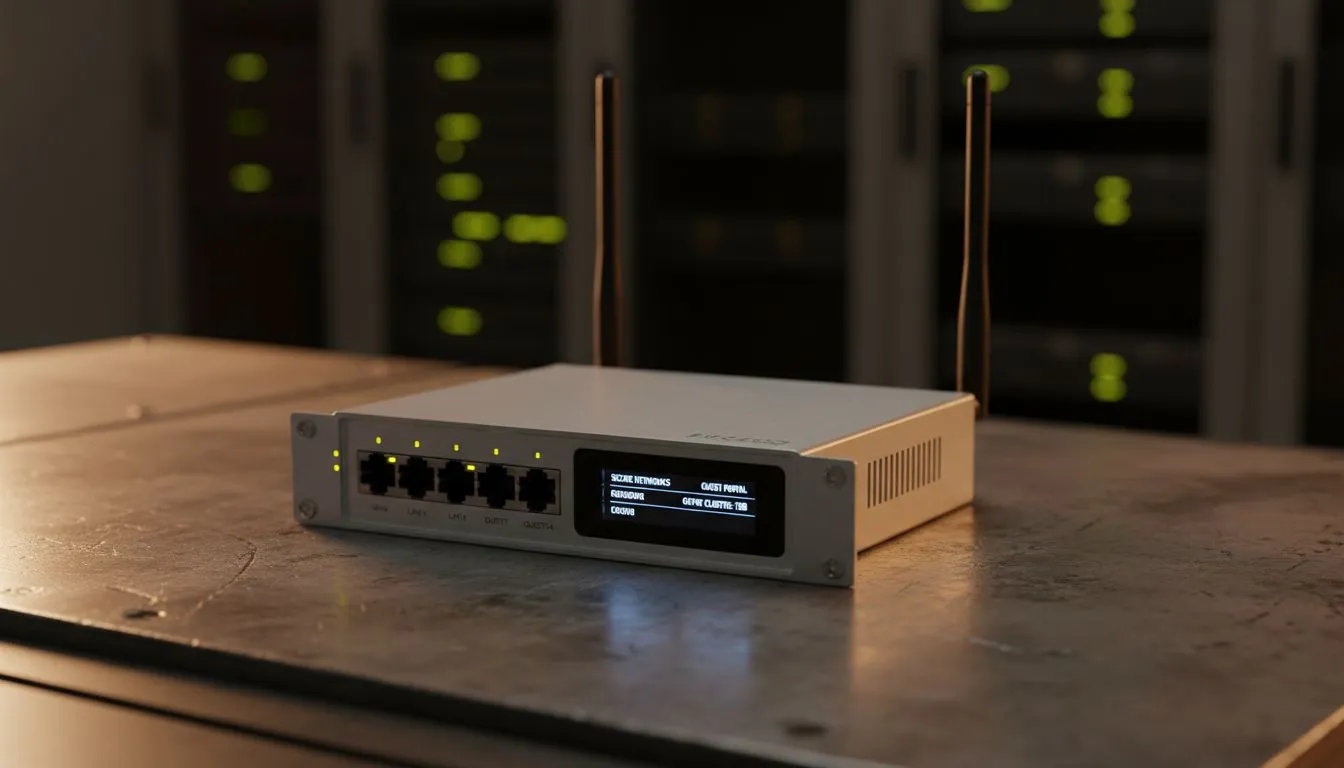
Whether it’s a bustling coffee shop in Cape Town or a boutique hotel in Sandton, customers expect more than just a good flat white. They want fast, secure internet. Providing a guest network shouldn't mean compromising your business data. In this guide, we’ll show you how to set up a secure guest WiFi environment that keeps your guests happy and your private files safe. 🔧
Start with a solid foundation. Most entry-level ISP routers simply cannot handle forty people streaming video simultaneously. You need hardware built for high traffic. When you buy wireless routers for a commercial space, look for "Dual-Band" or "Tri-Band" support. This allows you to split your guests onto one frequency band while keeping your point-of-sale system on another... ensuring your payments never lag during the lunch rush.
Security is the biggest concern for any South African business owner. You do not want a guest seeing your office printer or, worse, your local accounting folders. Most modern routers offer a specific "Guest Network" feature. This creates a virtual wall. It allows users to access the internet but prevents them from seeing any other devices on the local network.
Always change the default admin password of your router immediately. Use a complex passphrase that includes symbols and numbers. This prevents tech-savvy guests from accessing your hardware settings through the login portal. It is a simple step that stops most basic intrusion attempts cold.
If your hotel has thick walls or multiple floors, a single router will not cut it. You might notice the signal drops near the back rooms or the garden patio. To fix this, you should invest in wireless range extenders to push the signal further. These devices pick up the existing signal and rebroadcast it... ensuring every corner of your venue stays connected without needing to run kilometres of Ethernet cable. 🚀
Your staff needs a stable connection too. For desktop PCs at the reception desk or kitchen terminals that lack built-in WiFi, you can buy wireless adapters to get them online instantly. High-gain USB adapters are particularly useful for picking up signals even when the router is tucked away in a server cupboard for safety.
Technology moves fast. What worked two years ago might feel sluggish today as guests bring more devices into your space. Keeping your wireless networking equipment updated is a direct investment in customer satisfaction. A guest who cannot upload their lunch photo is a guest who might not return. Focus on reliability, security, and enough bandwidth to keep the coffee flowing and the data moving. ✨
Ready to Upgrade Your Business Connectivity? Providing secure guest WiFi is essential for any modern South African business. From high-speed routers to signal boosters, we have the hardware to keep you connected. Explore our full range of networking solutions and ensure your guests enjoy a world-class experience.
Start with VLAN segmentation, a captive portal for onboarding, WPA3 where available, strict firewall rules, and bandwidth management for hotel guest WiFi setup.
Yes — VLANs separate guest traffic from internal systems, enforcing guest network isolation and reducing lateral access risks.
Use WPA3 if supported; otherwise WPA2 with strong passphrases. WPA3 guest WiFi setup offers stronger protection for users.
A captive portal simplifies login, shows terms, and can collect consent or emails—ideal for cafes needing easy guest onboarding and analytics.
Apply QoS or per-user bandwidth limits on your APs or gateway to enforce bandwidth management for guest WiFi and avoid hogging by single users.
Choose enterprise-class APs and gateways with VLAN, captive portal, and guest network access control features rather than consumer routers.
Use VLANs plus firewall rules to block cross-VLAN traffic, enable client isolation on APs, and limit admin port exposure for guest network isolation.
Clean gaming keyboard quickly and safely in dusty or humid conditions with step-by-step tips, tool checklist, and maintenance routines to prevent corrosion and switch failure. 🧼💨
Read more
Best gaming keyboard features to prioritize when building a high-end setup: mechanical switches, low latency, hot-swap, RGB, macros, durability and ergonomics 🎮⌨️
Read more
Custom actuation point keyboard setup guide: learn to set per-key actuation on your analog gaming keyboard for faster, precise inputs and better control 🎮⚙️
Read more
Cable management for home entertainment helps you eliminate cable clutter quickly and safely. Learn routing, concealment, and product picks to tidy your setup fast 📺🔌
Read more
conference room setup Microsoft Teams Zoom: Upgrade AV, camera, mic, and network to ensure seamless meetings, clear audio, and crisp video 🎯🔧
Read more
• Audit setup • Link accounts • Configure ViewBoard • Test workflows Integrate Google Workspace with ViewSonic ViewBoard to enable secure SSO, calendar and Drive sync, and smooth collaborative whiteboarding 🔗📋
Read more
Discover webcams that automatically adjust light and color for crystal-clear video calls 🎥✨. Boost your streaming quality today!
Read more
Discover webcams that blend into your workflow 🎯 Capture moments while you work, stream, or create. Upgrade your setup with smart, multitasking tech!
Read more
Dedicated media keys give streamers one-touch control to mute, switch scenes, clip highlights, and adjust audio — cutting task time and boosting consistency 🎛️⚡
Read more
PBT vs ABS keycaps: Clear, local guide for South African gamers—compare feel, sound, durability and where to buy. Find the best material for your budget and playstyle 🎮🇿🇦
Read more
- Multi-Function Digital Dial: define benefits - Show gamer setups and macros - Offer buying and setup tips Multi-Function Digital Dial puts programmable control at your fingertips for faster actions and smoother streaming. 🎮⚙️
Read more
- Explain benefits; - Show the science; - Compare options; - Recommend picks. Magnetic wrist rest for gaming cuts wrist strain and boosts comfort during long sessions 🕹️✨
Read more