


Clean Gaming Keyboard: Guide for Dusty & Humid Conditions
Clean gaming keyboard quickly and safely in dusty or humid conditions with step-by-step tips, tool checklist, and maintenance routines to prevent corrosion and switch failure. 🧼💨
Read moreStruggling with your setup? Our sim racing troubleshooting guide helps you solve common issues like force feedback failure, pedal miscalibration, and wheel detection problems. Get back on the virtual track faster with our expert step-by-step solutions. 🏎️💨
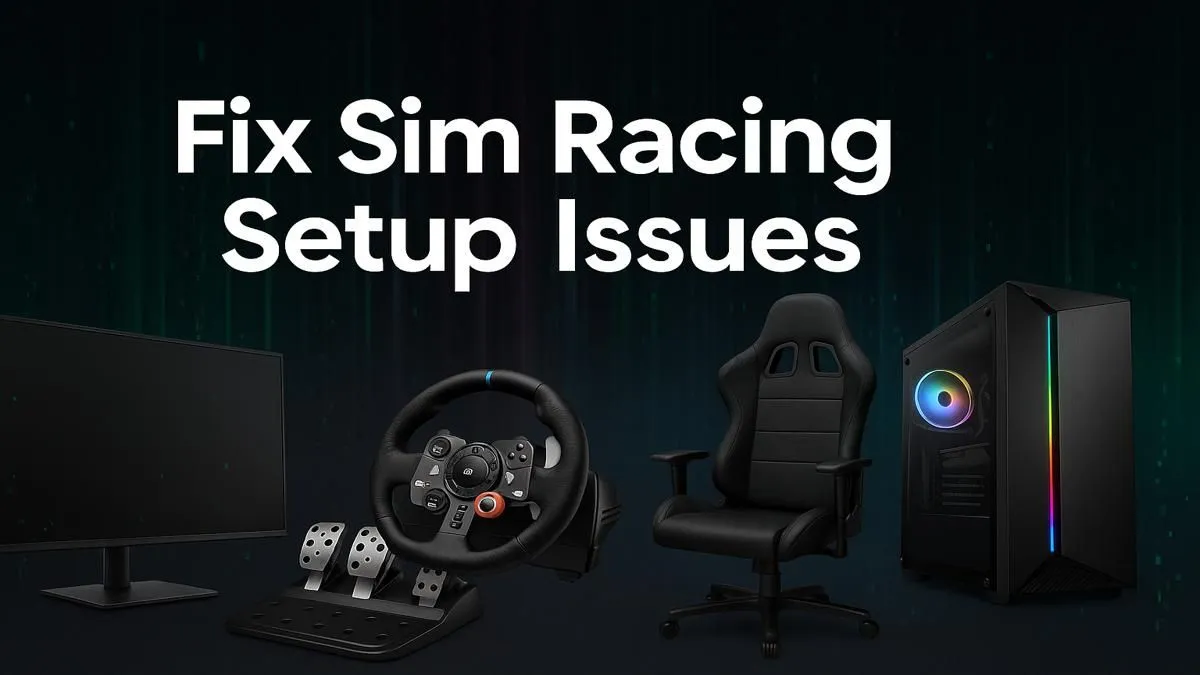
You’ve just unboxed your new sim racing rig. The smell of fresh hardware fills the air. You’re dreaming of hitting the apex at Kyalami, but when you plug everything in… nothing. Or worse, the force feedback feels weak, the pedals are unresponsive, and your virtual race car handles like a bakkie on ice. Don’t panic! This guide to sim racing troubleshooting is your express pit stop to fixing those frustrating first-time setup gremlins.
Before diving into complex software settings, let's cover the basics. The most common sim racing setup issues often stem from simple physical connection problems. It sounds obvious, but you’d be surprised how often a loose cable is the culprit.
Start by checking every connection:
A methodical approach to troubleshooting your sim rig saves a ton of time. Once you’ve confirmed the physical setup is solid, you can move on to the software. Building a reliable setup starts with quality sim racing gear that provides a solid foundation.
Hardware hiccups can kill your immersion. From a wobbly wheel to unresponsive pedals, let's tackle the most frequent offenders and get you back on the virtual track.
Your wheel is your primary connection to the road. When it feels wrong, the whole experience suffers. If you’re not feeling the bumps or the wheel feels disconnected, start by installing the latest drivers and firmware from the manufacturer's website. For example, a wheel from the Thrustmaster ecosystem requires its specific control panel software to function correctly. Inside this software, you can test forces, update firmware, and ensure the PC is seeing the hardware properly before you even launch a game.
Are your throttle inputs jerky or your brakes locking up with the slightest touch? Pedal calibration is one of the most critical steps. Most sim racing troubleshooting for pedals involves re-calibrating them within the manufacturer's software or the game itself. This process tells the software the full range of motion for each pedal, ensuring smooth and accurate inputs.
If you have older pedals with potentiometers, erratic inputs can be caused by dust inside the mechanism. A quick spray with contact cleaner can often solve the problem. For load cell brakes, ensure they are mounted securely, as any flex in the pedal plate will lead to inconsistent braking pressure.
You can have the best wheel and pedals in the world, but if they are mounted to a wobbly desk or a flexible rig, you're losing a huge amount of detail. Force feedback is wasted if your wheel mount is flexing under load. The same goes for braking force if your pedal plate is bending. Ensure every bolt on your rig is tight. If you find you’re still fighting against flex, it might be time to consider a more rigid foundation, like one of the sturdy Playseat chairs and cockpits, which are designed to handle the intense forces of modern direct drive wheels.
If your hardware checks out, the problem likely lies in the software. This is a common area for sim racing issues, especially when juggling multiple peripherals. Always ensure you only have one control software running at a time to avoid conflicts.
Finally, dive into your game's specific control settings. Each simulator (like Assetto Corsa Competizione or iRacing) handles force feedback and device mapping differently. Make sure you've selected the correct device and run the in-game calibration wizard. A setting that feels perfect in one game might feel completely wrong in another, so be prepared to tweak and save profiles for each of your favourite titles. 🚀
Ready to Upgrade Your Drive? Sometimes, the best fix is a fresh start. If troubleshooting reveals your old gear is the bottleneck, it might be time for an upgrade. Explore our complete range of sim racing gear and find the perfect wheel, pedals, or cockpit to dominate the track.
Your PC may not detect your wheel due to outdated drivers, using the wrong USB port (try USB 2.0), or software conflicts. Ensure all drivers are current and the wheel is plugged in before you launch the game.
No force feedback often stems from incorrect in-game settings or driver issues. Check that FFB is enabled and configured in both the game and your wheel's control panel. Reinstalling the driver can also help.
Input lag and stuttering are often caused by high graphics settings or V-Sync. Try lowering your visual settings, disabling V-Sync, updating GPU drivers, and closing background applications to improve performance.
Calibrate pedals using Windows' 'Game Controllers' utility (joy.cpl) or the manufacturer's software. This process sets the minimum and maximum travel for your pedals, ensuring accurate and responsive input.
On PC, you can usually mix and match peripheral brands (e.g., Fanatec pedals with a Thrustmaster wheel). On consoles, compatibility is much more limited and often requires brand-specific hardware.
If your shifter isn't registering gears correctly, first try recalibrating it through its software. Also, check for loose USB connections and ensure the shifter's firmware and drivers are fully updated.
Clean gaming keyboard quickly and safely in dusty or humid conditions with step-by-step tips, tool checklist, and maintenance routines to prevent corrosion and switch failure. 🧼💨
Read more
Best gaming keyboard features to prioritize when building a high-end setup: mechanical switches, low latency, hot-swap, RGB, macros, durability and ergonomics 🎮⌨️
Read more
Custom actuation point keyboard setup guide: learn to set per-key actuation on your analog gaming keyboard for faster, precise inputs and better control 🎮⚙️
Read more
Cable management for home entertainment helps you eliminate cable clutter quickly and safely. Learn routing, concealment, and product picks to tidy your setup fast 📺🔌
Read more
conference room setup Microsoft Teams Zoom: Upgrade AV, camera, mic, and network to ensure seamless meetings, clear audio, and crisp video 🎯🔧
Read more
• Audit setup • Link accounts • Configure ViewBoard • Test workflows Integrate Google Workspace with ViewSonic ViewBoard to enable secure SSO, calendar and Drive sync, and smooth collaborative whiteboarding 🔗📋
Read more
Discover webcams that automatically adjust light and color for crystal-clear video calls 🎥✨. Boost your streaming quality today!
Read more
Discover webcams that blend into your workflow 🎯 Capture moments while you work, stream, or create. Upgrade your setup with smart, multitasking tech!
Read more
Dedicated media keys give streamers one-touch control to mute, switch scenes, clip highlights, and adjust audio — cutting task time and boosting consistency 🎛️⚡
Read more
PBT vs ABS keycaps: Clear, local guide for South African gamers—compare feel, sound, durability and where to buy. Find the best material for your budget and playstyle 🎮🇿🇦
Read more
- Multi-Function Digital Dial: define benefits - Show gamer setups and macros - Offer buying and setup tips Multi-Function Digital Dial puts programmable control at your fingertips for faster actions and smoother streaming. 🎮⚙️
Read more
- Explain benefits; - Show the science; - Compare options; - Recommend picks. Magnetic wrist rest for gaming cuts wrist strain and boosts comfort during long sessions 🕹️✨
Read more