


Clean Gaming Keyboard: Guide for Dusty & Humid Conditions
Clean gaming keyboard quickly and safely in dusty or humid conditions with step-by-step tips, tool checklist, and maintenance routines to prevent corrosion and switch failure. 🧼💨
Read more- Diagnose causes; - Reduce vibration; - Secure the mount. Stop phone mount from shaking with anti-vibration pads, stronger clamps, better placement and quick DIY fixes for potholes and corrugated roads 🚗🔧
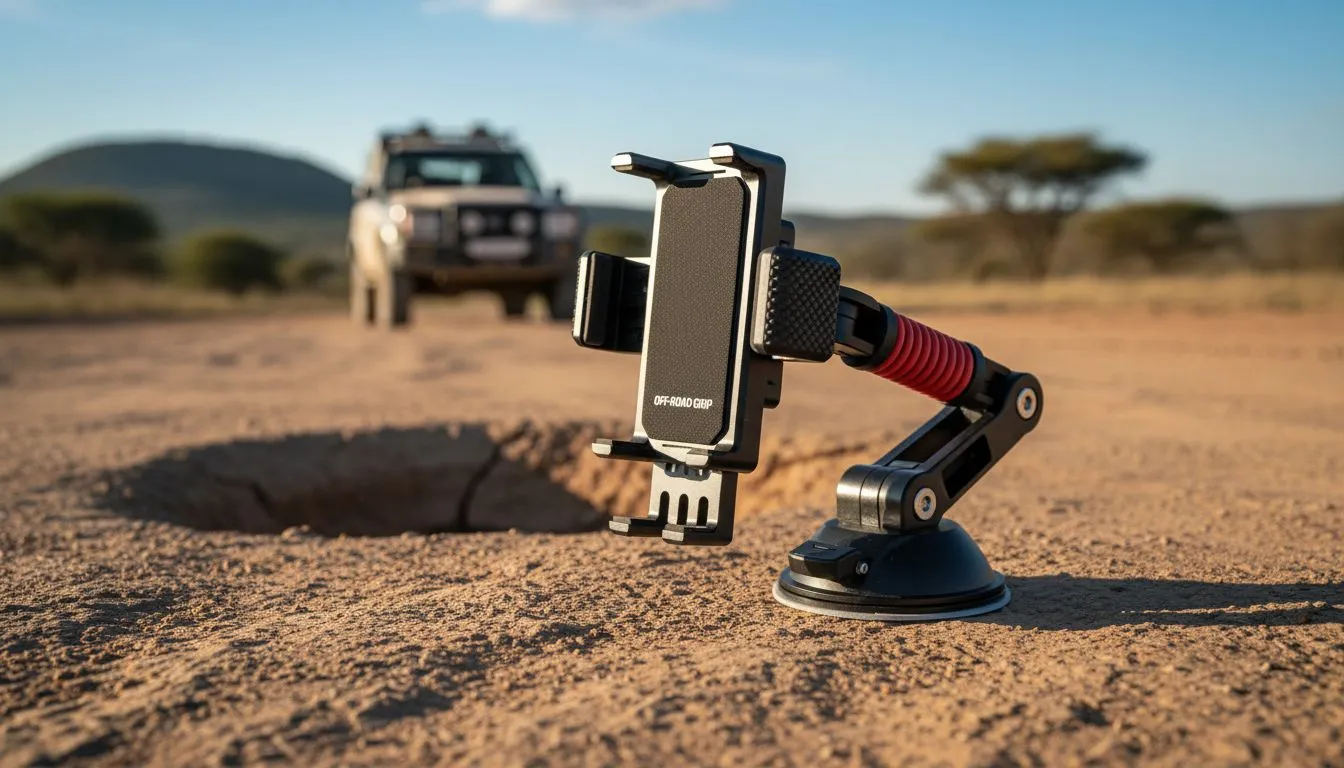
Every South African driver knows the dread of hitting a sudden dip or a "hidden" crater in the road. You are navigating via GPS... then "thud"... your phone is suddenly staring at the floor mats. If you want to stop phone mount from shaking on potholes, you need more than just luck. It takes the right hardware and a few clever mounting tricks to keep your screen steady. 🚗
A shaky mount often stems from a poor connection point between the device and your dashboard. When looking for reliable car tech gear, you will notice that suction cups are popular but have a weakness. In the harsh South African sun, the adhesive on cheap pads tends to soften. This leads to that annoying "oscillation" every time you drive over a patch of uneven tar.
To combat this, ensure your mounting surface is clinical... use an alcohol wipe to remove any dashboard protector oils. If your dash is textured, consider a vent-mounted solution instead. Brands like Promate car accessories often feature reinforced, rubberised grips that bite onto the vent slats, providing a much lower centre of gravity than long-arm windshield mounts.
To further stop phone mount from shaking on potholes, try to rest the bottom edge of the phone mount against the dashboard itself. This creates a secondary point of contact that acts as a shock absorber, significantly reducing the leverage that causes high-frequency vibrations during your commute.
Not all mounts are created equal when the road gets rough. If you are browsing for premium car tech under R2000, you should look for "gravity" mounts or mechanical locking systems. These designs use the weight of the phone to pull the side arms inward, creating a snug fit that does not rattle.
For those on a tighter budget, there are still excellent options cheaper than R500 that utilise magnetic plates. Magnets are often more stable because they lack the moving plastic parts found in spring-loaded cradles... and fewer moving parts means fewer things to shake loose over time. 🔧
Vibrations are the enemy of tight screws. Every few weeks, give your mount a quick "tug test". Ensure the tightening nut behind the ball joint hasn't vibrated loose. A half-turn of a plastic nut can be the difference between a clear view of Google Maps and a blurry mess of pixels. 🚀
Ready to Find Your Perfect Match? Dealing with shaky screens is a thing of the past with the right equipment. For the best stability, choice, and value in South Africa, our CarTech range is hard to beat. Explore our massive range of car accessories and find the perfect gear to keep your tech secure on every journey.
Impacts transfer through the vehicle and amplify on loose clamps or rigid mounts. Use anti-vibration pads and tighten fasteners to reduce phone mount shaking on potholes.
Install rubber dampers, tighten all fasteners, relocate to a stiffer dash spot, or switch to a clamp-style holder to stop phone mount from shaking.
Suction cups can flex or lose grip on bumpy surfaces. Consider adhesive or clamp mounts and anti-vibration pads to prevent suction cup phone mount shakes.
Strong magnetic mounts with rubber pads can work, but thin plates slip. Choose heavy-duty magnetic mounts and add a rubber damper for corrugated road stability.
Yes. Rubber or silicone pads, foam tape, or small sorbothane pieces absorb shock and noticeably reduce phone holder vibration.
Mount near the vehicle's center or on a sturdy dash section rather than the windshield. Lower, central locations cut leverage and vibration.
Replace if plastic is cracked, clamps fail, or repeated fixes don't stop shaking. Invest in a high-quality anti-vibration mount for lasting stability.
Clean gaming keyboard quickly and safely in dusty or humid conditions with step-by-step tips, tool checklist, and maintenance routines to prevent corrosion and switch failure. 🧼💨
Read more
Best gaming keyboard features to prioritize when building a high-end setup: mechanical switches, low latency, hot-swap, RGB, macros, durability and ergonomics 🎮⌨️
Read more
Custom actuation point keyboard setup guide: learn to set per-key actuation on your analog gaming keyboard for faster, precise inputs and better control 🎮⚙️
Read more
Cable management for home entertainment helps you eliminate cable clutter quickly and safely. Learn routing, concealment, and product picks to tidy your setup fast 📺🔌
Read more
conference room setup Microsoft Teams Zoom: Upgrade AV, camera, mic, and network to ensure seamless meetings, clear audio, and crisp video 🎯🔧
Read more
• Audit setup • Link accounts • Configure ViewBoard • Test workflows Integrate Google Workspace with ViewSonic ViewBoard to enable secure SSO, calendar and Drive sync, and smooth collaborative whiteboarding 🔗📋
Read more
Discover webcams that automatically adjust light and color for crystal-clear video calls 🎥✨. Boost your streaming quality today!

Discover webcams that blend into your workflow 🎯 Capture moments while you work, stream, or create. Upgrade your setup with smart, multitasking tech!

Dedicated media keys give streamers one-touch control to mute, switch scenes, clip highlights, and adjust audio — cutting task time and boosting consistency 🎛️⚡

PBT vs ABS keycaps: Clear, local guide for South African gamers—compare feel, sound, durability and where to buy. Find the best material for your budget and playstyle 🎮🇿🇦

- Multi-Function Digital Dial: define benefits - Show gamer setups and macros - Offer buying and setup tips Multi-Function Digital Dial puts programmable control at your fingertips for faster actions and smoother streaming. 🎮⚙️

- Explain benefits; - Show the science; - Compare options; - Recommend picks. Magnetic wrist rest for gaming cuts wrist strain and boosts comfort during long sessions 🕹️✨