




Mouse cursor moving on its own? Isolate the input
Disconnect the mouse first, then check for pointer movement from another input. Check the tracking surface and separate the mouse from the touchpad before ordering a replacement.
Read moreUse webmail to see if the same mailbox can still send and receive. Find out whether mail trouble follows the account or the desktop app before replacing equipment.

Your inbox looks frozen on the laptop, and you need to know whether the last message went out. Start with the same mailbox in webmail. If you can send from there, you have a place to work while you figure out what happened to the installed Outlook app.
Check that ordinary websites load, then open the same mailbox in webmail and send a small test message. Both checks cost R0. If webmail works and classic Outlook says Working Offline, use Send/Receive > Work Offline to reconnect.
Open your provider's normal webmail sign-in through a bookmark or a known workplace link. Check for new mail, then send a short test to an address you can access. A sign-in page that loads tells you less than a message you can open at the other end. Keep the test free of attachments.
If other sites fail as well, check the connection on the same laptop. If you normally use Ethernet through a dock, try your normal Wi-Fi connection separately if workplace rules allow. Hold the mailbox and test message constant. You want to learn whether the connection changes the result.
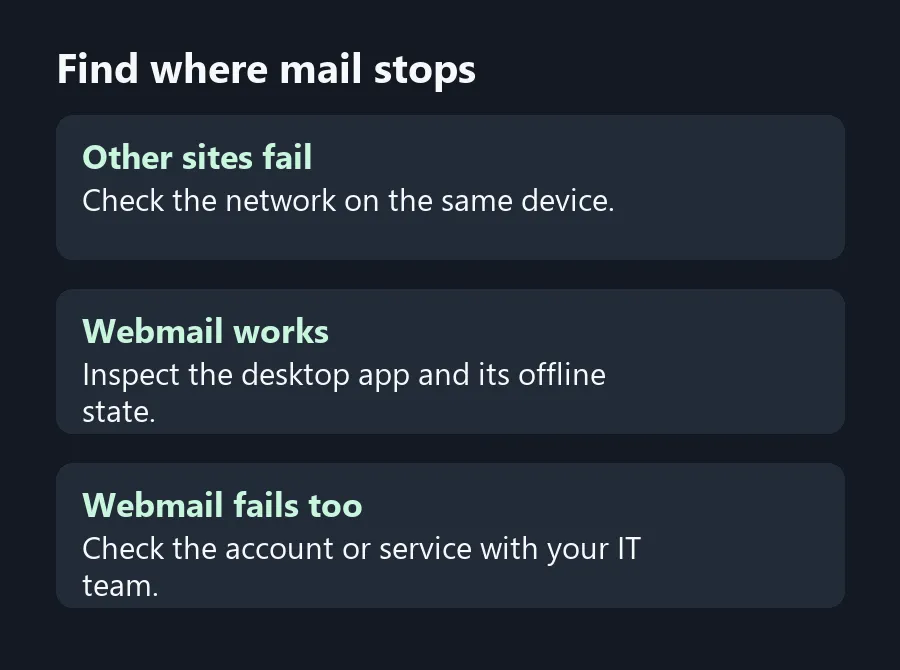
Look at the bottom of the desktop window. If the status says Working Offline, select Work Offline on the Send/Receive ribbon to reconnect. Watch the status after you select it. If you see Disconnected or Trying to connect, confirm your connection and try webmail again. New Outlook uses a different interface, so identify which app you're using before hunting for a missing ribbon button.
Once you can see new mail, look in Outbox and Sent Items for the important message. Avoid sending the original invoice or attachment again until you know what happened to the first copy. Check with the intended recipient if the message status is unclear and the timing matters.
If the account fails in webmail on a working connection, contact your mail provider or workplace IT before removing the desktop profile. Give them the error and the time it started. If Outlook alone fails, use the working web session while you look at app updates or ask IT to check the desktop profile.
If multiple sites stop loading only with a dock attached, test the direct connection before shopping for USB Hubs and compare the ports each unit offers. Look at All Laptops on Special when the evidence points to a broader laptop replacement. Save the connection test for the technician if the fault returns.
Yes, if your provider offers webmail. Use the same account so you can compare the results.
Look under Send/Receive, then check the status bar after using it.
Send a small test without attachments and capture the error if it fails in webmail too.
Check the connection and webmail first. Ask IT before changing a managed profile.
Check Outbox and Sent Items before sending a duplicate. Contact the recipient if you need confirmation.
No. It helps locate the failure across the network, account and installed app.
Find where mail stops Find out whether mail trouble follows the account or the desktop app before replacing equipment.
Yes, if your provider offers webmail. Use the same account so you can compare the results.
Look under Send/Receive, then check the status bar after using it.
Send a small test without attachments and capture the error if it fails in webmail too.
Check the connection and webmail first. Ask IT before changing a managed profile.
Check Outbox and Sent Items before sending a duplicate. Contact the recipient if you need confirmation.
No. It helps locate the failure across the network, account and installed app.
Disconnect the mouse first, then check for pointer movement from another input. Check the tracking surface and separate the mouse from the touchpad before ordering a replacement.
Read more
Check the document feeder for automatic duplex scanning before buying a colour laser all-in-one. Check the scanner and exact toner codes before budgeting in rand for a shared office printer.
Read more
Use a secondary zone in Google Calendar to display your client time beside Johannesburg. Use SAST alongside a client's local time without shifting existing events.
Read more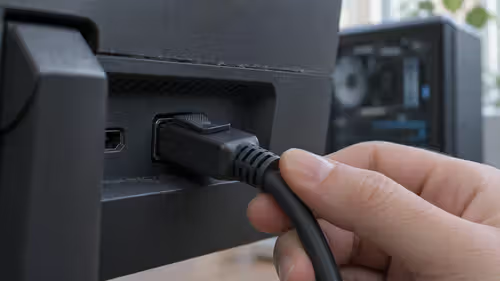
Wake the PC, select DisplayPort and reseat the cable before changing the monitor sleep setting. Test the monitor's sleep setting and video path before replacing the screen.
Read more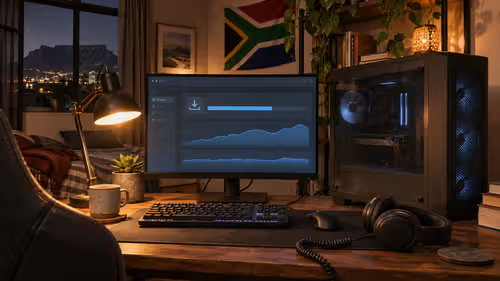
If disk activity and progress continue, let the Steam patch keep running. Separate game patching from a slow fibre connection before spending on storage or a faster line.
Read more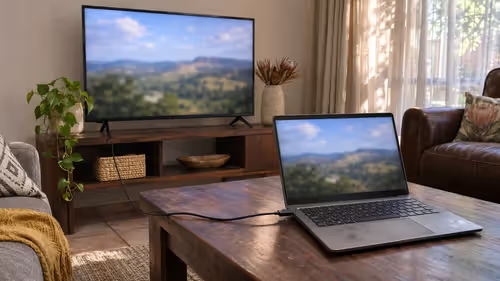
Select the TV or HDMI audio device in Windows Sound settings. Get laptop sound onto a TV before buying an adapter, cable or speaker.
Read more
On Android, check whether the ad comes from a website notification, a browser pop-up or an installed app. Turn off the site's notification permission or check the app responsible for ads outside the browser. These checks cost R0 and work without installing.

Start with the main camera in good light and try 4K at 30 fps for everyday detail. Choose 4K at 60 fps when you want smoother motion and have enough light and storage. Changing the settings and testing a clip costs R0.

Compare the XPG INVADER X MINI Chroma's included fans, motherboard support and component clearances with a case you can buy locally. Evetech had the white Gamdias AURA GC1 Elite ATX case listed in stock at R349 on 20 November, with four fans in its listing. That.

Seasonic has teased the 3,200W PRIME ENTERPRISE PX-3200 with six 12V-2x6 GPU connectors for multi-GPU workstations. For a gaming build, use the power recommendation and connectors for your exact graphics card and processor. Evetech's 20 November in-stock.

A good mid tower earns its place through airflow, part clearance and cable room, not through looks or a glass side panel. Check GPU length, cooler height and fan mounts first. Mid tower cases here run from R499 to R7,299.

Press Win+R, type netplwiz and untick Users must enter a user name and password. If that box is missing, switch off Require Windows Hello sign-in in Settings, Accounts, Sign-in options first. Only do this on a PC no one else can reach.

Lower the power limit a little in MSI Afterburner, or set a custom voltage-frequency curve, to cool and quiet a GPU. Change one step at a time and test each change. Undervolting helps most in warm SA rooms, where a few watts saved keeps fans quiet.

Bad 1% lows mean short frame rate dips you can feel even when the average looks fine. Common causes are a CPU limit, slow or single-channel RAM, VRAM overflow, background tasks and shader compiling. Measure first, then change one thing at a time.

The RX 6700 XT brings 12GB of VRAM; the RTX 3070 brings 8GB, DLSS and stronger ray tracing. Both are rated near 220 to 230W, so one PSU suits either. A Radeon card in the R9,999 to R19,999 band sets the AMD budget.

The RX 580 has more video memory but draws far more power; the GTX 1650 runs from the slot alone on most models. That makes the 1650 the safer drop-in for weak office power supplies, while the RX 580 wants proper PCIe leads and a roomier case.

The best earbuds are the ones that fit your ears, work with your phone and suit how you use them. List your main uses, then check fit, battery, noise cancelling and call quality. Local earbuds span roughly R199 to R3,999, so decide your ceiling early.

Back up, shut down, unplug the charger, open the base and swap the drive. Then clone the old disk or reinstall Windows. Check whether your laptop takes a 2.5-inch SATA drive or an M.2 stick, because the two are not interchangeable.