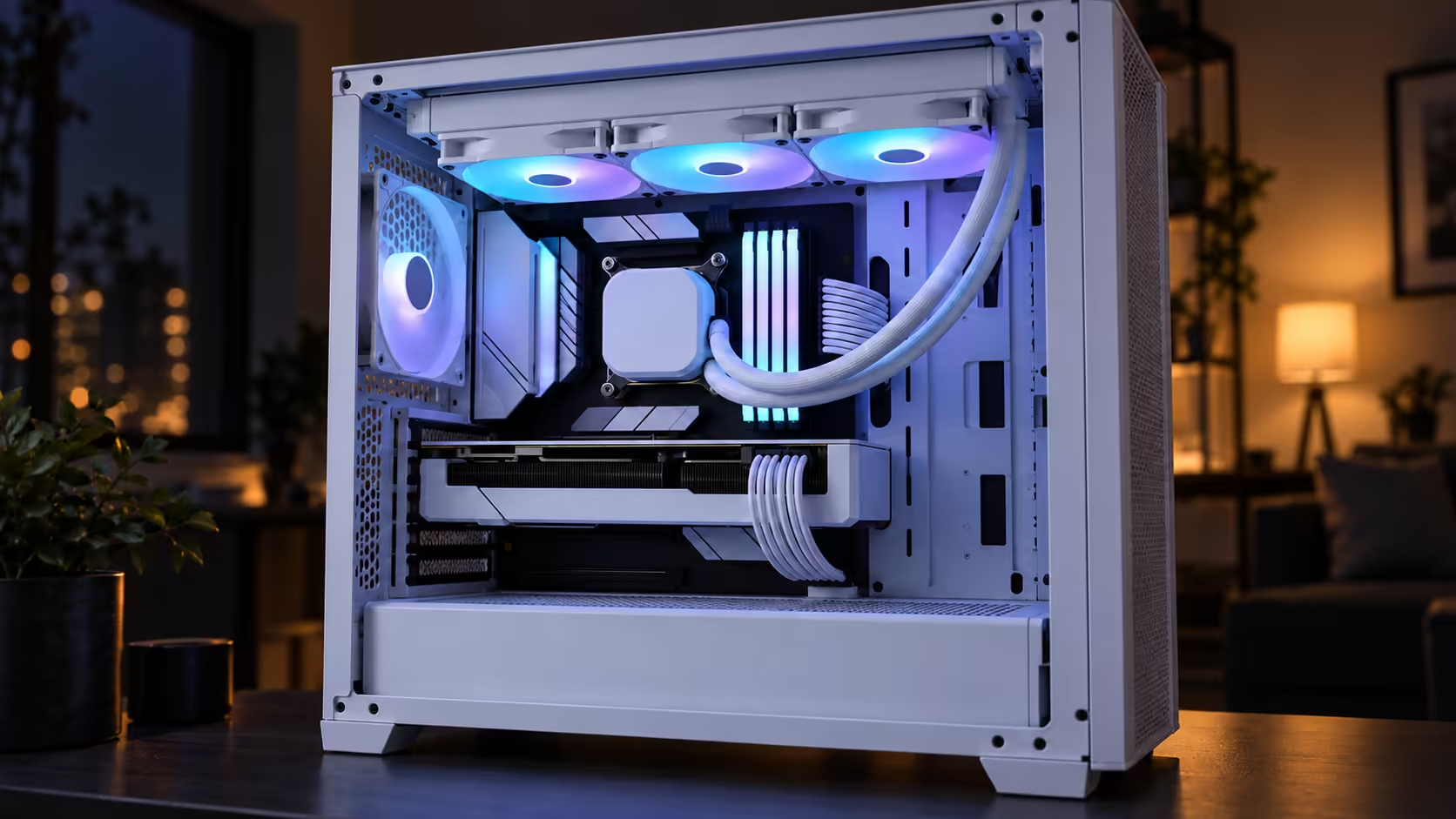
ARGB lighting adds colour zones that move with the effects you choose, which keeps a white build from looking flat. An effect only reads well against the right backdrop. A white radiator inside a dark case has something to push against, while the same radiator in a bright case can wash out. Here is what ARGB does, where it looks best, and how to decide whether it belongs in your build.
Quick Answer
ARGB lighting adds addressable colour zones that follow your effects, so a white build looks lively rather than flat. It looks best against dark panels. The white EliteLiquid 360 is R2,099 at Evetech, and it pairs well with a clean white case when the surrounding panels give the colours some contrast.
🌈 What addressable means in practice
ARGB is short for addressable RGB. Each colour zone on the strip or ring can be set separately, so an effect can run a wave across the radiator, pulse a single fan, or hold one colour over the whole cooler. A plain RGB strip shows one colour along its full length, and the movement is the big difference.
Owners spend most of their time on effects. A slow wave with a 10-second cycle looks calm on a white build, while a fast rainbow finishing its cycle in 2 seconds looks busy. Try three or four before settling, since the effect sets the mood of the machine.
Addressable lighting depends on the board to drive it through the correct header and software. Check both before judging the colours.
🖤 Choose the backdrop before the colour
The largest influence on ARGB is what sits behind it. Dark panels make colour stand out, because light needs contrast. A white radiator in a dark case looks lit, while the same radiator in a bright white case can look pale even at full brightness.
A glass side panel changes things again. The radiator sits inside the frame, so colour, fans and cabling are all visible. A solid panel hides most of the lighting, and the effect becomes something you feel more than see.
Test at 30% brightness as well as full brightness, since a dark backdrop often needs much less. On a light case, keep the brightness high enough to see and choose a slow effect so the colour does not smear. The NZXT case lighting range is a sensible next stop if the case front needs matching lighting.
🎨 Keep the lighting consistent
ARGB looks most convincing when it runs consistently. Fans, the radiator and any RAM lighting should share a colour family and an effect speed. Mismatched effects make a build look unplanned, even when every part is good individually.
Keep the palette small. Two colours in one effect look deliberate, while five colours spread over six parts look random. Choose the palette before opening the software.
Route the lighting lead neatly, so it does not cut across a light radiator in every photo. For a light or dark build, browse the liquid cooler selection, or widen the search through the CPU cooler range.
Frequently Asked Questions
Does ARGB improve performance?
No. It changes the look, not speed or temperature.
Why does my white radiator look pale?
Usually the surrounding panels are too bright or the brightness is too low. Try a darker backdrop or a higher level on a slow effect.
Is ARGB better than plain RGB?
More flexible, because each zone is independent. Plain RGB is simpler for one steady colour.
Is there a black version at the same price?
Yes. Black costs the same R2,099, which makes colour purely a style decision.
Which colour suits a white build?
A soft colour on a slow effect usually looks cleanest. Test it against your real panels first.
Lighting a white build?
Browse our CPU coolers and case lighting, and pick the finish that suits your panels and backdrop.