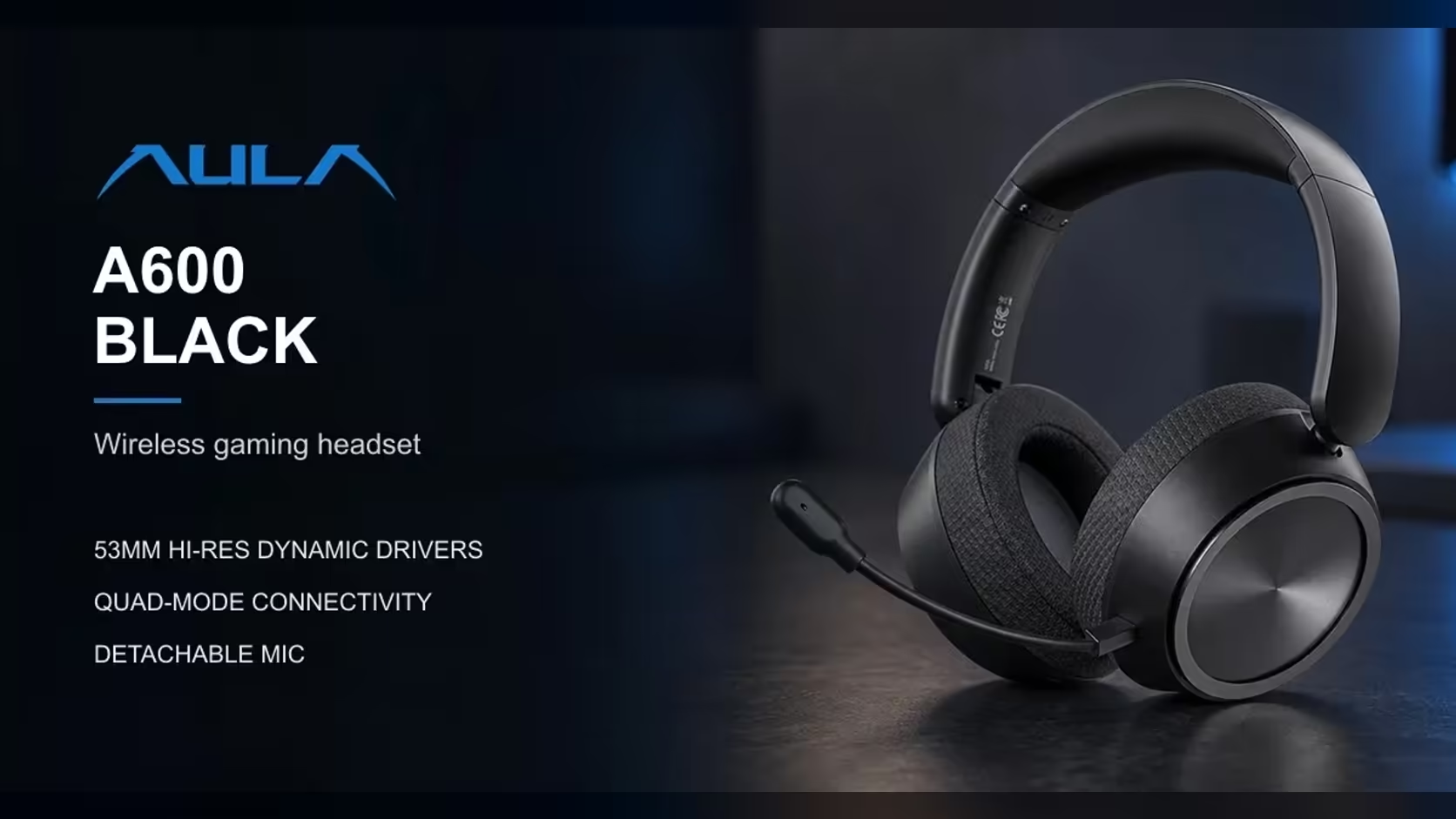
A headset that only speaks one language ends up tied to one device. The AULA A600 speaks four: a 2.4GHz receiver, Bluetooth, a USB-C cable and a 3.5mm lead. That spread is the reason to look at it, but it also raises a practical question every owner hits within a week, namely which A600 connection mode to use for which job. This guide walks through all four, what each is good at, and how to move between them without a manual in your hand.
Quick Answer
The AULA A600, which Evetech sells for R459, connects by 2.4GHz wireless through its USB receiver, by Bluetooth, by a cable into its USB-C port, or by a 3.5mm cable. It powers up on 2.4GHz, the link AULA rates at about 13ms of latency using its A-Speed X wireless and a dual-core DSP. A double-click of the M button moves it to Bluetooth for a phone or laptop. Use the receiver for PC gaming, Bluetooth for mobile listening and a cable when you want no radio in the chain at all.
📡 2.4GHz: the default for a desk PC
The receiver is where the A600 starts every time it switches on, and for good reason. A dedicated 2.4GHz dongle talks only to the headset, so it does not have to share a protocol with your phone, smartwatch and earbuds the way Bluetooth does. AULA's quoted figure for this link is about 13ms, which it credits to A-Speed X and a dual-core DSP chip.
To put that number in perspective, a single frame on a 60Hz display lasts roughly 16.7ms. A delay shorter than one frame is not something most players can separate from the picture, which is why 2.4GHz is the right home for shooters and anything else where a sound cue has to line up with what you see.
Getting the most from the receiver
Radio links behave best with a clear path. A few habits make a real difference:
- Plug the receiver into a front or top USB port rather than one buried behind a metal case.
- If your only free ports are at the back, a short USB extension lead can bring the dongle up onto the desk.
- Keep it away from a USB 3 hard drive or hub running flat out right beside it, since those can be noisy neighbours for 2.4GHz signals.
None of this is specific to AULA. It is simply how small wireless receivers get on in a busy room.
📱 Bluetooth: for phones, tablets and laptops
A double-click of the M button takes the A600 off the receiver and onto Bluetooth. That is the mode for a phone on the commute, a tablet in bed, or a laptop that has no spare USB port for a dongle. Pair it once in the device's Bluetooth settings and it becomes an ordinary wireless headset for that device.
AULA does not publish a latency figure for Bluetooth on the A600, and it is wise to assume it is slower than the receiver. Bluetooth audio is built for compatibility across thousands of devices, and that generally adds delay compared with a dedicated link. For music, podcasts and video it rarely matters, because apps compensate for audio delay on playback. For competitive games it is the wrong choice, and the receiver should go back in.
Remember that a double-click is a connection change, not a sound change. A single press of M still flips between the FPS-tuned Game Mode and Music Mode on whatever link you are using.
🔌 USB-C and 3.5mm: the two wired routes
The USB-C cable
The A600 has a USB-C port, which does double duty. It charges the 2000mAh battery, and AULA lists USB wired as one of the four connection modes. A cable into a PC takes wireless out of the picture entirely, which suits a fixed desk where the headset never leaves the chair. While it charges, a red light stays on and switches off once the battery is full.
The 3.5mm cable
The analogue route is the one that works almost anywhere. A 3.5mm jack is still found on many laptops, desktop front panels and in-flight entertainment screens. Because it is analogue, it does not depend on pairing, a driver or a receiver. It is the fallback worth knowing about for the day a device will not pair or a receiver goes missing.
The detachable omnidirectional mic and its mute switch keep working across the modes. AULA states that the ear-cup slide switch mutes the mic in USB, 3.5mm, Bluetooth and 2.4GHz modes alike, so your mute habit does not change with the connection.
What to pack
AULA's listing names the four connection types but does not spell out which cables come in the box. Before you set off, check that you have a USB-C cable for charging and wired PC use, plus a 3.5mm lead if you plan to plug into a device that has no Bluetooth. A small pouch with both covers you against a flat battery on a long day.
🧭 Choosing a mode by situation
Here is how the four options map onto everyday use:
- Desktop gaming: the 2.4GHz receiver, with its quoted 13ms.
- Phone or tablet on the move: Bluetooth, after a double-click on M.
- Fixed desk, never moving: the USB-C cable, which also keeps the battery topped up.
- An unfamiliar device or a pairing problem: the 3.5mm lead.
Battery is rarely the deciding factor. AULA rates the A600 at up to 110 hours from its 2000mAh cell, and a low-battery warning gives notice before it runs down. At about 290g, with an 8-step headband and ear cups that rotate 125 degrees, it is built to stay on for long stretches whichever link you choose.
The A600 is part of the AULA range at Evetech, where it comes with a 1 Year Local Warranty handled locally. If you want to weigh it against other multi-device options, the wireless headsets page lists cable-free models side by side, while the wider gaming headset section covers wired designs too.
Frequently Asked Questions
What mode is the A600 in when it switches on?
It starts on 2.4GHz, ready to talk to its USB receiver.
How do I move from the receiver to my phone?
Double-click the M button. That switches the headset to Bluetooth, and your phone pairs with it from its own Bluetooth menu.
Is the charging port USB-C?
Yes. The same USB-C port charges the battery and handles the USB wired mode.
Why carry a 3.5mm lead?
It works with devices that lack Bluetooth or a free USB port, and it needs no pairing at all.
Receiver or Bluetooth on a desktop?
The receiver. AULA quotes about 13ms for 2.4GHz and gives no figure for Bluetooth, which is generally slower.
Does the mic mute work on every connection?
Yes. The slide switch on the ear cup mutes the mic in all four modes.
Which cables should I keep with the headset?
A USB-C cable for charging and wired use, and a 3.5mm lead for older or unfamiliar devices. Check the box contents before you rely on either.
Need one headset for PC, phone and laptop?
Explore the wireless headset collection at Evetech and find a multi-mode model that fits every device on your desk.