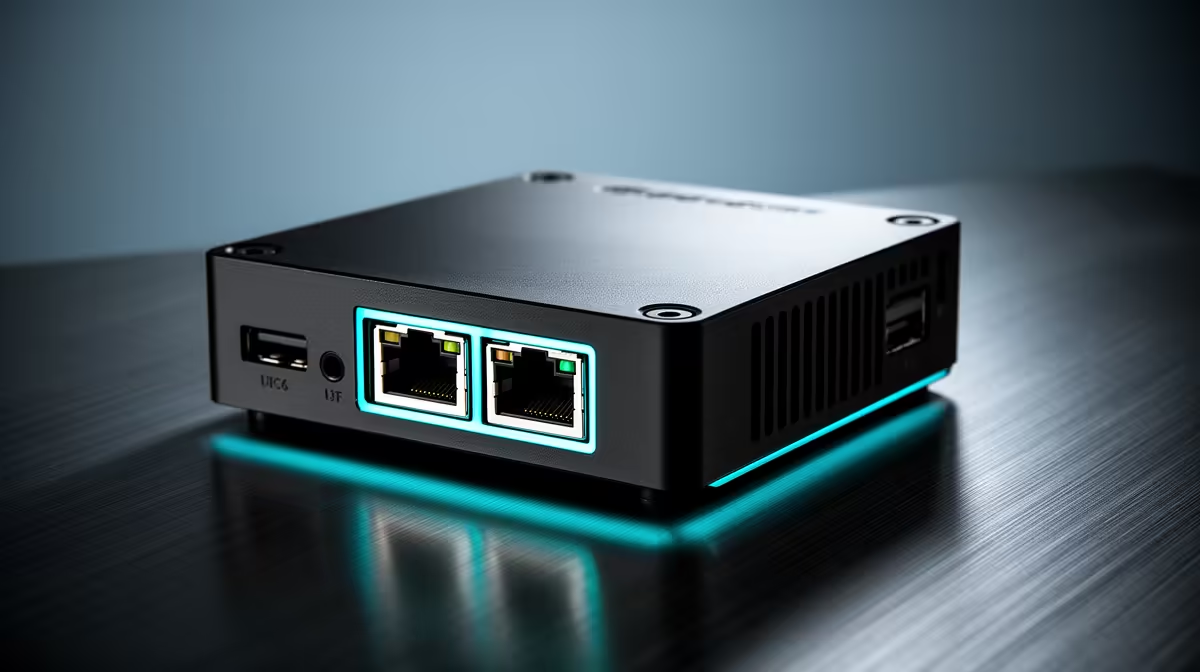
A growing share of 2026 mini PCs now ship with 2.5GbE networking instead of plain gigabit, and the spec sticker makes it sound like a free upgrade. It is faster on paper, 2.5 times the throughput of standard gigabit, but whether you ever feel that speed depends entirely on what the mini PC talks to. For a home server shuffling large files to a NAS, it is genuinely useful. For browsing and streaming, your fibre line is the bottleneck long before the network port is.
Quick Answer
2.5GbE delivers 2.5 times the throughput of gigabit, around 250 to 300 megabytes per second versus roughly 110, for local transfers. It matters for NAS file moves and home-server workloads, but for general internet use a standard gigabit port is more than enough because SA fibre speeds rarely exceed it.
What 2.5GbE Actually Changes
Gigabit Ethernet tops out at roughly 110MB/s of real-world throughput. 2.5GbE lifts that ceiling to roughly 250 to 300MB/s. Published iperf3 measurements on real hardware confirm a single 2.5GbE TCP stream at around 293MB/s, close to the theoretical maximum, so the spec translates faithfully to practice. The catch is that this only applies to traffic between two devices that both support the faster speed, over cabling and a switch that can carry it.
So the upgrade is purely about your local network, the traffic that never leaves your house. Copying a folder from a mini PC to a NAS, streaming uncompressed video across the LAN, or backing up a workstation all sit squarely in 2.5GbE territory. Internet traffic does not, because your line speed is the limit there.
When 2.5GbE Genuinely Matters
Moving Large Files to a NAS
This is the headline use case. If you run a NAS for media, backups or project files, halving the time it takes to push tens of gigabytes across the network is a real, daily quality-of-life gain. On gigabit a 50GB transfer crawls; on 2.5GbE it finishes in well under half the time, provided the NAS drives can keep up.
Home-Server and Virtualisation Workloads
A mini PC running as a home server, hosting containers, a media stack or virtual machines, often shifts a lot of data internally and to other machines. The extra headroom keeps those transfers from clogging when several things happen at once. For an always-on box doing real work, it earns its place.
Fast Local Backups
Backing up a desktop or laptop to a network target is far less painful at 2.5GbE. Backups that were slow enough to skip become quick enough to run nightly without thinking about them.
When Standard Gigabit Is Plenty
If your mini PC is a media player, a browsing machine, or a light desktop, 2.5GbE buys you nothing you will notice. Streaming 4K, video calls, downloads and everyday use all fit comfortably inside gigabit, and inside most SA fibre packages with room to spare. Paying extra purely for 2.5GbE you will never exercise is money better spent elsewhere in the build. The current options are easy to compare across the mini PC range at Evetech, where you can weigh networking against CPU and storage for your actual use.
The Hidden Requirement: The Rest of Your Network
A 2.5GbE port on the mini PC achieves nothing on its own. To see the speed you need the device on the other end (a NAS or another PC) to support 2.5GbE too, plus a switch that carries it. The good news is cabling is rarely the problem: Cat5e usually handles 2.5GbE over normal home runs, so you often do not need to rewire. Before buying for the network speed, confirm the whole path supports it, end to end.
How Widespread Is 2.5GbE in 2026?
Almost every mini PC released in 2025 and 2026 ships a 2.5GbE port as standard, not as an upgrade. Most Intel N100 and N150 mini PCs already include it. On the NAS side, current two-bay and four-bay units across popular brands also ship 2.5GbE as a baseline. The infrastructure is no longer the barrier; the switch is often the last thing to catch up in a home network, and entry-level 2.5GbE switches are readily available.
Dual 2.5GbE and link aggregation
A growing number of 2026 mini PCs ship with two 2.5GbE ports rather than one. Dual ports open the door to link aggregation, where two 2.5GbE connections bond into a single 5Gbps logical link toward a compatible switch or NAS. Not every switch supports link aggregation and not every user needs it, but for a mini PC doubling as a NAS companion that also handles containers and VM traffic simultaneously, the extra throughput ceiling reduces contention.
Even without aggregation, dual 2.5GbE lets the mini PC assign one port to the LAN and one to a dedicated storage VLAN, keeping media-streaming traffic from competing with backup traffic on the same interface. This is a practical rather than theoretical benefit for anyone running Plex and a nightly backup window on the same box.
Checking SA broadband context
South African fibre packages in 2026 top out at 1Gbps symmetrical for residential lines at the premium tier, and the majority of FTTH subscribers run 100Mbps or 200Mbps. This reinforces the point that 2.5GbE adds zero internet benefit. Its value is entirely within the walls of your home network, between devices you own. If your NAS sits two metres from the mini PC and both support 2.5GbE, the local transfer speed is the one number that matters, and it roughly doubles.
Who Should Prioritise It
- NAS owners moving large files regularly: yes, prioritise 2.5GbE.
- Home-server, container and VM hosts: yes, the headroom helps.
- Media players, browsing boxes, light desktops: gigabit is fine.
- Anyone without a 2.5GbE NAS or switch yet: nice to have for later, not urgent now.
For a sense of which compact systems SA buyers actually choose for these roles, the best-selling PCs at Evetech show how mini and small-form machines stack up beyond the networking spec alone.
Frequently Asked Questions
How much faster is 2.5GbE than gigabit?
2.5GbE offers 2.5 times the throughput, roughly 250 to 300MB/s against about 110MB/s for gigabit. That speed applies only to local transfers between devices that both support it.
Do I need new cables for 2.5GbE?
Usually not. Cat5e cabling handles 2.5GbE over typical home-length runs, so most people can use existing cabling. You do need a 2.5GbE switch and a compatible device at the other end.
Will 2.5GbE make my internet faster?
No, your internet speed is set by your fibre line, which is almost always slower than even gigabit. 2.5GbE only speeds up traffic within your local network, not downloads from the internet.
Is 2.5GbE worth it on a mini PC?
It is worth it if you move large files to a NAS or run a home server, since those local transfers benefit directly. For browsing, streaming and light use, standard gigabit is more than enough.
What else do I need to use 2.5GbE?
The mini PC's port is only one link. You also need a 2.5GbE switch and a NAS or PC that supports 2.5GbE, otherwise the connection drops back to gigabit speed.
Building a compact home server or NAS companion? Compare networking, CPU and storage across the mini PC range at Evetech and choose the spec that matches the traffic your network actually carries.