



PCIe 5.0 vs PCIe 4.0 for Video Editing in 4K in SA
PCIe 5.0 and PCIe 4.0 differ most in lane support, compatibility, and upgrade value for video editing in 4k. SA buyers should match the choice to their actual hardware and games.
Read more- Explain 4D armrests benefits - Compare adjustment types and fit - Offer buying and setup tips 4D armrests explained: how adjustable arm support improves comfort, aim, and posture for long PC gaming sessions 🎮🪑
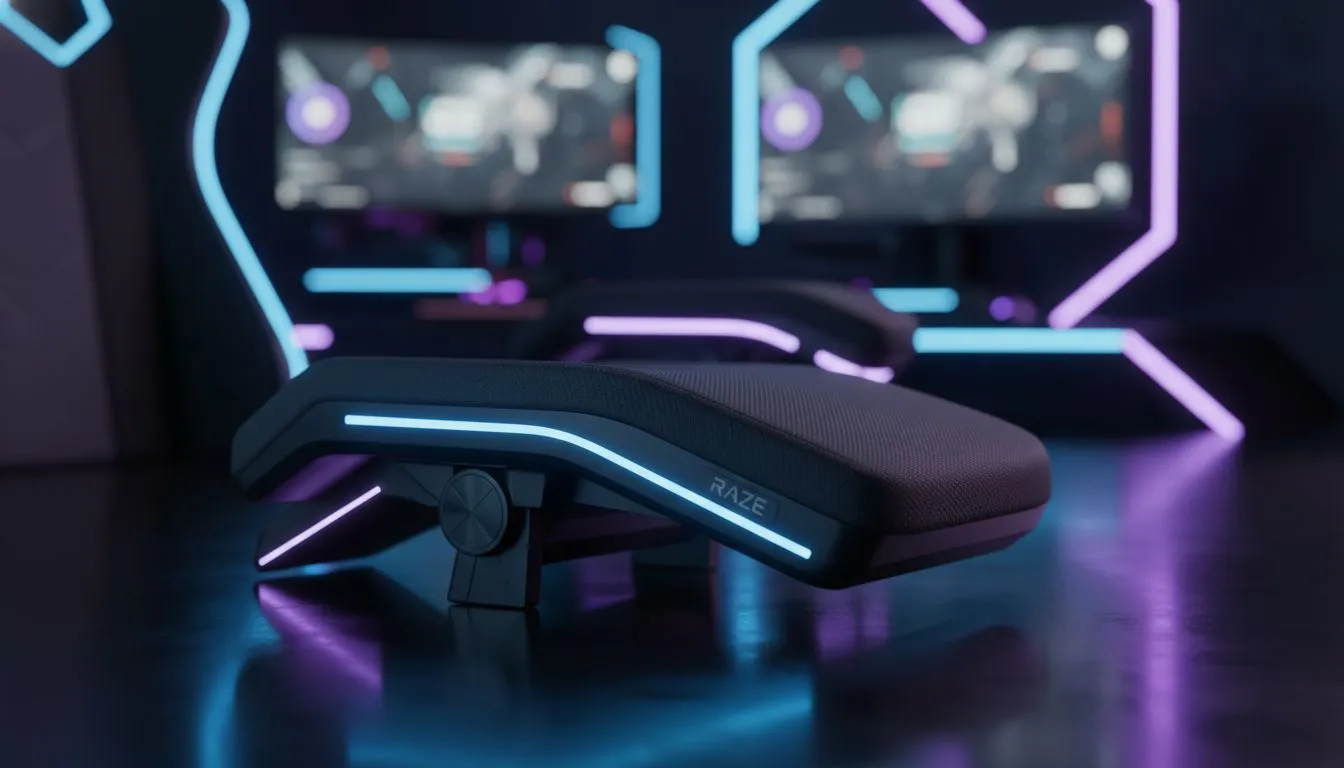
You know that ache in your shoulders after a six-hour Warzone marathon? It’s usually not your aim that’s bad... it’s your posture. While everyone focuses on lumbar support, your arms are doing the heavy lifting. Enter 4D armrests. They aren't just a marketing gimmick; they are the secret weapon for ergonomic endurance in South Africa's competitive gaming scene.
It sounds like sci-fi, but 4D armrests are all about simple geometry and mechanics. Standard office chairs might go up and down (1D), or maybe slide forward (2D). But when you are browsing premium gaming chairs in South Africa, you will often see "4D" listed in the specs.
So, what are the four dimensions?
This final point—the swivel—is vital for PC gamers. If you play with a "V" shape arm position on a keyboard, angling the armrests inward supports your elbows perfectly. 🔧
The goal of any ergonomic setup is the "neutral position." Your elbows should rest at a 90-degree angle, and your wrists should remain straight. If your chair arms are fixed, you often have to flare your elbows out (causing shoulder tension) or plant your wrists hard on the desk (hello, Carpal Tunnel).
Brands that focus on heavy-duty ergonomics, like Vertagear gaming chairs, engineer their 4D mechanisms to lock firmly in place. This stability allows you to lower your mouse sensitivity and use your whole arm for aiming, rather than just flicking your wrist... a massive advantage in FPS titles.
Do you need to drop ten grand to get decent arm support? Not necessarily. While the ultra-premium feel of noblechairs gaming chairs offers rigid, rattle-free 4D adjustments with soft-touch PU leather, the tech has trickled down to more accessible price points.
In fact, if you filter for gaming chairs under R5000, you can find several models that include 3D or 4D capabilities. It ensures that even students or casual gamers don't have to sacrifice long-term health for a lower price tag. 🚀
Let's be real... most of us are using these rigs for work during the day and gaming at night. A chair that forces you into a "racer" position might not suit a relaxed Zoom call or typing up a report.
This is where versatility wins. Options like Enova chairs often bridge the gap, offering the ergonomic adjustments needed for gaming while maintaining a professional look for the home office. Being able to slide the armrests back allows you to pull the chair right under the desk when you're in "focus mode" for work, and pull them forward when you lean back with a controller.
When setting up your 4D armrests, adjust the height so they are exactly flush with your desk surface. This creates a massive, continuous surface for your mouse arm, effectively extending your mousepad space and eliminating the pressure point on your forearm.
Are they worth the extra ZAR? If you spend more than two hours a day at your PC, the answer is a resounding yes. Your body is your most important peripheral. Treating it well means you can game harder, for longer, without paying for it with back pain tomorrow.
Upgrade Your Throne Today Your back and wrists deserve better than a standard office chair. Whether you need the precision of 4D armrests or the plush comfort of memory foam, we have the seat for you. Browse our full range of gaming chairs and game in total comfort.
4D armrests adjust in height, depth, width, and angle, unlike 3D which lacks width or depth shifts. They offer finer ergonomic tuning for gamers.
Yes. Properly adjusted 4D armrests stabilize your arms and reduce fatigue, which can sharpen aim and reaction times during long sessions.
Not always. Check mounting patterns and chair models; many premium chairs include 4D armrests or support aftermarket upgrades.
Set height so elbows rest at desk level, align width for natural shoulders, adjust depth for forearm support, and tilt to match wrist angle.
Top picks favor sturdy construction, smooth range, and desk compatibility. Look for tested models in our best 4D armrests 2025 roundup.
They help. By allowing precise positioning, 4D armrests reduce strain on shoulders and wrists when paired with good desk and monitor setup.
If you game or work long hours, upgrading delivers measurable comfort and ergonomics gains. Prioritize fit and durable mechanisms.
PCIe 5.0 and PCIe 4.0 differ most in lane support, compatibility, and upgrade value for video editing in 4k. SA buyers should match the choice to their actual hardware and games.
Read more
ATX 3.1 and ATX 3.0 differ most in connector handling and GPU power design. For SA gamers, the choice comes down to your graphics card, PSU quality, cable clearance, and whether a newer 12V-2x6-ready unit makes sense for the build.
Read more
80+ Platinum or 80+ Titanium for cinematic should be shortlisted around the job it must do. South African buyers should compare fit, performance, compatibility, and upgrade room, warranty path, and upgrade room before treating any pick as best.
Read more
AM5 and AM4 can both work for competitive esports, but the real-world difference is platform headroom. SA players should compare CPU choices, memory speed, latency goals, monitor refresh, and future upgrade plans.
Read more
LGA 1851 and LGA 1700 differ most in CPU support, compatibility, and upgrade value for couch co-op gaming. SA buyers should match the choice to their actual hardware and games.
Read more
DLSS 4 and DLSS 3 differ most in game support, compatibility, and upgrade value for streaming on twitch and youtube. SA buyers should match the choice to their actual hardware and games.
Read more
RTX 5090 on a 1200W PSU has usable headroom when the supply is strong and the build is measured. For SA gamers, OC potential depends on CPU draw, cooling, cabling, stability targets, and how much safety margin you keep.

How to fix low FPS on gaming laptop starts with power mode, drivers, heat, and game settings. Use this South Africa-focused checklist to confirm charger use, GPU selection, RAM pressure, and cooling before changing parts or tweaking every setting.

Real world difference between b850 b650 mmo live service games sits in stability, networking, storage, and upgrade room. SA players should compare LAN quality, USB layout, RAM support, and SSD slots for always-updated games.

Dead Pixel on Wi-Fi 7 Router is likely a display-path or source-title issue, so check the screen, cable, driver state, and related system symptoms before blaming the device itself.

Put the headphones in pairing mode, open Bluetooth and devices in Windows 11, then add the headset. If it fails, remove the old pairing and check charge, range and drivers.

Microsoft says upcoming Windows 11 work will target memory use on 8GB PCs and improve boot and sign-in responsiveness. There is no public release date or measured uplift yet.

Windows 11 does not show CPU temperature in its standard Settings pages. Use your CPU maker's supported utility or a trusted monitor, then read idle and loaded temperatures in context.

The Colorful MEOW X16 Pro pairs a Ryzen 7 8745HX with a 115W RTX 5060 Laptop GPU. It is a China-only launch for now, so local RTX 5060 pricing is the practical benchmark.

Industry reports point to another roughly 10 percent Intel processor increase from 5 October, but Intel has not published a consumer price list confirming the scope. South African buyers should treat it as a risk signal, not a guaranteed Rand change.

Tests reported audio capture and local-network scanning on a specific LG television with its screen off. LG says supported standby modes can keep voice and connected-device features active, so owners should review model-specific settings.

Thermalright's AXP120-X77 is a 77 mm top-down cooler with six heatpipes and a slim 120 mm fan. Local availability is not confirmed, so compact-PC builders should verify case height, memory clearance and socket support before comparing it with stocked coolers.

One-sided sound can come from balance settings, a dirty or loose connector, Bluetooth pairing data, firmware, the source device or a failed cable or driver. A short swap test isolates the cause before you reset software or replace the headset.