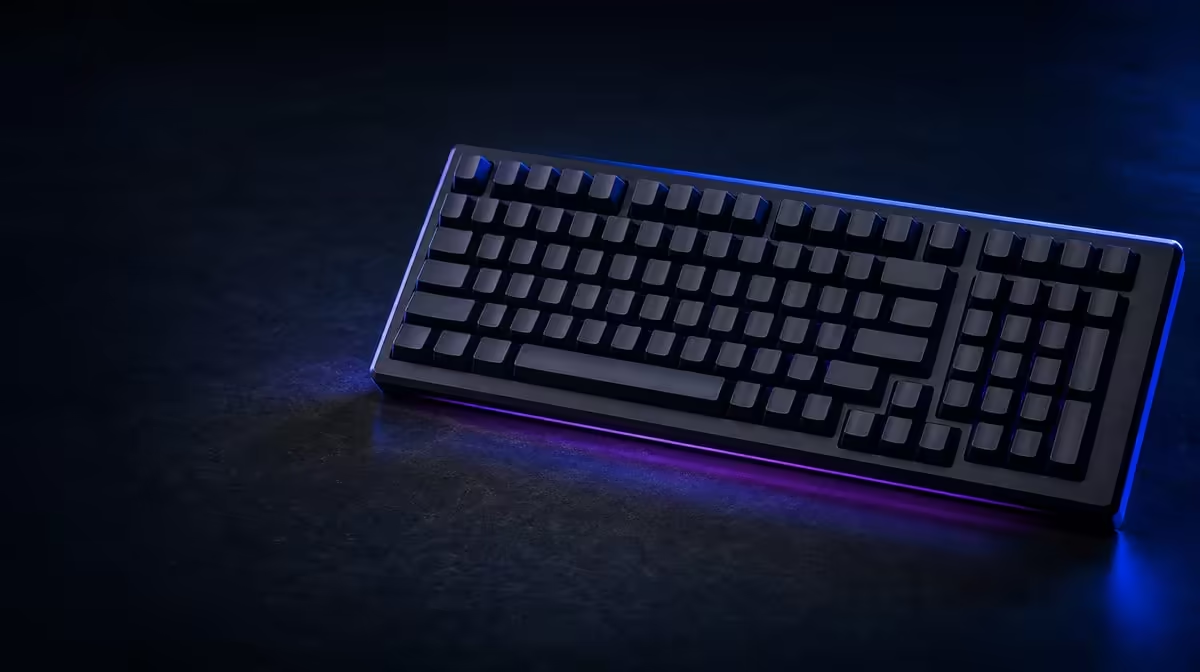
A layout can be compact without removing numeric entry. A 98% gaming keyboard for your desk is a strong fit when the number pad remains important and the compressed navigation area creates useful mouse room without persistent key-searching.
Quick Answer
Choose 98% if you use a number pad regularly, can adapt to denser navigation and need less width than many full-size boards. Consider TKL when mouse room matters more than numeric entry, and keep full-size when separated clusters support faster work.
📐 Measure the actual footprint
Use the individual keyboard dimensions; percentage labels do not define one case size. Place a paper outline on the occupied desk.
Mark the old full-size edge for comparison and rotate the outline to the normal play angle. This shows whether 98% creates useful room.
Include mouse pad, monitor stand, microphone, speakers, wrist support and cable route. Rehearse the broadest real mouse sweep.
Check cable direction and front-edge height. A narrow case can still create poor reach or a lead that presses against another object.
Measure from the seated position, because shoulder and wrist placement matter more than a top-down photograph.
Align the alphanumeric section with the typing shoulder. Centring the outer case can push the retained pad toward the mouse.
Check depth and front height as well as width. A narrow board can still create poor wrist reach.
Trace the cable route from the intended connector to the back of the desk. A compressed case does not help if a sharply bent lead or crowded hub forces the board back into the mouse zone.
Repeat the footprint exercise with the monitor, chair and pad in their usual positions. Moving everything temporarily can create a layout that looks excellent for a photograph but fails during a normal evening.
Mark the position of the right edge during low-sensitivity play. The useful question is not merely how many centimetres disappear, but whether the mouse stops touching the case during the widest repeated movement.
Compare exact models in Evetech's Logitech gaming-keyboard selection.
🗺️ Inspect the condensed map
Find Delete, Home, End, Page controls, arrow keys, number-pad zero and layer commands. Two 98% boards can place them differently.
Check Print Screen and media functions too. A daily command hidden behind a chord can outweigh a small width gain.
Look for a visible layer indicator so the condensed map does not leave the user guessing about active behaviour.
Check shortened or non-standard keys that could affect muscle memory and replacement-cap compatibility.
Log number-pad and navigation use for a week. The layout should preserve functions used enough to justify its right-side width.
Display a reference map during adjustment and practise shortcuts in a safe document before a live match.
Check the location of the right Shift, Enter and Backspace keys as well as the navigation block. A dense layout sometimes changes nearby key widths or spacing, and those differences can matter more than the retained pad.
Try editing a document without looking down. Count searches for Delete, Home, End and arrow controls, then repeat after several days. Improvement shows learnable unfamiliarity; persistent mistakes reveal a map that conflicts with established work.
Ask whether layer commands are discoverable without opening software. Clear legends and an understandable indicator reduce the mental cost of a compact design, especially on a shared computer.
Browse Evetech's gaming-keyboard listings with the key-use log ready.
🖱️ Compare the alternatives honestly
TKL normally recovers more mouse space by removing the pad. It is a stronger option when numeric entry is rare.
It can also retain a more separated navigation group, helping users who want compact width without the densest map.
Full-size preserves familiar separation and can suit heavy navigation or data entry. Its width is worthwhile when that familiarity prevents daily errors.
A separate number pad can complement TKL for occasional work, although it adds storage, connection and positioning.
A separate number pad can pair with TKL for occasional work, but it creates another device and positioning routine.
Test each option through full gaming and work sessions. Saved centimetres need to translate into better posture or fewer collisions.
A 75% or still smaller arrangement can recover additional width, yet it usually relies more heavily on layers and compressed navigation. It belongs in the comparison only when the user's daily commands remain convenient.
Consider switching between tasks. A 98% board keeps numeric entry immediately available, whereas moving a separate pad into position may interrupt a mixed workday. Conversely, the removable pad can leave an entirely open mouse side during games.
Do not assume the densest layout is automatically the most efficient. Separated clusters create tactile landmarks, and those gaps can reduce visual checking for people who navigate documents rapidly.
The best alternative is therefore workload-specific: full-size for familiar separation, 98% for retained numeric access in less width, or TKL when the pad offers too little value for its footprint.
🧠 Decide after the learning period
Track errors by key and see whether they decline. One awkward navigation position may remain a real mismatch after general adaptation.
Time ordinary editing and numeric work after several days. Continued searching indicates that the layout cost has not disappeared.
Use software remaps only when supported and preserve a clear default for shared users.
Write custom keys on the visible reference. A shared PC should not depend on one person's memory.
Repeat desk and mouse tests with the normal keyboard angle. Rotation can erase some width benefit.
The final choice should state what is retained, what is compressed and what space is gained.
Run both a full gaming session and work block before deciding. Repositioning constantly between them weakens the supposed compromise.
Keep the footprint and error notes for the next comparison so TKL or full-size can be evaluated from evidence.
Evaluate posture at the end of each session, not only at the beginning. Shoulder tension, a bent wrist or repeated mouse repositioning can emerge after the novelty of a smaller board has passed.
If the arrangement serves multiple people, let each person complete the same navigation and number-entry tasks. One user's quick adaptation cannot prove that a shared workstation has gained a practical improvement.
The final decision should include an adjustment plan. Keep a visible map for the first week, avoid unnecessary remaps during learning and review the remaining error log before the return period or purchase decision closes.
Check Evetech's accessories best sellers for wider desk context and review current availability.
Frequently Asked Questions
Who is a strong candidate for a 98% keyboard?
A user who regularly needs the number pad but wants a narrower footprint than many full-size boards.
When should a TKL layout be considered instead?
Choose TKL when numeric entry is rare and maximum practical mouse room is more important.
What desk measurement matters before ordering?
Measure usable width and depth with the normal mouse pad, monitor base and accessories present.
Why can navigation keys require relearning?
The 98% map often compresses or relocates them compared with full-size separation.
Does every 98% model preserve exactly the same keys?
No. Exact positions, widths and layers vary, requiring individual comparison.
How can a buyer test the layout idea cheaply?
Use a printed key map and cardboard footprint to rehearse hand travel and mouse clearance.
Testing whether 98% fits your desk and habits?
Compare Evetech gaming keyboards with a paper footprint, exact map and one week of number-pad use.