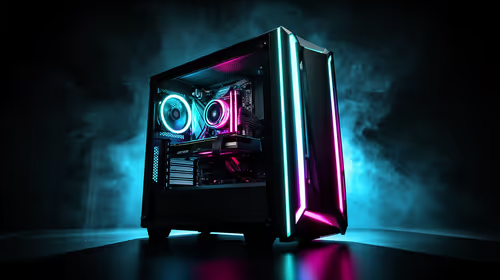
The RTX 5090 alternative for 1080p gaming should be chosen with one question in mind: what will actually improve the full setup? For many South African gamers, a smaller RTX card paired with the right CPU, monitor, storage, and cooling will feel smarter than putting flagship money into a 1080p build that cannot use all that headroom.
Quick Answer
For 1080p gaming in South Africa, the RTX 5090 is usually more GPU than most players need. A strong RTX 5070 Ti, RTX 5070, or RTX 5060 Ti class card is a better fit for high-refresh 1080p, especially if the saved budget improves the CPU, monitor, SSD, RAM, cooling, or peripherals.
Match the GPU to the Screen
A 1080p setup has a practical ceiling. If your monitor is 144Hz, 165Hz, or 240Hz, the goal is not to buy the largest graphics card available. The goal is to feed the screen consistently with smooth frame pacing.
That is where the RTX 5090 becomes difficult to justify for pure 1080p gaming. It is built for extreme headroom, demanding ray tracing, higher-resolution play, creator workloads, and AI tasks. At 1080p, many games become more sensitive to CPU speed, memory, and engine limits before a top-tier GPU can fully stretch its legs.
For a balanced SA setup, start with the screen and the games. Esports titles, story games, streaming, and future 1440p plans all point to different GPU tiers. If 1080p is staying for the next few years, a smaller card can be the cleaner decision.
Choose the Right Alternative Tier
The RTX 5070 Ti class is the sensible upper alternative if you want high-refresh 1080p now and a realistic 1440p move later. It gives strong modern RTX features, good ray tracing support, and enough performance headroom without jumping straight to the flagship tier.
The RTX 5070 class suits gamers who want a premium 1080p experience with a more controlled upgrade cost. It is a clean fit for players who care about smooth frame delivery, DLSS support, and quiet thermals, but do not need the memory and power envelope of the largest GPU.
The RTX 5060 Ti class makes sense for value-focused 1080p builds, especially when the rest of the system still needs attention. If the PC has an older CPU, limited RAM, a small SSD, or basic cooling, spending everything on the GPU can create a machine that still feels uneven.
Pro Tip
Check your monitor refresh rate, CPU, case airflow, and target games before choosing an RTX 5090 alternative. A cheaper GPU paired with a better monitor or CPU can feel faster than an oversized card in an unbalanced 1080p build.
Do Not Ignore the Rest of the Build
A GPU upgrade should not hide weak spots elsewhere. At 1080p, the CPU matters more than many buyers expect. Competitive games such as CS2, Valorant, Fortnite, and similar high-frame-rate titles can expose processor limits quickly.
Memory also matters. Dual-channel RAM, enough capacity, and stable speeds help prevent dips and uneven frame pacing. Storage is another easy win. A fast NVMe SSD will not turn a mid-range GPU into a flagship, but it can make the whole PC feel sharper in large games with heavy asset streaming.
Cooling and case airflow deserve the same attention. A powerful card in a cramped case may run louder, hotter, and less consistently. In warmer SA rooms, clean airflow protects boost clocks and keeps the system comfortable during long sessions.
The Smart SA Buying Logic
The best alternative to the RTX 5090 is the one that gives the full setup the biggest improvement, not the one that looks strongest in isolation. For a 1080p gamer, that may mean choosing a lower GPU tier and using the remaining budget for a better monitor, CPU, chair, keyboard, headset, or storage upgrade.
This is especially true for students, esports players, and home users who want reliable performance without turning the build into a showcase machine. A focused 1080p PC should be quiet, responsive, easy to cool, and easy to upgrade later.
If you plan to move to 1440p soon, aim higher. If you plan to keep 1080p, spend with discipline. The RTX 5090 is powerful, but the smartest 1080p build is usually the one that leaves no weak link behind.
Ready to choose a smarter 1080p GPU?
Compare Evetech graphics card options and choose the tier that fits your monitor, CPU, cooling, and upgrade plan.