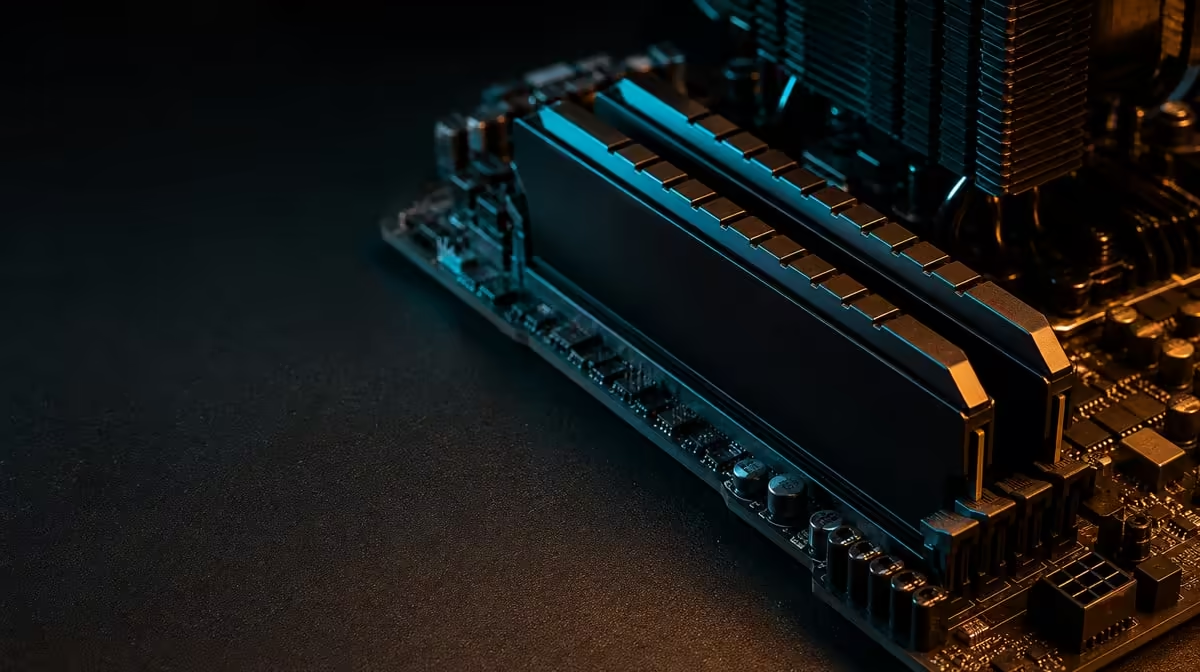
Faster memory helps only when data movement or capacity is part of the delay; it cannot accelerate every game, stream and creative task equally. How faster memory helps gaming, streaming and creation should be tested across the combined workflow. The R38,999 kit provides 48GB KLEVV DDR5-7200 as both a sizeable pool and a high transfer target.
Quick Answer
The R38,999 package's 48GB DDR5 can provide room for games, stream tools and creative applications together, while 7200MHz targets higher memory transfer. CPU-sensitive games and bandwidth-responsive applications may improve, but GPU limits, latency and stability can reduce the difference. Confirm all 48GB, establish a dependable setting on the 9950X3D and Dark Hero, and measure the real workflow.
🎮 Identify memory-sensitive gaming
At high frame rates, the CPU prepares more frames and memory behaviour can become more visible. A GPU-limited 4K run may hide the same difference because rendering sets the pace.
The 9950X3D has 144MB GameCache, retaining selected data near the cores. This can reduce some DDR5 requests, yet system memory remains essential for the much larger active game and operating-system data set.
Choose a repeatable scene and keep the GPU, settings, game version and background tools consistent. Measure averages and frame-time behaviour across several passes.
Capacity matters when the game and other software pressure a smaller pool. If use stays low, moving to 48GB may provide headroom rather than immediate performance.
📡 Add the streaming workload
Streaming can combine the game with capture, encoding, overlays, browser sources, chat and monitoring. These concurrent processes can increase memory use even when the game alone is modest.
Encoding path matters. CPU and GPU involvement differs by configuration, so memory cannot be credited for every stream improvement. Use the actual software and settings.
Test the game without streaming, then repeat with the normal stream stack. Observe frame consistency, memory use and application stability. The difference reveals the cost of concurrency.
Avoid closing all background tools for the only benchmark. A clean test shows platform potential; the real setup shows whether 48GB and faster DDR5 support the intended session.
🎬 Measure creation separately
Creative applications can hold large assets and intermediate data, or move information rapidly during particular tasks. Video, image, 3D and development work do not share one memory response.
Use a representative project section and time it several times. Record memory demand and storage activity. A slow drive can look like a RAM problem, while a GPU-accelerated effect may barely respond to DDR5.
Task switching can expose capacity value. Move between the game, stream tools and project without closing everything. Note whether applications reload data or remain responsive.
The 7200MHz target must remain stable through the long mixed session. An error that interrupts creation outweighs a small benchmark improvement.
Explore CPUs through Evetech's AMD processor category, keeping application requirements visible.
⚙️ Configure and value the complete platform
Install memory according to the Dark Hero documentation and confirm full capacity at baseline. Apply documented settings, change one variable at a time and use suitable memory tests before valuable project work.
The stable rate depends on firmware, the processor memory controller and the full configuration. The printed 7200MHz target is not an automatic platform result.
At R38,999, the kit also fixes the Dark Hero and DeepCool LQ360. The board should serve the required connections, and the cooler should fit the case and operate normally. Memory speed cannot repair an unsuitable platform layout.
Compare coordinated packages in Evetech's AMD upgrade kit range and named boards in Evetech's AMD motherboard selection.
Keep graphics, storage, power and chassis in the cost table. Faster memory is worthwhile when it creates repeatable improvement or protects a heavily concurrent workflow without weakening those remaining parts. Check current availability after the complete system passes.
Create a results page with one column for capacity and another for transfer performance. Under capacity, record peak working-set use, application reloads and storage pressure during task switching. Under speed, record repeatable completion-time or frame behaviour at stable settings. Keeping those columns apart prevents a 48GB benefit from being credited to 7200MHz.
Add a recovery test before declaring the configuration ready. Save work, close the applications normally, restart the system and reproduce the chosen setting from the recorded baseline. A performance state that cannot be restored reliably is difficult to trust for a daily mixed-use machine.
Review the results by frequency. A small gain in a task completed hundreds of times can outweigh a larger change in a rare benchmark. Conversely, a speed target that adds troubleshooting to every week has negative practical value even if one short test improves.
The complete verdict should state where faster DDR5 helped, where capacity helped and where neither was the bottleneck. This boundary-based result guides the buyer without pretending that gaming, streaming and creation respond as one workload.
Build a three-stage test schedule. Stage one runs the game alone to establish its normal memory and frame behaviour. Stage two adds the complete streaming stack. Stage three opens the creative project and performs a normal transition. Use the same stable DDR5 setting throughout so added workload is the only major change.
Record more than total memory use. Note application responsiveness, frame-time consistency, project completion time and storage activity. These observations separate capacity pressure from a bandwidth-sensitive task or a slow drive.
Repeat the schedule at a conservative baseline and at the higher stable memory target. If 7200MHz cannot complete all three stages reliably, the lower configuration remains the more useful everyday choice. If the higher setting passes and produces a repeatable improvement, attach that value to the exact workload where it appeared.
Do not change cooler profiles during the memory comparison. The LQ360 should operate from an established thermal baseline. This prevents a clock or temperature difference from being attributed to DDR5.
Review the platform after a long session. A brief benchmark can miss errors that appear only after applications have been open for hours. Saving a project, switching tasks and returning to the game tests the continuity that motivated a mixed-work machine.
The final result can differ across all three activities. Faster memory may assist one game, do little for stream encoding and mainly provide capacity during creation. Reporting those boundaries gives the buyer a far more useful answer than a universal faster-is-better claim.
Frequently Asked Questions
How can faster memory help gaming?
It can improve data transfer in CPU-sensitive titles, subject to latency, cache and the wider graphics bottleneck.
Why does streaming add capacity demand?
Capture, encoding, overlays and communication tools can run beside the game and expand the active working set.
Which memory does the kit include?
It contains a 48GB KLEVV CRAS V RGB DDR5 set with a 7200MHz rating.
Can creative work use 48GB?
Yes, when project data and concurrent applications approach a smaller pool, but demand varies by software.
Does 7200MHz guarantee an application gain?
No. Workload sensitivity and stable platform behaviour determine the result.
What should happen before testing performance?
Confirm full capacity, establish stable settings and verify LQ360 operation and baseline system health.
How do capacity and speed complement each other?
Capacity holds more active data, while speed concerns how quickly data can move; either can matter independently.
Ready to test memory across the full game, stream and creation chain?
Explore Evetech AMD platforms and make the 48GB DDR5-7200 configuration prove stable value in the R38,999 core.