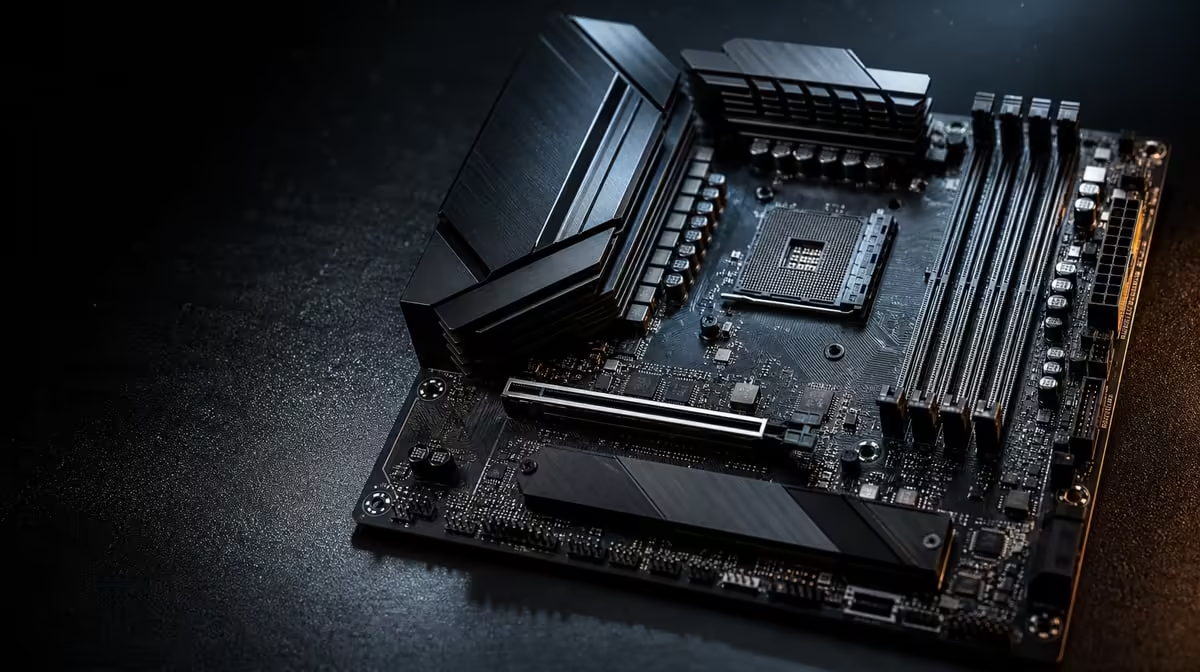
An R8,000 ceiling forces useful discipline: compatibility and required connections must win before prestige. The best AMD motherboard features under R8,000 are the ones that let the chosen CPU, DDR5 memory, storage, graphics and network work together without paying for dormant extras. ASUS's Extreme board is a comparison point, not a candidate inside that budget.
Quick Answer
Under R8,000, prioritise exact processor support, the correct memory generation, enough suitable storage positions, graphics expansion, usable rear connections and the network route the PC needs. The ROG Crosshair X870E Extreme costs R24,899, so it sits well above the limit and should only illustrate what a flagship premium adds.
?? Lock the foundation first
Start with the exact AMD processor. A socket family is not a complete compatibility answer; the board and its current firmware path must support the selected model. Build a shortlist through Evetech's AMD CPU range, then check each candidate board against that precise CPU.
Memory comes next. The Crosshair is a DDR5 board, and an AM5 build needs the correct memory plan. Decide capacity, kit arrangement and likely workload before valuing tuning or decorative features.
Chassis fit is equally foundational. A budget board that fits the intended case and leaves clean cable access can be a better system component than a larger flagship that demands a case change.
?? Buy enough storage connectivity
Count the drives needed at launch and the most credible later addition. One suitable M.2 position may be enough for a simple gaming system; a creator may want more. Do not use the Extreme's five positions as the standard every build must match.
PCIe 5.0 is useful when a compatible device and workload can benefit. A PCIe 4.0 storage route can remain a sound choice where budget is better directed to higher capacity. Verify the exact slot layout rather than assuming every position operates alike.
Use the current X870 motherboard page to understand the flagship side of the market. Then return to the R8,000 requirement list and remove capabilities with no planned device.
Protect graphics and cooling space
Check the main expansion position, room for the graphics card and the physical arrangement around storage and cooling. A feature list does not show whether the chosen parts assemble cleanly in the selected chassis.
?? Pay for the network you have
For many gaming PCs, a stable wired link or suitable wireless connection matters more than a very high port label. Wi-Fi 7, 5G LAN and 10G LAN on the Extreme are valuable only alongside equipment and workloads capable of using them.
An under-R8,000 build should identify the actual router, switch and room layout. If a cable reaches the desk and the internet service is the main traffic source, premium local networking may add little. If wireless is essential, compare the exact onboard solution rather than buying by chipset alone.
?? Use the flagship as a subtraction exercise
At R24,899, the Extreme brings E-ATX construction, five M.2 positions, PCIe 5.0, Wi-Fi 7, dual multi-gig wired links, USB4 Type-C and named AI tuning and network functions. Circle only the features your planned PC can use.
Now compare suitable options in Evetech's broader AMD motherboard selection. Any circled requirement missing from a cheaper board deserves investigation. Everything left uncircled should not push the build past its cap.
Keep the total system balanced
Motherboard overspending can force compromises elsewhere. Check whether the same money would create more visible value through graphics performance, SSD capacity, memory, cooling or the display. The board should enable those components rather than consuming their budget.
Set a stop rule
Once a candidate supports the exact CPU, DDR5 plan, required drives, graphics card, case connections and network path, upgrades to the board need a named benefit. "Higher tier" is not enough.
Check the rear and internal connections
Count the peripherals that remain connected every day, then add the case's front-panel needs. A board can meet the processor and storage requirements yet create a frustrating routine if essential devices compete for too few suitable connections. Do the count from the intended desk, including audio, input devices, external storage and any creator hardware.
Internal headers need the same attention. Match the chassis controls, cooling connections and front ports to the board layout. Avoid assuming that every connector on a case has a corresponding route on every motherboard.
Give troubleshooting features a measured value
Clear labelling and useful setup or recovery functions can save time, especially for a first AM5 assembly, but they must not become a vague reason to exceed the cap. Decide what experience the builder has and which assistance they would genuinely use.
A disciplined budget can reserve a small margin for easier assembly or diagnosis without leaping to flagship pricing. Compare the exact implementation on each candidate rather than assigning a general value to a brand or tier.
Recheck after the graphics choice
The graphics card often has a larger effect on gaming outcomes than motherboard breadth. Once the GPU is chosen, verify physical space, power routing and whether any other expansion device remains necessary. The final board shortlist should be rebuilt around that actual card.
Compare upgrade cost with replacement cost
A little spare capacity can prevent an inconvenient replacement, so the cheapest passing board is not automatically the best. Price the likely next drive, network change or add-in device, then ask whether the current shortlist can accept it without sacrificing an existing component.
Keep the forecast narrow. One credible storage addition is useful evidence; several imagined generations of hardware are not. The under-R8,000 target should buy a clean path for foreseeable work while protecting today's performance budget.
Use the product page as the final checkpoint
Features, pricing and availability can change. Once a candidate survives the requirements test, return to its current listing and compare the exact model name with the planned CPU, memory, case and connections. Do not transfer an attribute from a similarly named board.
Build an under-cap failure checklist
Before rejecting an affordable board, identify the exact failure. Does it miss CPU support, lack enough suitable storage, omit a connection used every day or conflict with the case? A vague sense that it is "less future-proof" is not enough.
Price the workaround for each concrete failure. One add-in device or a later board replacement may make the cheaper option unattractive, while an unused flagship network interface contributes nothing. This exposes the point where spending above the cap would solve a real problem.
Keep the R8,000 ceiling firm until that evidence appears. Budget discipline is most useful when it forces the build to protect the processor, graphics, memory and capacity that shape current work.
Frequently Asked Questions
Does the X870E Extreme qualify below R8,000'
No. Its R24,899 price places it outside this ceiling, making it a flagship reference rather than an under-budget recommendation.
What is the first feature to protect'
Exact processor support comes first, followed by the correct memory platform and the device connections the build will actually use.
Must a budget AM5 board support five M.2 drives'
No. It needs enough appropriate positions for the launch plan and a realistic expansion route, not the maximum count found on a flagship.
Is Wi-Fi 7 essential below the cap'
Only if wireless is required and the surrounding network can use it. A stable existing wired path may make another feature more important.
Can an affordable motherboard still support strong gaming'
Yes. A board that correctly supports the chosen CPU, GPU, memory and storage can anchor a powerful gaming system without flagship breadth.
Why compare exact models instead of chipset labels'
Boards using related platforms can differ in format, storage arrangement, network interfaces and external connections. The build buys a model, not a chipset name in isolation.
Ready to keep an AM5 motherboard below budget'
Compare Evetech's AMD motherboard choices against a fixed processor and device list, protecting the features the PC needs before considering flagship extras.