



PCIe 5.0 vs PCIe 4.0 for Strategy and Sim Games in SA
PCIe 5.0 and PCIe 4.0 differ most in lane support, compatibility, and upgrade value for strategy and sim games. SA buyers should match the choice to their actual hardware and games.
Read moreARGB case fans add lighting control and airflow options for SA gamers, but the real value depends on noise, headers, controller support and cooling needs. Compare the pros and cons before making RGB the centre of a PC build.
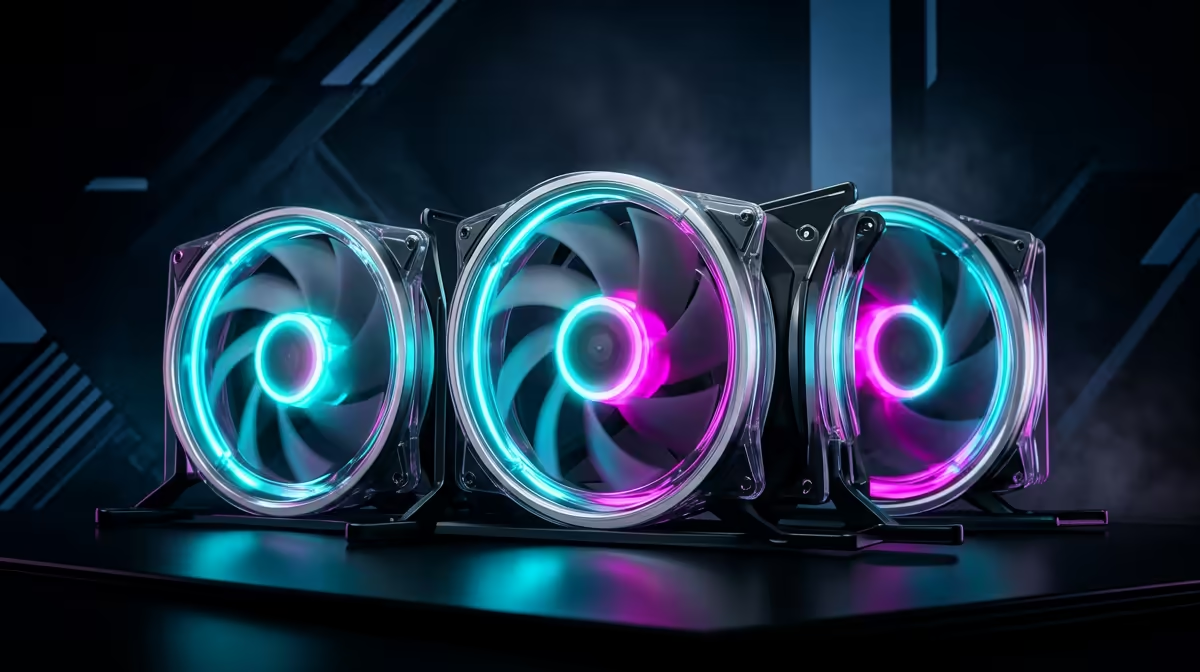
ARGB case fans are worth buying when they improve both airflow and lighting control, not just colour. For SA gaming PCs, a good 3-pack of 120mm PWM fans is usually a better start than filling every mount with cheap fixed-speed fans.
Plan roughly R150-R400 per 120mm fan, or more for branded RGB hubs and premium bearings. Examples to compare include Cooler Master MF120 Halo, Corsair LL120, and DeepCool FC120, with noise around 25-35dBA depending on speed. Keep the decision tied to the actual desk, room, and daily workload rather than one headline feature. For Evetech buyers, the better choice is the one that fits the PC, monitor, warranty route, and setup space without forcing avoidable extras.
Airflow matters more than the lighting effect. Put intake fans at the front or bottom, exhaust at the rear or top, and keep cables clear of the fan path. If the setup is used after work or class, also consider noise, heat, cable clutter, and how easily the product can be supported locally. A slightly less flashy choice that solves the real problem is often the better buy.
Check dimensions, connection standards, included cables, delivery timing, and whether the item matches the rest of the build. A R1,000 saving can disappear quickly if you need adapters, extra fans, a stronger PSU, or a different case. For gaming, also connect the decision to a real target such as 1080p 144Hz, 1440p 165Hz, or quiet everyday use.
Only if the fan itself moves enough air. RGB lighting does not cool the PC; blade design, speed control, and case mesh do.
Most ATX builds are fine with two or three front intakes and one rear exhaust. Hot GPUs may benefit from extra top exhaust.
You may need one if the motherboard lacks enough PWM or ARGB headers. Check 5V ARGB versus 12V RGB before connecting anything.
PCIe 5.0 and PCIe 4.0 differ most in lane support, compatibility, and upgrade value for strategy and sim games. SA buyers should match the choice to their actual hardware and games.
Read more
AM5 vs AM4 for video editing in 4K Difference explained is mostly about compatibility, budget, upgrade path, and setup fit. SA buyers should check device support and real needs before expecting a clear win from either option.
Read more
OLED vs QD-OLED for strategy and sim games buyers - what changes is mostly about compatibility, budget, upgrade path, and setup fit. SA buyers should check device support and real needs before expecting a clear win from either option.
Read more
DisplayPort 2.1 and 1.4 differences matter when SA PC builders match GPUs, monitors, and refresh targets. Use this difference between displayport 2 1 and displayport 1 4 explained pc builders guide to avoid mismatched parts.
Read more
Ray tracing vs Path tracing depends on Strategy and sim games needs, platform limits, and budget fit. Compare compatibility, latency, upgrade path, and real setup constraints before choosing for an SA build.
Read more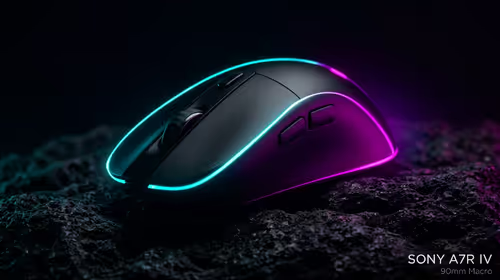
wireless mouse guide for Gqeberha gamers should be shortlisted around the job it must do. South African buyers should compare sensor, shape, weight, and wireless latency, warranty path, and upgrade room before treating any pick as best.
Read more
From 1 October 2026, WhatsApp Business Platform service replies in South Africa are expected to cost about $0.0076, or 12 cents, per delivered message.

DDR5-8000 RAM Kits pros and cons depend on the build, budget, and workload. Weigh gaming needs, platform fit, power, cooling, warranty support, and South African pricing context before shortlisting it.

Wi-Fi 6E vs Wi-Fi 6 depends on AAA single-player gaming needs, platform limits, and budget fit. Compare compatibility, latency, upgrade path, and real setup constraints before choosing for an SA build.

Ryzen 9 9950X3D dead pixel checks should isolate the panel first. Run colour fills, inspect the monitor menu, test another cable or input, and capture proof before linking it to the SA CPU upgrade.

YouTube will count public views from the first frame across video formats from 24 August, while earnings and eligibility remain tied to engaged viewing.

Canonical expects Ubuntu on WSL users to outnumber native Ubuntu desktop users before the end of 2026. The software is open source and runs inside supported Windows PCs.

Telkom's daily bundles pair WhatsApp access with 10 all-network voice minutes. The R15 option includes 300MB, while the R17 option uses a fair-use threshold.

A 10,000-hour test found similar image retention across older and newer OLED TVs, while newer panels were brighter and more efficient. Local OLED monitors started at R9,999.

Windows 11 update KB5121003 is linked to crashes in several multiplayer games on versions 24H2 and 25H2. Check the build, report the fault and avoid risky file or update changes unless the problem is confirmed on your PC.

Comsol's standalone 5G network covers about one million Gauteng homes and starts commercial ISP service in September. Early packages range from R275 to R875 a month, but coverage and fair-use rules still decide the real value.

Sennheiser's Momentum True Wireless 5 adds user-replaceable batteries, 12-hour playback and a $299.95 launch price. There is no confirmed South African date, so compare longevity with live earbuds from R199 to R2,999.

AVerMedia's GC531 and GC535 are professional HDMI capture devices for continuous streaming, with RGB24 capture up to 2K30 and 4K30. South African creators should compare them with live 4K capture cards from R2,099.