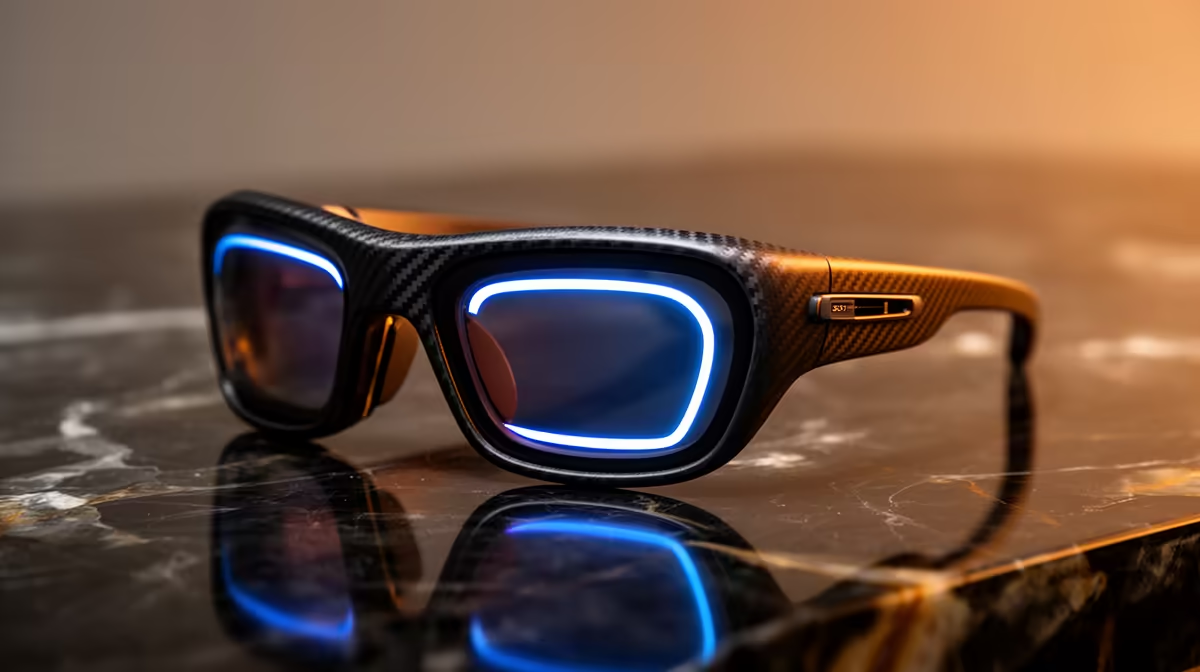
A tiny screen floating in the corner of your right lens, showing a text message or a live caption, is the line that separates two very different products. Audio smart glasses versus display smart glasses is not a small-versus-large argument; it is the difference between glasses that talk to you and glasses you can read from. The Ray-Ban Meta Gen 2 sits firmly in the first camp. The Meta Ray-Ban Display adds an in-lens panel, and with it a heavier frame, a wrist controller and roughly double the price.
Quick Answer
Audio smart glasses like the Ray-Ban Meta Gen 2 give you a camera, open-ear speakers and Meta AI with no screen, weighing about 49 grams at around 379 US dollars. The Ray-Ban Display adds a monocular 600 by 600 pixel panel in the right lens with a 20-degree field of view, pushing weight to about 69 grams and price to around 799 US dollars, bundled with a Neural Band wristband. The screen is the entire reason to spend more, so the choice hinges on whether you need to read, not just listen.
What audio-only glasses actually do
Strip away the screen and the Ray-Ban Meta Gen 2 still covers a lot of ground. A 12MP camera handles first-person photos and video, open-ear speakers pipe audio and calls without blocking the world around you, and Meta AI responds to voice questions as you go about your day. You frame a shot, it captures it. You ask a question, it answers in your ear. Everything happens through sound and voice, with no visual interface to glance at.
That audio-first design has real upsides. At about 49 grams the Gen 2 is light enough to forget you are wearing, and its battery stretches to around 8 hours, longer than the display model manages. For someone who wants a camera and an AI assistant in an ordinary-looking pair of glasses, the absence of a screen is a feature, not a gap. To get a full picture of where this fast-moving product class sits locally, the AR glasses at Evetech lists what is currently stocked.
What the in-lens display adds
The Ray-Ban Display puts a small monocular screen into the right lens: 600 by 600 pixels across a 20-degree field of view, positioned so it floats at the edge of your vision rather than blocking it. That panel turns the glasses from a listening device into a reading device.
The things a screen unlocks
With a display you can read incoming messages without reaching for a phone, see live captions of a conversation in front of you, glance at turn-by-turn directions, view a viewfinder preview before you take a photo, and read AI responses instead of only hearing them. For anyone in noisy environments where audio is hard to follow, or who is deaf or hard of hearing, on-lens captions are genuinely transformative rather than a novelty.
The Neural Band
The Display does not ship alone. It comes bundled with the Meta Neural Band, which sits on your wrist and detects subtle muscle signals through surface electromyography, translating small finger gestures into interface commands. It is how you navigate the on-screen interface without speaking aloud or tapping the frame, which matters in a quiet office or on a train.
The costs of carrying a screen
Nothing comes free. The Display weighs about 69 to 70 grams against the Gen 2's 49, so you feel it more on your nose over a long day. Battery life drops to around 6 hours versus the Gen 2's 8, because driving a display draws power. And the price roughly doubles, landing near 799 US dollars against the audio model's 379, with the Neural Band folded into that figure.
So the display is not a free upgrade you take because newer is better. It adds weight, shortens runtime and costs significantly more. The question is whether reading on your lens earns those trade-offs for how you actually live.
Who the two types are really for
Audio-only glasses suit the person who values convenience without a visual interface: the commuter who wants music and calls without blocking ambient sound, the creator shooting hands-free video, the person who checks in with an AI assistant between tasks. These buyers get a complete experience from the Gen 2 without needing a screen.
Display glasses suit a narrower, more specific set of needs. If you work in environments where speaking to your glasses would be awkward, need live captions because of hearing difficulty, or rely on glanceable navigation rather than audio prompts, the in-lens screen solves real problems. The gesture controller then becomes the quiet, unobtrusive input method that makes the device social-context-appropriate.
Which one fits your use-case
Choose audio-only if you want a camera and AI assistant in a light, discreet, long-lasting pair of glasses, and you are happy to hear information rather than read it. It is the better value and the more comfortable everyday wear.
Choose the display model if reading on the lens solves a real problem for you: live captions, glanceable messages and directions, or a need to use the glasses silently in places where talking to them is awkward. If you would only occasionally glance at the screen, the lighter, cheaper audio glasses are the smarter buy. For the cables, cases and charging accessories that go with either model, check the best-selling accessories at Evetech to round out your setup.
Frequently Asked Questions
What can a display do that audio glasses cannot?
A display lets you read rather than only listen: incoming messages, live captions of conversations, turn-by-turn directions, a camera viewfinder preview and written AI responses, all glanceable on the lens without touching a phone.
How much heavier are display glasses?
Noticeably. The Ray-Ban Display weighs around 69 to 70 grams against roughly 49 grams for the audio-only Gen 2. Over a full day that extra weight on the nose becomes apparent.
Why do display glasses cost so much more?
The screen, the supporting hardware and the bundled Neural Band wristband drive the price to around 799 US dollars, roughly double the 379 of the audio model. You are paying for the on-lens display and its gesture controller.
What is the Neural Band?
A wristband bundled with the Display that detects muscle signals at the wrist and translates subtle finger gestures into interface commands. It enables silent, discreet navigation of the on-screen interface without speaking or tapping the frame.
Does the display hurt battery life?
Yes. The Display lasts around 6 hours against the audio Gen 2's 8, because powering the screen consumes energy the audio-only model does not spend.
Can I use the Neural Band without the display glasses?
No. The Neural Band ships exclusively with the Ray-Ban Display and is designed to control the in-lens interface. It has no function with audio-only glasses because there is no visual interface for it to navigate.
Are audio smart glasses good value compared to earbuds?
They do a different job. Good open-ear earbuds cost less and handle audio better as a dedicated device. Smart glasses add a camera and an AI assistant on top of the audio, which is the justification for the higher price. If audio alone is your need, earbuds win on value; if you want capture and AI hands-free alongside the audio, glasses earn their cost.
The screen is the whole decision, so be honest about whether you will read from your glasses or just listen. Explore the AR glasses range at Evetech to get a feel for this product class before you commit to audio-only or a full in-lens display.