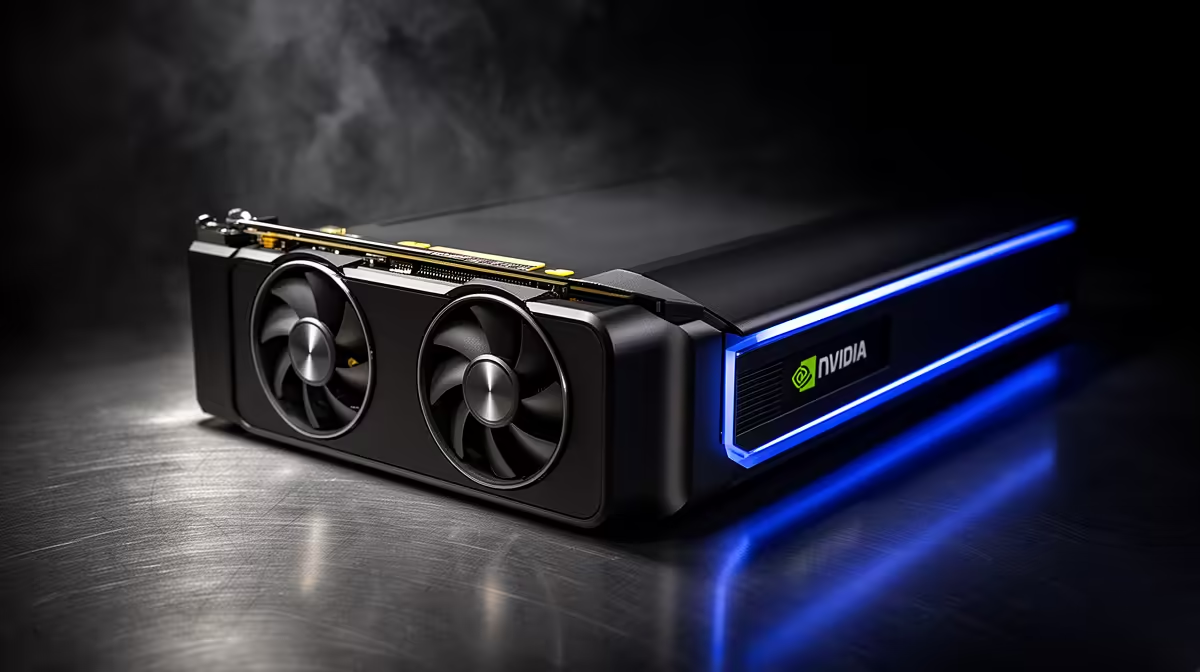
Most external graphics boxes ship empty, leaving you to hunt down a card, match it to the enclosure, and hope the cooling and power all line up. The Morefine G2 takes a different route. It arrives with a desktop GeForce RTX 5060 Ti 16GB already fitted inside a 700 gram chassis, turning external GPU ownership into a plug-and-run affair. For anyone who wants local model inference without assembling a system, that bundled-card design is the whole appeal.
Quick Answer
The Morefine G2, which began shipping on 20 May 2026, packs a desktop RTX 5060 Ti with 16GB of GDDR7 memory into a compact dock measuring roughly 140 by 100 by 54mm. It connects over both Thunderbolt 5 and OCuLink, giving you 16GB of VRAM for local models out of the box. At a launch price near 1,099 US dollars before local import and duties, it is a premium turnkey option rather than a budget one.
What ships in the box, and why that matters
The headline is the pre-installed card. Inside the G2 sits a full desktop RTX 5060 Ti 16GB built on NVIDIA's Blackwell architecture, not a cut-down mobile chip. That 16GB of GDDR7 is the number that counts for local inference, because it sets the ceiling on which models you can load entirely into VRAM.
Sourcing a 16GB card separately, then finding an enclosure that fits it, powers it and cools it, is exactly the friction the G2 removes. Everything is matched at the factory. You plug in the cable, install drivers, and run. For a first-time eGPU buyer who finds the parts-matching daunting, that simplicity has real value.
Connectivity: Thunderbolt 5 and OCuLink in one box
The G2 carries both modern eGPU interfaces, which is unusual and useful. The upstream Thunderbolt 5 link runs up to 80 Gbps, around 63 Gbps effective, roughly matching PCIe 4.0 x4. That connection also supplies up to 100W of power delivery to charge a connected laptop, so one cable handles both data and charging on supported machines.
For users whose hardware has it, OCuLink (PCIe 4.0 x4) offers the lower-overhead path with the smallest inference penalty. Having both means the G2 adapts to whatever your laptop actually supports rather than locking you into one standard. The dock also adds a downstream Thunderbolt 5 port with 4K 144Hz output, three USB 3.2 Type-A ports, plus HDMI and DisplayPort, so it doubles as a desk hub.
What 16GB of VRAM gets you locally
Sixteen gigabytes is a genuinely useful local-AI tier. It comfortably runs quantised models in the 13B to 14B class with a healthy context window, and you can stretch toward larger models at heavier quantisation if you accept some quality trade-off. Once a model is fully resident in VRAM, the connection penalty shrinks, so OCuLink gives near-desktop token speeds and Thunderbolt 5 stays close behind.
Model sizes the 16GB ceiling allows
In rough terms, a 7B model at 4-bit quantisation needs around 5 to 6GB, leaving the G2 plenty of headroom and a generous context window. A 13B model wants roughly 9 to 11GB, which fits comfortably with room for a decent context. Push to a 30B-class model and 16GB starts to strain, forcing heavier quantisation that costs output quality. The honest sweet spot for this card is the 13B to 14B band at 4-bit, where you get strong results without spilling into system RAM and grinding to a halt.
Beyond language models
The same card also handles GPU rendering, video editing acceleration and gaming, so the box is not single-purpose. A Blackwell-generation card brings the tensor and RT hardware that accelerates AI image generation, video upscaling and OptiX denoising in 3D tools, which makes the G2 a flexible creative dock rather than a one-trick LLM box. If you are weighing a portable eGPU against a fixed machine, it helps to compare against what a desktop build delivers for the money, and the systems in the best-selling PC range give a clear reference for that trade-off.
Living with the G2 day to day
The compact 700 gram chassis is the G2's quiet advantage. At roughly 140 by 100 by 54mm it slips into a bag far more easily than a full enclosure holding a triple-fan card, which is the entire reason to choose a bundled-card box over a desktop. You dock at your desk for serious model work, then unplug and carry the laptop alone when you travel light.
Cooling and power are handled internally and matched to the card, so you avoid the guesswork of whether an empty enclosure can feed and cool whatever GPU you drop in. Sustained inference holds the card busy for long stretches, and a factory-matched thermal solution is more reassuring there than a mixed-brand assembly. The single upstream cable carrying both data and up to 100W of charging also keeps the desk tidy, since one connector handles the laptop's power and the GPU link together on supported machines.
Is the turnkey premium worth it?
Be clear-eyed about the value. The G2 commands a premium precisely because it bundles the card and removes the assembly. If you are comfortable matching a card to an empty enclosure, you can often build similar VRAM for less. The G2 earns its price on convenience, portability and the rare dual-interface design, not on raw cost-per-gigabyte. Those building toward a dedicated inference setup should weigh it against the cards and platforms in the AI PCs and components selection before committing.
For a buyer who values a single, finished, grab-and-go box and runs models in the 13B to 14B range, it is a clean answer. For a tinkerer chasing maximum VRAM per Rand, an empty enclosure plus a self-sourced card remains the value play.
Frequently Asked Questions
When did the Morefine G2 launch and what does it cost?
It began shipping on 20 May 2026 at a launch price near 1,099 US dollars. South African pricing depends on import, shipping and duties, so treat the dollar figure as a starting point rather than a shelf price.
Does the G2 really come with a GPU already installed?
Yes. It ships with a desktop RTX 5060 Ti 16GB pre-fitted, which is the point of the product. You do not buy or install a card separately, making it a true plug-and-run enclosure.
How much VRAM does the bundled card have and what can it run?
The RTX 5060 Ti inside carries 16GB of GDDR7. That comfortably hosts quantised 13B to 14B models with a usable context window, and can reach larger models at heavier quantisation with some quality loss.
Can I use the G2 with any laptop?
You need either a Thunderbolt 5 port for broad compatibility or an OCuLink port for the fastest link. The G2 supports both, but your laptop must have one of them. Older USB-C ports without Thunderbolt will not carry enough bandwidth.
Is a bundled eGPU better value than an empty enclosure?
It depends on your priorities. The G2 charges a premium for convenience and portability. If you are happy to match a card to an empty box yourself, you can usually reach the same VRAM for less, so the G2 wins on simplicity rather than price.
A turnkey eGPU with 16GB of VRAM removes the hardest part of running local models on a laptop. To weigh the Morefine G2 against alternatives or plan a dedicated inference rig, browse the AI PCs and components at Evetech.