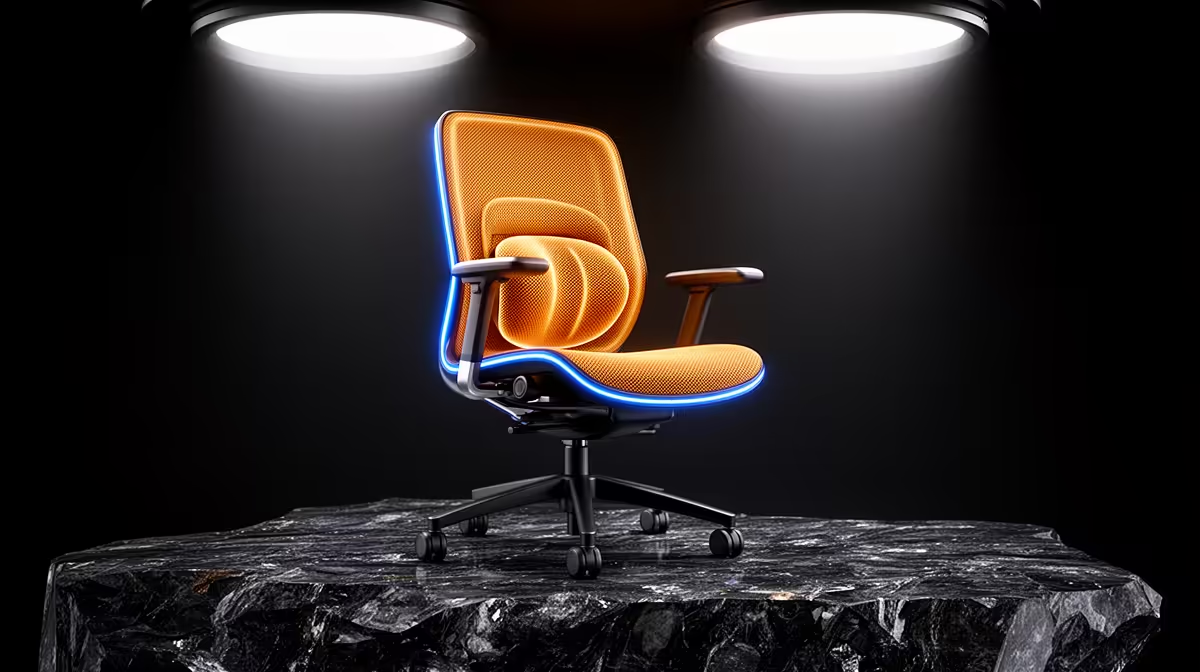
A chair can make long desk sessions more comfortable when it fits your body and supports movement. It cannot diagnose or cure back pain. Adjustable seat depth and lumbar position give you a better chance of finding a neutral setup than thick padding, but persistent pain needs assessment by a qualified healthcare professional.
Quick Answer
Choose a chair whose seat lets you rest your feet while leaving space behind the knees. Set lumbar support where your lower back curves, and position armrests so your shoulders can relax. Change position during the day. If pain is severe, follows an injury, spreads into a limb or comes with weakness or numbness, seek professional medical advice.
Seat depth decides whether the backrest can help
Sit all the way back. You should be able to fit a few fingers between the front edge of the seat and the back of your knees. A seat that is too deep pushes you forward, so the lumbar section no longer supports you. One that is too short can leave the thighs feeling unsupported.
A sliding seat pan is useful when several people share the chair or you are between common body sizes. Check the adjustment range in millimetres rather than accepting an "ergonomic" label. Your height alone does not determine fit; thigh length matters.
The front edge should feel rounded and should not press into the legs. Firm foam can support you for longer than a soft cushion that collapses. Comfort in a five-minute sit does not tell you how the foam behaves after two hours.
Lumbar support should meet you, not push you
The lower spine has a natural inward curve. A lumbar pad can fill the gap between that curve and the backrest. Too much pressure can tip the pelvis forward or create a hard spot. Too little may let you slump away from the backrest.
Start with low support, then raise or deepen it until it feels present without forcing your posture. Sit for twenty minutes before changing it again. Independent height and depth controls are useful because the right position differs from the largest setting.
A loose cushion can work if its shape and strap keep it in place. It may shift every time you stand, which makes the setup harder to repeat. Built-in adjustment tends to be easier for a shared desk.
Browse popular peripherals and setup equipment and the broader gaming accessories range while comparing chair features. Confirm the exact adjustment list and supported dimensions on the individual product.
Armrests affect shoulders and wrists
Raise the armrests until they support the forearms with your shoulders down. If they are too high, the shoulders shrug. Too low and you lean or reach for support. Width adjustment helps keep the elbows close instead of spreading them out.
The armrests must also clear the desk. If they hit the edge, you may sit too far from the keyboard and push your head forward. Lower them enough to move close, or choose arms that slide back. Soft tops can reduce pressure at the elbow, though they should remain stable under normal use.
Set the keyboard and mouse after the chair. Your elbows should bend at a comfortable angle and your wrists should stay close to straight. A chair cannot fix a desk that is far too high.
Recline is a position change, not a test of discipline
Holding one perfect upright pose all day is tiring. A backrest that reclines with controlled tension lets you shift load while keeping support. A lock can give you a stable position for focused work, while a free or limited recline suits reading and calls.
Try the tension at several angles. The chair should not throw you forward or require a hard push to move. A headrest should meet the base of the skull without pushing the head ahead of the shoulders. Some people prefer no headrest during keyboard work.
Build the desk around the chair
Set chair height so your feet are flat. Use a stable footrest if the desk forces the seat higher. Bring the screen close enough that you can read without leaning. The top portion of the display should sit around a relaxed eye line, adjusted for your glasses and screen size.
Keep the mouse near the keyboard. Reaching to the side for hours can tire the shoulder. A larger pointer size or higher cursor speed can reduce repeated arm travel without changing the chair.
Movement still matters
No chair removes the need to move. Stand during a call, walk for water and change the recline between tasks. Short frequent movement gives tissues a change in load and helps you notice discomfort before it builds.
A timer can help at first, but use task cues if alerts become annoying. Stand after a match, a meeting or a completed document. The routine should fit the work rather than interrupt it every few minutes.
How to assess a chair before committing
Check the supported user height and weight, adjustment ranges, base stability and warranty. Sit with the controls in their middle positions first. If you need every control at its limit, another size may fit better.
Wear the clothes you use at the desk and stay seated long enough for the foam to warm. Test typing, mousing and reclining. Listen for movement in the arms and backrest. A small amount of play can be normal; a loose mechanism deserves inspection.
Recheck the fit after a week
Note when discomfort begins and which task you were doing, then change one control. That record can help a healthcare professional understand the pattern if symptoms continue. It also separates a chair-fit problem from a monitor, desk or workload issue. Avoid chasing comfort through several adjustments at once because you will not know which one helped.
Frequently Asked Questions
Can an ergonomic chair cure back pain?
No. It may improve fit and comfort, but back pain has many causes. A healthcare professional can assess persistent or concerning symptoms.
Is a softer chair better?
Soft padding can feel pleasant at first. Support, pressure distribution and the way foam holds up over time matter more than softness alone.
How often should I change position?
There is no single interval for everyone. Shift posture often and use natural breaks to stand or walk before discomfort builds.
Compare adjustable chairs by seat-depth range, lumbar position and armrest fit, then set the desk around your seated posture.