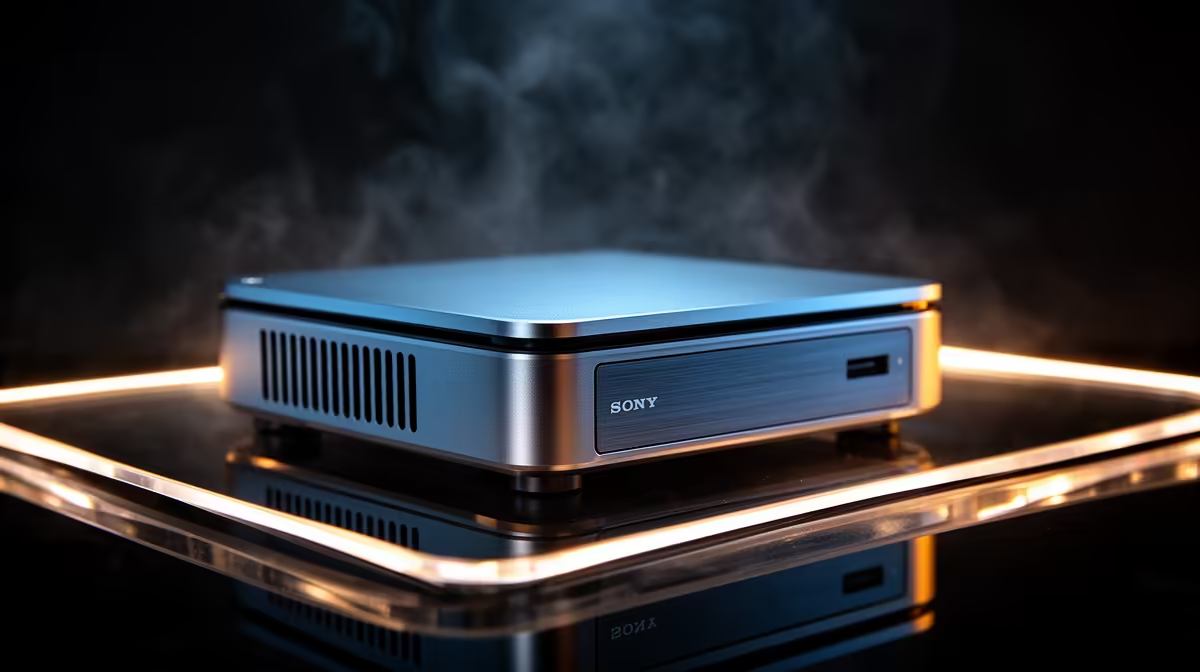
Silence is a feature you only notice once it is gone. A fanless mini PC runs with zero moving parts, drawing no air through a noisy heatsink, which makes it the natural fit for a lounge media box, a quiet study, or an always-on machine humming away in the corner of a Joburg flat. Removing the fan does more than kill the noise: it removes the single most common point of failure in any PC.
Quick Answer
The best fanless mini PC pairs a low-power N-series chip with passive cooling, running completely silent with no fan to clog, whine, or fail. It suits SA media rooms, signage, and always-on home servers where quiet and reliability matter more than raw speed. Expect efficient performance for everyday tasks rather than gaming muscle.
How Passive Cooling Actually Works
A fanless mini PC does not skip cooling, it just does it without a fan. The processor's heat is carried by heat pipes or a solid metal block into the chassis itself, and the whole case becomes the heatsink, shedding warmth into the surrounding air. The body runs warm to the touch, and that is the system working exactly as designed.
This only succeeds with a chip that produces little heat in the first place. That is why fanless designs lean on low-TDP processors, typically Intel's N-series, which sip power and stay cool enough for a case to dissipate passively. The N100 carries a 6W base TDP with a 10W operating window, which keeps chassis surface temperatures in the 55 to 70 degrees Celsius range under typical load, well within safe limits. Pair a hot, high-wattage chip with no fan and it would throttle within minutes, so the chip and the cooling are chosen together.
Browsing the mini PC range at Evetech gives you a clear side-by-side view of fanless and fan-cooled form factors, including which units are passively cooled and what chips they carry.
Why No Fan Means Fewer Failures
The fan is the part of a PC most likely to die. It is the one component with a motor and bearings spinning constantly, and over years of dusty SA air it clogs, grinds, and eventually seizes. When it does, the machine overheats and shuts down, often at the worst moment for a device meant to run unattended.
Reliability for always-on roles
Take the fan out and that failure mode disappears entirely. For a machine that runs around the clock, a home media server, a digital signage screen in a shop, a small network appliance, that reliability is the headline benefit. There is also nothing to suck in dust, so the internals stay cleaner for longer and need far less maintenance than a conventional desktop.
Silence as a practical benefit
In a lounge connected to the TV, fan noise during a quiet film scene is genuinely intrusive. A fanless box adds nothing to the room's sound at all. In a bedroom doubling as a study, an always-on silent machine will not keep you awake the way a desktop with spinning fans can.
What These Machines Are Genuinely Good At
N-series fanless mini PCs are built for efficiency, not horsepower, and they handle a clear set of jobs very well.
Media and home theatre
As a home theatre PC they shine: 4K video playback, streaming apps, and a media library all run smoothly, and the silent operation suits a living-room setup perfectly. The N100's Quick Sync hardware video engine handles 4K decode without taxing the CPU, keeping the chassis cool and the room quiet throughout. Plugged into a TV, a fanless box is one of the cleanest ways to run a media front-end.
Everyday and light office work
For web browsing, email, document editing, and video calls, a current N-series machine is comfortably capable. As a second machine for a home office, a kitchen reference PC, or a kid's homework station, it does everything most people need without drama.
Always-on and light server duty
Their low power draw makes them ideal to leave running continuously. Real-world measurements put an N100 fanless mini PC at roughly 6 to 10W at idle, a fraction of what a traditional tower burns sitting idle. A fanless mini PC works well as a low-power home server, a network helper, or a signage driver, where the small ongoing electricity cost stays minimal and the silence and reliability pay off every day.
The Throttling Trade-off
Passive cooling has a ceiling, and it is worth understanding before you buy. Under a light, bursty workload such as browsing and document editing, the chip recovers between tasks and you never notice any limit. Under a sustained, heavy load held for fifteen minutes or more, the chassis can only shed so much heat, and the processor will reduce its clock speed to stay within safe temperatures.
For fanless N-series machines this throttling typically appears only under genuinely demanding sustained work, not the kind of work most buyers run. But if you plan to run continuous video encoding, heavy multi-container workloads, or demanding compiles on a fanless unit, an actively cooled mini PC holds performance more consistently.
Where a Fanless Mini PC Is the Wrong Choice
Be honest about the ceiling. These machines are not for gaming beyond very light or older titles, and they are not for heavy video editing, large compiles, or demanding multitasking. The low-TDP chip and passive cooling that make them silent also cap their performance.
If your workload is genuinely demanding, a small active-cooled mini PC or a full desktop is the better buy, accepting some fan noise in exchange for real power. The skill is matching the machine to the job: for quiet, efficient, always-on use a fanless box is excellent, and for anything heavy it is the wrong tool. To sanity-check that against full systems, the PCs selling fastest at Evetech show where current desktop value sits if your needs outgrow a passive design.
Frequently Asked Questions
Will a fanless mini PC overheat in South African summers?
A properly designed passive system is built with thermal headroom and shedding the chip's heat through the case is normal. Keep it in open air rather than a sealed cabinet and it handles warm rooms fine, since the chip runs cool by design.
Can a fanless mini PC play games?
Only light or older titles and casual games. The low-power N-series chips and passive cooling are not built for modern gaming, so for that workload choose a system with a dedicated GPU and active cooling instead.
Is it really completely silent?
Yes. With no fan and typically no spinning hard drive, a fanless mini PC running an SSD makes no noise at all, which is exactly why it suits lounges, bedrooms, and quiet offices.
What can I realistically use one for?
Media playback and home theatre, everyday browsing and office tasks, digital signage, and light always-on server roles. It covers the efficient, quiet end of computing very well, just not heavy creative or gaming work.
Does removing the fan really make it more reliable?
It removes the component most prone to mechanical failure and dust clogging. For a machine meant to run unattended around the clock, eliminating that single point of failure is a real reliability gain.
Want a machine that disappears into the room and just keeps running? Browse the mini PC range at Evetech and pick a silent, fanless build matched to how you actually use it.