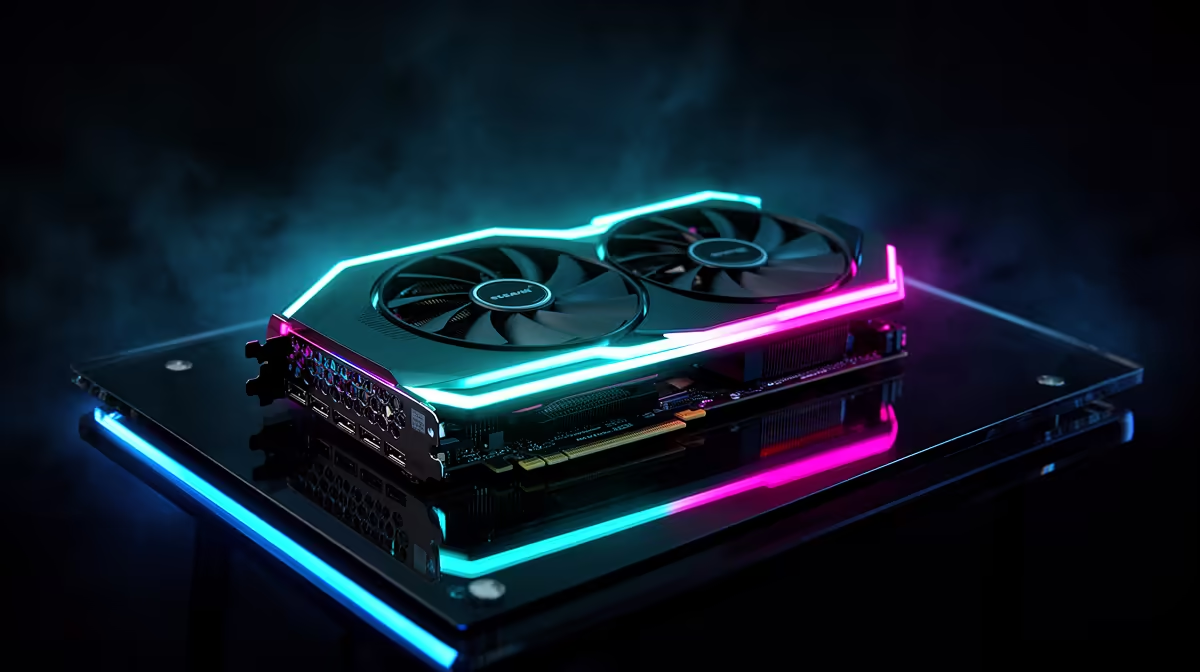
Boot a fresh Linux install or a SteamOS handheld and the difference between a smooth experience and a driver headache often comes down to one part: the GPU. For Linux and SteamOS gaming, AMD Radeon cards are the pragmatic default, because their open-source drivers are baked into every distribution and just work out of the box. For SA gamers building a SteamOS desktop or a Linux gaming rig, that out-of-the-box behaviour saves real frustration.
Quick Answer
AMD GPUs are the top pick for Linux and SteamOS gaming because the open-source Mesa RADV driver ships with every distro and needs no manual install. Around 70% of Linux Steam users run AMD for this reason. A current Radeon RX card gives SA builders the smoothest path to a SteamOS desktop, with full Wayland support and no proprietary driver wrangling.
Why AMD Owns Linux Gaming
The reason is the driver model. AMD's graphics support is open source and built straight into the Linux kernel and Mesa, so the RADV Vulkan driver is present the moment you install almost any distribution. There is nothing to download, no version mismatch to chase, and updates arrive with your normal system upgrades. SteamOS itself is built around this AMD-first approach, which is why the Steam Deck and its desktop cousin run Radeon graphics. Compatibility with Wayland, the modern Linux display system, is also more mature on AMD, which matters as distributions move away from the older X11.
Benchmark data consistently shows AMD on Mesa running within around 5% of its Windows performance, a notably tighter gap than NVIDIA's proprietary driver achieves in the same titles. That parity matters practically: you are not trading frames for freedom.
Picking the Right Radeon RX for Your Resolution
Match the card to the screen you actually play on rather than the highest tier you can find.
1080p gaming
A mid-range Radeon RX handles 1080p at high settings in most current titles comfortably, and it is the sweet spot for value-focused SA builds. The RX 7600 sits in this band and is the same RDNA 3 architecture that underpins SteamOS on Valve's own hardware.
1440p gaming
Stepping up a tier gives the headroom for 1440p with high settings and strong frame rates, ideal for a SteamOS desktop driving a QHD monitor. The RX 7700 XT and RX 7800 XT are the community picks at this resolution, with the 7800 XT offering extra headroom for demanding titles and larger VRAM for future proofing.
4K and high refresh
The top Radeon RX cards target 4K and high-refresh play, where extra VRAM and memory bandwidth keep demanding games smooth. AMD's RDNA 4 generation, including the RX 9070 XT, is also fully supported on Linux through Mesa 26.1 and kernel 6.16, which shipped with SteamOS 3.8 in mid-2026. The RX 9070 XT has been widely noted as the best all-round card for Linux gaming right now, combining open-source driver maturity with a meaningful performance step over the 7000 series.
What SteamOS 3.8 Changes for Desktop Builders
Until recently SteamOS was primarily a handheld operating system, but SteamOS 3.8, released in June 2026, makes it officially installable on standard desktop AMD hardware. The release notes confirm that RX 6000 and RX 7000 series cards are the supported target, with RDNA 4 covered through the included Mesa and kernel versions. That makes a Radeon GPU not just the pragmatic choice but the officially endorsed one for anyone building a SteamOS desktop. NVIDIA support on SteamOS is confirmed to be in development but was not available at the 3.8 release -- Valve has said it may arrive in late 2026 or 2027.
AMD vs NVIDIA on Linux: The Honest Picture
NVIDIA's Linux drivers have improved a great deal, and its cards perform well, but they still lean on a proprietary driver that you install and maintain separately, with occasional friction around kernel updates and Wayland. AMD discontinued its own proprietary driver stack in 2025, consolidating everything into RADV, which means the open-source driver receives all the engineering attention. That focused development shows in benchmarks: AMD on Linux typically performs within 5% of Windows, a narrower gap than NVIDIA's proprietary driver manages.
The open-source NVK driver for NVIDIA, which is being developed within Mesa, gained experimental DLSS support in Mesa 26.2-devel, but it currently achieves around 50% of the proprietary driver's performance in many titles. For serious Linux gaming, it is not yet a replacement for NVIDIA's official driver. If your priority is install-it-and-play simplicity on Linux, AMD wins on convenience even where raw performance is close.
SteamOS Beyond the Handheld
SteamOS is no longer just a handheld operating system; it powers desktop gaming builds too, and AMD graphics are central to that experience. If you are weighing a SteamOS handheld against a desktop Radeon build, our handheld gaming consoles range shows how the same AMD foundation scales from portable to living-room rig. For a full desktop, a pre-built or custom machine takes the guesswork out, and our PC best sellers include AMD-equipped systems ready for a Linux or SteamOS install.
Frequently Asked Questions
Why is AMD better than NVIDIA for Linux gaming?
AMD's drivers are open source and built into the Linux kernel and Mesa, so they work immediately with no separate install. NVIDIA still relies on a proprietary driver that needs maintenance, especially around kernel and Wayland updates. For low-effort Linux gaming, AMD is the smoother route.
Do I need to install drivers for an AMD GPU on Linux?
No, the Mesa RADV driver ships with virtually every distribution, so an AMD card is ready to game from first boot. Updates arrive through your normal system upgrades. This zero-install behaviour is the main reason AMD dominates Linux Steam usage.
Does SteamOS only run on the Steam Deck?
No, SteamOS 3.8 now extends to desktop gaming builds as well, and it is designed around AMD graphics. You can run it on a Radeon-equipped desktop for a console-like experience on a big screen. The same AMD-first foundation underpins both the handheld and the desktop.
Which Radeon RX should I buy for 1440p gaming?
The RX 7700 XT and RX 7800 XT are the community benchmarks for 1440p high settings with strong frame rates in most current titles. The 7800 XT adds extra VRAM that helps in demanding titles. Higher tiers open up 4K and high-refresh play.
Will my games run well on Linux with an AMD GPU?
Most modern titles run well through Steam's compatibility layer on AMD hardware, with the open driver handling Vulkan natively. A few games with strict anti-cheat remain the main exceptions. For the broad library, an AMD Radeon card on Linux delivers a smooth experience.
Building a Linux or SteamOS rig in SA? Start with the right Radeon in our PC best sellers and get open-driver gaming that just works.