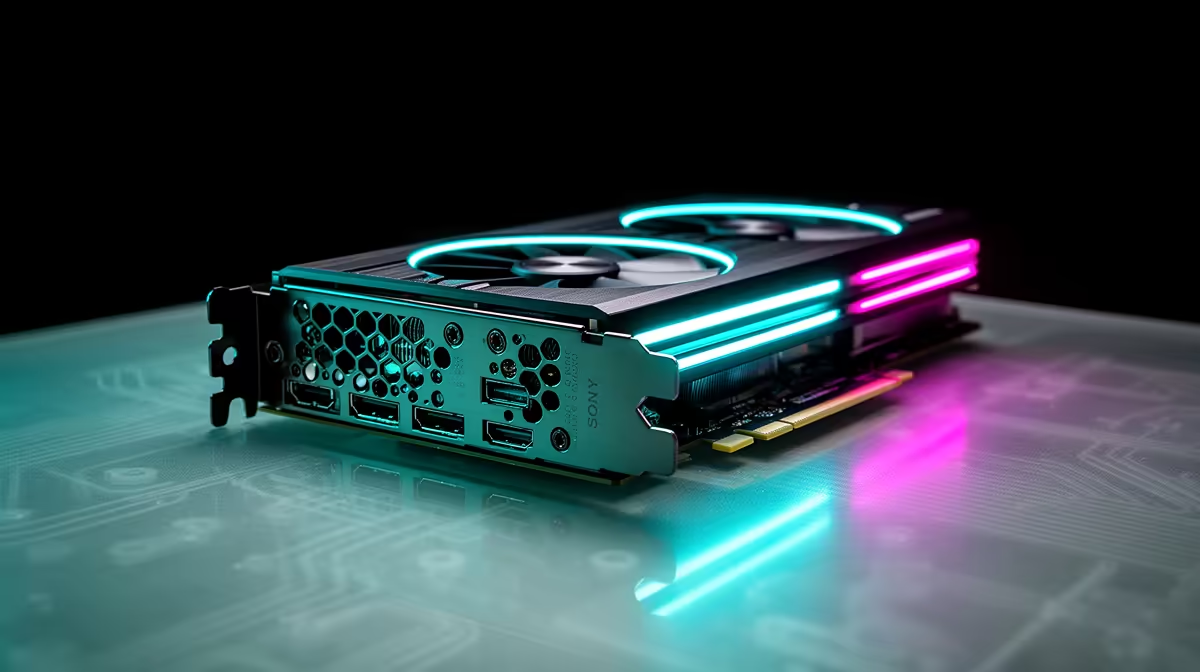
You can run Linux as your daily driver and still want to play the competitive shooters that refuse to launch on it. The blocker is rarely the game engine, it is the kernel-level anti-cheat that flatly will not load outside Windows. A dual-boot build solves it cleanly, and the GPU you pick decides how smooth both sides of that setup feel.
Quick Answer
For anti-cheat games that block Linux, a dual-boot build is the safe answer, and an AMD RX 7000-series GPU is the best fit because its open-source Linux drivers are excellent while it still performs strongly in Windows. Add a dedicated Windows SSD and you cover competitive titles and Linux work without compromise.
Why anti-cheat forces the issue
Plenty of games run beautifully on Linux through the Proton compatibility layer. The ones that do not are usually held back by anti-cheat systems that hook into the kernel and only trust a Windows environment. Valorant, the Call of Duty franchise, Battlefield and EA Sports titles all use kernel-level anti-cheat that blocks Linux play, and dual-booting sidesteps the whole argument by keeping a real Windows install one reboot away.
Anti-cheat using Easy Anti-Cheat or BattlEye works fine on Linux when developers enable it, but many leave it off for competitive titles, which is why the same engine can run on Linux in one game and refuse to launch in another. The dual-boot keeps both options live without compromise.
The case for AMD on the Linux side
On Linux, AMD's graphics drivers are built into the kernel and maintained in the open, which means they tend to work out of the box and stay stable through updates. NVIDIA's Linux drivers have improved, but AMD's open approach still makes for a smoother ride if Linux is where you spend most of your time. An RX 7000-series card gives you that easy Linux life plus the raw performance to drive your shooters in Windows. AMD also discontinued its proprietary driver stack in 2025, meaning all engineering focus now flows into the open RADV driver, which keeps getting better without a competing internal product dividing attention.
Building the dual-boot rig
Separate the operating systems
The cleanest layout puts Windows and Linux on their own drives. A dedicated Windows SSD keeps the two installs from stepping on each other, makes recovery painless if one breaks, and lets each system own its bootloader. It is a small extra cost that saves a lot of grief.
Disable Fast Startup in Windows
Windows Fast Startup leaves the Windows partition in a semi-hibernated state when you shut down, which can prevent Linux from mounting shared drives correctly. Disable it in Windows power settings before completing your dual-boot setup.
Match the GPU to your resolution
Pick the card for the resolution and frame rate you actually play at. For high-refresh 1080p and 1440p competitive play, a mid to upper RX 7000-series card has the headroom. Going higher only matters if you also play demanding single-player titles at 4K. The RX 7700 XT is a capable competitive card at 1080p and 1440p, and the RX 7800 XT adds enough headroom to be useful for the more graphically demanding titles you run on the Linux side.
Do not forget the rest of the build
A fast CPU and enough RAM keep both systems responsive, and a roomy SSD or two leaves space for separate game libraries. If a full prebuilt is more your speed, the best-selling gaming PCs are a solid starting point you can tune from.
AMD RX 7000-series models worth knowing
The RX 7000 line covers a range of price points, so matching the card to your actual resolution and budget makes a real difference.
RX 7600 XT
The entry point for 1080p competitive play. It keeps VRAM at 16GB, which is generous for its class, and the open-source RDNA 3 driver handles it cleanly on any modern Linux kernel. For a dual-boot machine where the Linux side handles productivity and the Windows side handles ranked shooters, this is a cost-effective starting point.
RX 7700 XT
The sweet spot for high-refresh 1080p and comfortable 1440p. It has enough headroom for the competitive shooters that run on Windows and the demanding native Linux titles that have grown significantly in the Proton library since 2025. The open RADV driver scores within a few percent of the proprietary AMD stack on most games tested by the Phoronix suite.
RX 7800 XT
The step up for 1440p at 165Hz or higher, or for users who also play graphically demanding single-player titles on the Linux side. If your monitor is 2K and you want smooth frame rates in both operating systems without compromise, this is where the dual-boot build lands well.
RX 7900 GRE and above
Worth considering only if you play at 4K or run GPU compute workloads on Linux, such as AI model inference or video processing. The performance is there; the question is whether your use case justifies the price step.
When SteamOS handhelds enter the picture
SteamOS devices have pushed Linux gaming forward, but they hit the same anti-cheat wall on certain competitive titles. If you want the handheld form factor alongside your desktop, our handheld gaming console range shows what is on offer, just keep the anti-cheat limitation in mind for the games you care about most.
Frequently Asked Questions
Why does kernel-level anti-cheat block Linux?
These systems run deep in the operating system and are designed to trust a Windows environment. Many do not support Linux at all, and developers often disable Linux play on competitive titles even when it is technically possible.
Is AMD really better than NVIDIA for Linux gaming?
For most users, yes. AMD's open-source drivers ship in the Linux kernel and tend to work without fuss, while NVIDIA's drivers, though much improved, can still need more setup. For a Linux-first machine, AMD is the easier path.
Do I need two SSDs to dual-boot?
You can dual-boot on one drive, but separate SSDs for Windows and Linux are cleaner and safer. Each system manages its own boot files, and a problem on one does not threaten the other.
Will a dual-boot setup hurt gaming performance?
No. Each operating system uses the full hardware when you boot into it. You only pay a small cost in disk space and the few seconds it takes to reboot between them.
Which RX 7000-series card should I aim for?
Match it to your resolution. The RX 7700 XT handles high-refresh 1080p and 1440p comfortably, while the RX 7800 XT and higher models make sense if you also push 4K in demanding single-player games on the Linux side.
Build a rig that plays everything, on either side of the reboot. Start with a GPU and base from Evetech's gaming PC range and game without the anti-cheat headache.