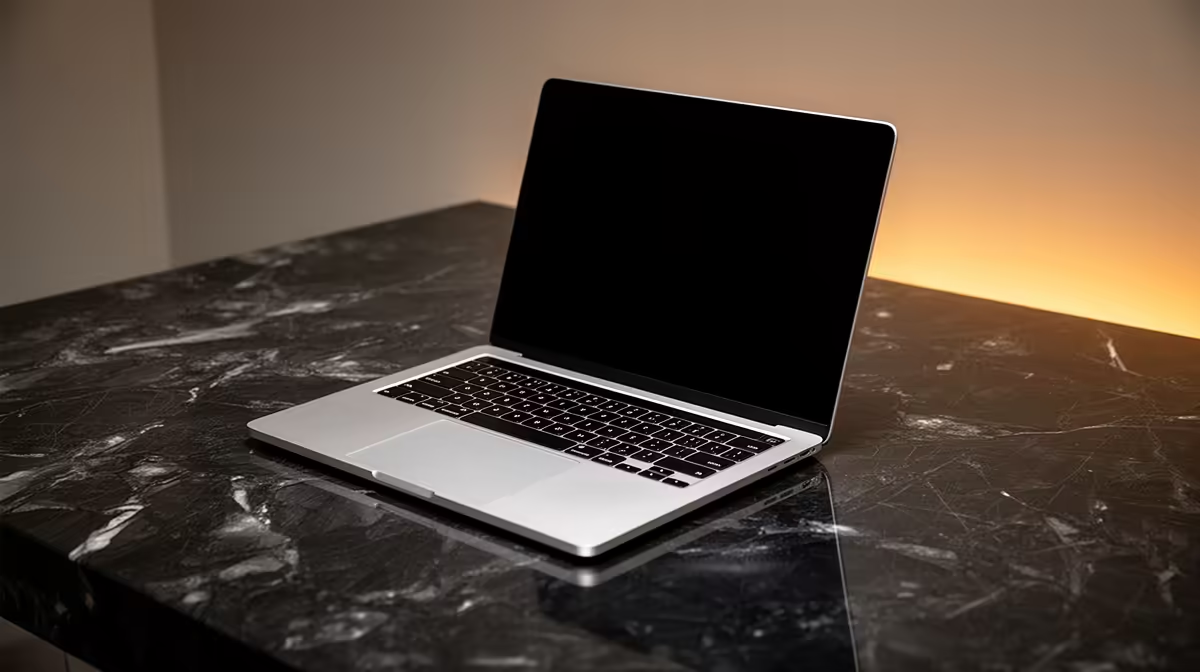
A photographer's laptop has one job above all others: open a folder of 45-megapixel RAW files and let you cull, grade and export without the spinning wheel. For most working and serious-hobbyist shooters in South Africa, the M5 MacBook Air does exactly that, and it does it from roughly R24,999 for the 16GB model. The harder question is not whether the Air is fast enough; it is whether your specific workflow ever crosses the line where a MacBook Pro starts to earn its premium.
Quick Answer
The M5 MacBook Air with 16GB of unified memory, from around R24,999 in South Africa, handles RAW editing in Lightroom and Capture One smoothly for the vast majority of photographers. You only need to step up to a MacBook Pro if you run very large catalogs, heavy plug-in stacks, sustained batch exports, or you also edit high-resolution video alongside stills.
What RAW editing actually demands from a Mac
RAW editing is bursty, not constant. You are not pinning the processor flat for an hour; you are asking for fast responses in short spurts: render a preview, apply a mask, push a slider, export a batch. That pattern suits Apple's M-series silicon well, because the chips deliver strong short-burst performance and pair it with fast, unified memory that the processor and graphics share.
The three things that genuinely matter for stills work are memory, storage and the display. Raw processor speed comes fourth, because both the Air and the Pro have plenty for slider-driven editing. Get the first three right and the Air rarely feels limiting.
Memory is the real bottleneck
For photo editing, 16GB of unified memory is the floor you should aim for, and happily that is now the base configuration. With 16GB, Lightroom or Capture One can hold a healthy working set of previews and edits in memory while your browser, mail and a chat app sit alongside. Where 16GB starts to strain is when you stack heavy AI noise-reduction and upscaling plug-ins, keep dozens of high-megapixel files open, or run Photoshop with large layered files at the same time. If that is you, 24GB is the smarter buy, and it is one of the few upgrades genuinely worth paying for.
Storage fills faster than you think
RAW files are large, and a single shoot can run into many gigabytes. The base 256GB SSD fills quickly once you have an operating system, your applications and a few projects on it. For a photographer, 512GB is a far more comfortable starting point, and many will want 1TB if they prefer keeping recent work on the internal drive rather than juggling externals. SSD upgrades on Macs are not cheap, so size this honestly at purchase. You can compare the current Air and Pro configurations across the MacBook range at Evetech to see which storage tiers are in stock.
Where the M5 Air shines for photographers
The Air's headline advantage is that it is fanless. For a photographer working in a quiet studio, a coffee shop, or on location, silent operation is a genuine pleasure, and there is no fan noise creeping into video clips if you shoot hybrid. It is also light, which matters if your camera bag is already heavy and you are walking a venue all day.
Battery life is the other standout. The Air comfortably runs a full day of culling and light editing away from a wall socket, which suits load-conscious South African working patterns and anyone who edits between locations. The display is bright and colour-accurate enough for confident grading, and it supports a wide colour gamut, so what you see on screen tracks closely to what you export.
For a photographer whose day looks like culling, grading, retouching and exporting batches of stills, the Air covers all of it without drama. The fanless design only becomes a limitation under sustained heavy load, which most stills workflows never reach.
When you genuinely need a MacBook Pro
The Air's one structural weakness is sustained performance. With no fan, it cannot hold its top speed indefinitely; under a long, heavy task it will ease off to stay cool. For short bursts you will never notice this. For long, continuous grinds you will.
The catalog-size threshold
If your Lightroom or Capture One catalog runs into many tens of thousands of images, with previews and smart previews to match, the Pro's extra memory headroom and active cooling keep the experience smoother. Browsing and searching a giant catalog is where a maxed-out Air starts to feel its limits.
Heavy plug-in and batch workflows
AI-driven noise reduction, sharpening and upscaling are demanding, and running them across a full shoot back to back is exactly the sustained load the Air throttles under. If your workflow leans hard on these tools, or you export hundreds of high-resolution files in one sitting, the Pro finishes meaningfully faster and stays cooler doing it.
Hybrid shooters who also cut video
If you edit 4K or higher video alongside your stills, the calculus shifts. Video encoding is a sustained, heavy task, and that is precisely where the Pro's cooling and higher memory ceiling pull ahead. A pure stills photographer rarely needs this; a hybrid creator often does. It is worth checking current pricing on both lines through the laptop best sellers to weigh the step-up cost against how often you actually hit these workloads.
How to spec your Mac without overspending
Start from your real workflow, not the spec sheet. The mistake is buying the most expensive machine "to be safe" when a well-chosen Air would have done everything you need and left budget for a calibrated external monitor, a card reader or fast external storage, which often improve your editing life more than a faster processor would.
A sensible photographer's configuration looks like this: the M5 Air with 16GB memory if your catalogs and plug-in use are moderate, stepping to 24GB if they are heavy; 512GB of storage as a comfortable minimum, 1TB if you keep work on the internal drive; and a calibrated external display for final grading at your desk. That setup handles the great majority of South African RAW workflows with room to spare.
If after honest assessment you tick the catalog-size, heavy-plug-in or hybrid-video boxes, then the Pro is not an indulgence, it is the right tool. Just make that decision from your actual workload rather than from spec anxiety.
Frequently Asked Questions
Is 16GB enough for Lightroom and Capture One?
For most photographers, yes. 16GB comfortably handles RAW culling, grading and export with a few other apps open. Step up to 24GB only if you run heavy AI plug-ins, very large layered Photoshop files, or keep many high-megapixel images open at once.
How much storage should a photographer get?
Treat 512GB as the practical minimum, since RAW files and previews eat space fast. Choose 1TB if you prefer keeping recent shoots on the internal drive rather than relying on externals. SSD upgrades are pricey, so size it correctly when you buy.
Will the fanless Air throttle during photo editing?
Almost never for normal stills work, because editing is bursty rather than sustained. Throttling only appears under long continuous loads like back-to-back AI processing or video exports, which most photographers do not hit.
Is the M5 Air good enough for professional client work?
Yes, for a stills-focused professional it is a fully capable machine. The Pro becomes worthwhile mainly for giant catalogs, plug-in-heavy pipelines, or hybrid shooters who also edit high-resolution video.
Does the Air's screen handle colour-critical grading?
The display is bright and supports a wide colour gamut, so it is dependable for editing on the go. For final colour-critical work, many professionals still pair it with a calibrated external monitor at their desk.
Should I buy the Air or wait for a Pro discount?
If your workflow fits the Air, buy the Air and put the saved money toward more memory, storage or a good monitor. Those choices improve your editing day more than a faster chip you rarely tax.
Ready to match a Mac to your RAW workflow? Compare live configurations and pricing in the MacBook range at Evetech and spec the memory and storage around the work you actually do.