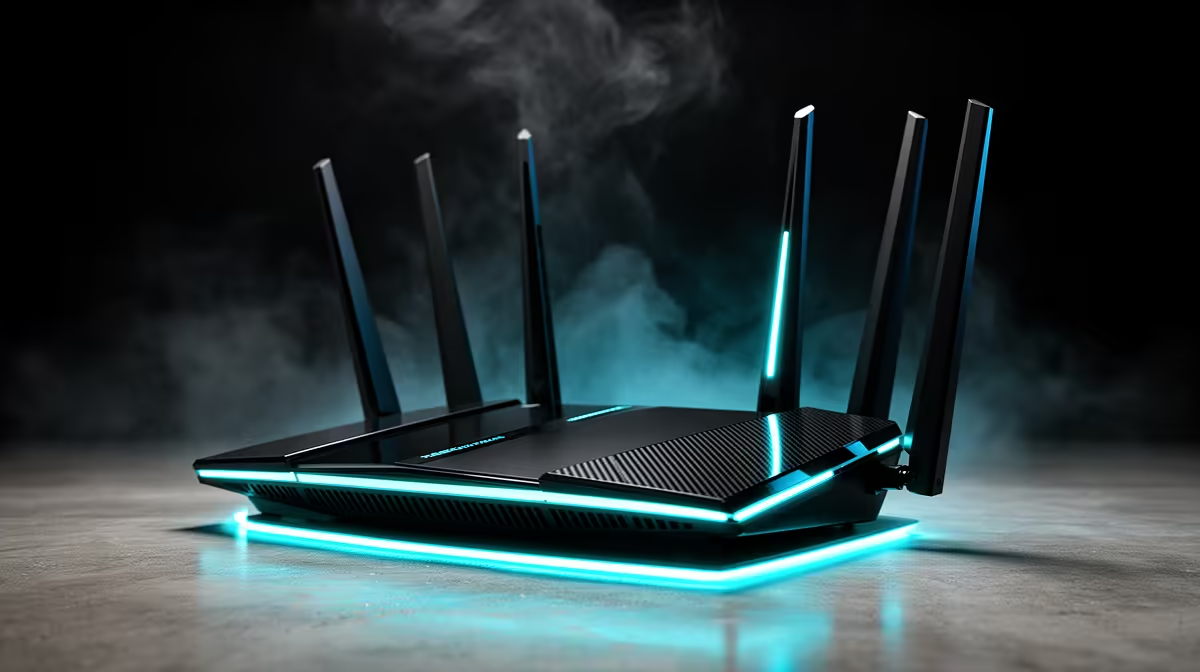
Waiting two years for the next networking standard to land in shops sounds prudent until you realise it means competing online on aging hardware while a genuine upgrade is already sitting on the shelf. For a gamer weighing the best router move in 2026, the timing question answers itself once you look at when Wi-Fi 8 actually reaches homes and what Wi-Fi 7 already delivers today.
Quick Answer
Buy Wi-Fi 7 now. It already provides Multi-Link Operation and low-latency play on the 6GHz band, while Wi-Fi 8 is built around reliability rather than raw speed and the standard is not finalised until around 2028. Holding out means gaming on older gear for two years to chase gains that mostly help congested, many-device scenarios rather than your latency.
What Wi-Fi 7 already does for gaming
Wi-Fi 7's headline feature for players is Multi-Link Operation, or MLO. Instead of locking your connection to a single band, MLO lets a device use multiple bands at once, so traffic can ride the cleanest path and dodge congestion in real time. For gaming that translates into steadier latency and fewer spikes when the household is busy, which is exactly the failure mode that ruins competitive matches.
The 6GHz band is the other piece. It is wide, relatively empty compared to the crowded 2.4GHz and 5GHz spectrum, and supports the 320MHz channels Wi-Fi 7 introduced. On 6GHz with a clear line to the router, you get the kind of low, consistent latency that used to require a cable. That combination of MLO and a clean 6GHz band is available in shipping hardware right now, not as a future promise. The networking range at Evetech carries the current Wi-Fi 7 routers that deliver this today.
What Wi-Fi 8 is actually about
There is a common misread that Wi-Fi 8 will be the big speed jump worth waiting for. It is not primarily a speed story. The standard, sometimes badged Ultra High Reliability, is engineered for consistency and deterministic low latency across many clients rather than raising the peak number. Its real advances come from smarter multi-access-point and multi-client coordination, which sharply reduce worst-case latency and jitter in dense, congested environments.
That is genuinely useful, but think about who benefits most. The gains shine in homes packed with dozens of simultaneous devices, busy apartment blocks with overlapping networks, and multi-AP setups. For a single gamer who wants the lowest latency to one machine, Wi-Fi 7 already delivers that on 6GHz. Wi-Fi 8 makes the whole network behave better under heavy shared load; it does not magically lower your ping beyond what Wi-Fi 7 reaches.
The timeline that settles the decision
This is where waiting falls apart. Early Wi-Fi 8 hardware has been announced and a handful of pre-standard products are appearing late in 2026, but the specification itself is not expected to be finalised until around 2028. First-wave, pre-certification routers are typically expensive, firmware-immature, and may not match the final spec. Mesh systems, client devices like phones and laptops, and properly certified gear all lag the first routers by a long stretch.
So the honest choice is between a mature, capable Wi-Fi 7 ecosystem you can buy and rely on now, or two years of gaming on whatever you currently own while you wait for an early-adopter Wi-Fi 8 product whose main benefit you may not even need. For a gamer, that is not a close call.
Do your client devices even support it?
A router is only half the link. To benefit from Wi-Fi 7's MLO and 6GHz, your gaming PC, laptop or phone needs a Wi-Fi 7 client adapter too. Many current high-end devices already include it, and PC adapters are readily available. There is no point buying ahead of your own hardware, which is another reason chasing an unreleased standard makes little sense when the supporting devices are still further out.
How to spend the upgrade money well
If you are upgrading now, prioritise a Wi-Fi 7 router with strong 6GHz performance and MLO support, and make sure your gaming device can actually use 6GHz. For most setups a single capable router placed sensibly delivers excellent results; mesh only becomes necessary in larger or awkwardly shaped homes. Wiring the gaming machine with Ethernet remains the lowest-latency option of all, and a Wi-Fi 7 router with good wired ports covers that base too. The accessories best sellers at Evetech include the cables, adapters and networking extras that round out a low-latency setup.
Placement matters as much as the spec
A high-end Wi-Fi 7 router fights the same physics as any other if it is hidden in a cabinet. The 6GHz band that gives the lowest latency is also the band most easily blocked by walls and furniture, so its benefit shrinks with distance and obstruction. Put the router central and high, out in the open, ideally with a clear path to where you game. A gaming setup two rooms and three brick walls away from the router will not see the full 6GHz advantage no matter how good the hardware is, which is worth knowing before you blame the router for inconsistent ping.
Matching the router to your line
There is no point buying a flagship router faster than your internet connection if your only goal is internet latency, since the bottleneck moves to the line outside your home. Where a strong Wi-Fi 7 router still earns its keep on any connection is local stability: steadier latency to the router itself, better handling of a busy household, and headroom for fast local transfers. So buy for the quality and consistency of the link, not just to chase a peak speed number your line cannot feed. For competitive players, that consistency, fewer spikes, steadier ping under household load, is what actually shows up in matches, far more than the headline throughput figure on the box.
Frequently Asked Questions
Should I wait for Wi-Fi 8 instead of buying Wi-Fi 7 now?
No. Wi-Fi 8's standard is not finalised until around 2028 and its main benefit is network-wide reliability under heavy load, not lower ping for a single gamer. Wi-Fi 7 already delivers low-latency gaming on 6GHz with MLO today.
Does Wi-Fi 7 actually lower my gaming latency?
It can, particularly through MLO keeping your connection on the cleanest band and through the wide, uncongested 6GHz channels. The biggest improvement shows up in a busy household where other devices used to cause latency spikes.
Do I need a new device as well as a new router?
Yes, to use Wi-Fi 7 features your gaming PC, laptop or phone needs a Wi-Fi 7 client adapter. Many recent flagship devices already include one, and add-in adapters exist for desktops that do not.
Is wired Ethernet still better than Wi-Fi 7 for gaming?
A solid wired connection still gives the most consistent latency. Wi-Fi 7 on 6GHz closes the gap dramatically for wireless play, but if your machine is near the router, a cable remains the safest choice for competitive gaming.
The smartest router move for a gamer this year is the one you can actually buy and play on. Explore the networking range at Evetech for Wi-Fi 7 routers with MLO and 6GHz support, and pick up the cabling and adapters to lock in low-latency play now rather than waiting on a 2028 standard.