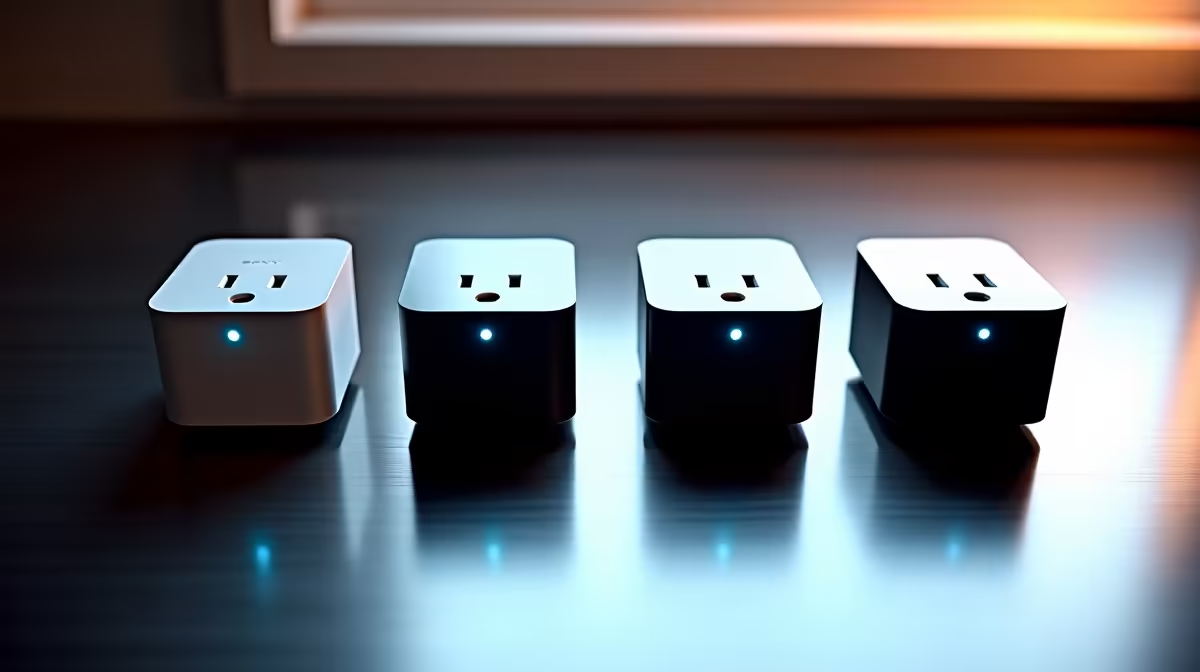
Pick the wrong protocol for your first smart plug and you will spend more time troubleshooting drop-outs than automating anything. The best smart plugs for Home Assistant are not simply the cheapest ones; they are the ones that match your hub, strengthen your network instead of straining it, and fit a South African socket without an adapter dangling off the wall.
Quick Answer
The strongest Home Assistant smart plugs come in three protocols: Zigbee, Z-Wave, and Wi-Fi. Zigbee plugs like the Sonoff S40 Lite are the best all-round pick because they pair instantly, act as mesh repeaters, and cost very little. Z-Wave suits homes already on a Z-Wave network, and Wi-Fi works without a hub but adds load to your router. Always confirm the plug fits the local round-pin or compatible socket before buying.
The three protocols, and which one to pick
Zigbee is the default recommendation for most Home Assistant setups. Plugs pair quickly with both Zigbee2MQTT and ZHA, they are inexpensive, and crucially every mains-powered Zigbee device doubles as a mesh router. The Sonoff S40 Lite is a standout here, pairing reliably in under 45 seconds from a factory reset and extending range across the home. It lacks built-in energy monitoring, but as a pure on-off repeating plug it is hard to beat on value.
Z-Wave runs on a different radio band that is less congested than the 2.4GHz space Wi-Fi and Zigbee share, so it can be more robust in a busy radio environment. The trade-off is cost: something like the Zooz ZEN15 is rock solid but pricier, and it only makes sense if you already run a Z-Wave network. Wi-Fi plugs need no hub at all and work straight off your router, which is the simplest start, but every plug becomes another device competing for Wi-Fi airtime, so they scale less gracefully than mesh protocols.
Why Zigbee and Z-Wave build a stronger network
This is the part newcomers miss. Because Zigbee and Z-Wave plugs stay mains-powered, they are always awake and able to relay messages for other devices. Each plug you add becomes a routing node, so the mesh gets stronger and more reliable as it grows rather than more congested. A handful of plugs scattered through the house effectively fills in coverage for battery sensors and distant devices.
Wi-Fi works the opposite way. Every plug is a leaf device that talks only to the router, so adding more loads the network instead of reinforcing it. For one or two plugs that is fine; for a whole home of devices, a Zigbee or Z-Wave mesh is the more dependable foundation.
Energy monitoring worth having
If you want to see what an appliance actually costs to run, look for a plug that reports power and energy. On Zigbee2MQTT, certain Tuya Zigbee plugs expose a full set of energy sensors automatically, giving you live wattage and accumulated usage in Home Assistant without extra configuration. That turns a simple on-off plug into a tool for finding the silent power-drainers in a home, which is genuinely useful given local electricity costs.
The Sonoff S40 Lite does not include energy reporting, so if per-plug consumption data matters, a Tuya Zigbee energy-monitoring plug is the better choice for that socket. The two roles are complementary: S40 Lites as cheap mesh repeaters and energy-monitoring Tuya plugs wherever you care about consumption.
Local control is the Home Assistant advantage
The reason to run Home Assistant at all is local control, and your plug choice should respect that. Zigbee and Z-Wave plugs talk to a local coordinator, so they keep working and respond instantly even if your internet drops. Many Wi-Fi plugs route through a cloud, which adds latency and a dependency you do not want in your automations, so favour plugs that can be flashed or run locally if you go the Wi-Fi route.
The South African socket reality
A plug bought online is useless if it will not seat in your wall. Check that any smart plug accepts the local socket standard before ordering, since many international plugs ship with pin layouts that do not fit. The safest path is to buy plugs sold for the South African market or to confirm the pin type explicitly.
Comparing smart plug options locally
Sourcing locally means you get a plug already matched to the SA socket standard, and you avoid the wait and import risk that comes with ordering from overseas suppliers. Evetech stocks plug and smart-home accessories where you can check compatibility directly -- browse the smart home and appliances section to see what is currently in stock, and the accessories best sellers cover the coordinators and small add-ons that pair with a smart-plug setup.
How to choose for your home
If you are starting fresh, go Zigbee, because it is cheap, pairs easily, builds a self-healing mesh, and the Sonoff S40 Lite makes a low-risk first buy. If you already run Z-Wave, stay on it with a proven plug like the Zooz ZEN15 rather than mixing radios needlessly. Reserve Wi-Fi plugs for one-off spots where running a hub is not worth it, and prefer ones that support local control. Add energy monitoring where you actually want the data, and above all confirm the socket fit first.
Frequently Asked Questions
Which protocol is best for a first-time Home Assistant user?
Zigbee, because the plugs are inexpensive, pair quickly with ZHA or Zigbee2MQTT, and each mains-powered plug strengthens the mesh. The Sonoff S40 Lite is a common starting recommendation for that reason.
Do smart plugs really act as network repeaters?
Mains-powered Zigbee and Z-Wave plugs do, because they stay awake and relay messages for other devices, so the network improves as you add more. Wi-Fi plugs do not repeat anything; they only add load to the router.
Can I monitor energy use with a smart plug?
Yes, many plugs report live wattage and accumulated energy, and certain Tuya Zigbee models expose the full set of energy sensors automatically in Home Assistant. That lets you see what individual appliances cost to run.
Will an imported smart plug fit a South African socket?
Not always, since pin layouts vary by region. Confirm the plug accepts the local socket standard or buy one sold for the South African market to avoid a plug that will not seat in the wall.
Do these plugs keep working if my internet goes down?
Zigbee and Z-Wave plugs respond locally through their coordinator, so they keep working without internet. Cloud-dependent Wi-Fi plugs may not, which is why local-capable plugs suit Home Assistant better.
Does the Sonoff S40 Lite support energy monitoring?
No, the S40 Lite is a pure on-off repeating plug with no power reporting. For per-plug energy data, a Tuya Zigbee energy-monitoring plug is the better choice. Many setups run both: S40 Lites as cheap mesh extenders and one or two Tuya plugs on the appliances where consumption actually matters.