Quick Answer
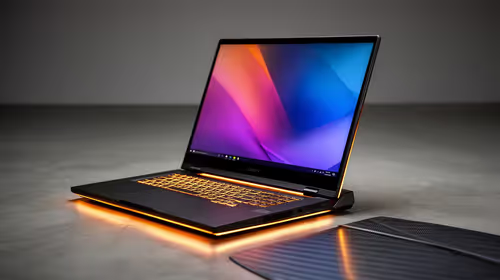
For Midrand students who also work remotely, the sweet spot is a laptop at R10,000–R14,000 with a 12th or 13th Gen Intel Core i5, 16GB RAM, and a 512GB SSD. Models like the Lenovo IdeaPad 5 (Core i5, 16GB, R10,000–R12,500) and the ASUS Vivobook 15 (Ryzen 5 7520U, 16GB, R9,500–R11,000) cover Microsoft 365, Zoom, browser research, and light coding without a dedicated GPU. For students needing occasional gaming, step up to an ASUS TUF A15 or Lenovo IdeaPad Gaming 3 at R14,000–R18,000.
Student vs Remote Worker Needs
Students primarily need: 8+ hours battery life, lightweight chassis under 1.8kg, fast storage for document access, and enough CPU for spreadsheets and video calls. Remote workers add Zoom or Teams reliability, webcam quality, and dual-screen support via HDMI. Laptops under R12,000 in the Lenovo IdeaPad 5 and HP Pavilion range cover both needs well. If your course involves video editing or 3D rendering, budget R15,000+ and look at models with a discrete GPU (MX450 or Radeon 680M iGPU minimum).
Recommended Models for Midrand Students
- Lenovo IdeaPad 5 (Core i5-1335U, 16GB, 512GB): R10,500–R12,500. Good build quality, 7–9 hours battery, 15.6-inch display. Handles all university software and Zoom calls smoothly.
- ASUS Vivobook 15 (Ryzen 5 7520U, 16GB, 512GB): R9,500–R11,000. Strong single-core performance for student tasks, thin and light at 1.65kg.
- HP Pavilion 15 (Core i5-1335U, 8GB, 256GB): R8,000–R9,500. Entry-level but capable; budget an extra R300–R500 for a RAM upgrade to 16GB if needed.
Connectivity and Campus Use
Midrand students travelling to UNISA regional centres or NWU campuses will find the laptop's Wi-Fi reliability more important than raw specs. All three models above include Wi-Fi 6 (802.11ax), which works well on congested campus networks. A USB-C port for external display connection (R120–R250 USB-C to HDMI cable) enables dual-screen home study setups common among remote workers in Midrand.
FAQ
What is the minimum laptop spec for university coursework and remote work in SA?
A Core i5 (10th Gen or newer) or Ryzen 5, 16GB RAM, 256GB SSD, and Windows 11 Home handles 95% of university applications and remote work tools. The Evetech range starts at R8,000 for qualifying configurations — the cheapest option with this spec profile.
Do student laptops in this range support external monitors for a home setup?
Yes — all models in the R8,000–R14,000 range include HDMI or USB-C video output. Connecting a second monitor for separate document and reference windows is straightforward with a basic R120 HDMI cable.
Is R8,000 enough for a good student laptop for remote work?
R8,000 buys the HP Pavilion 15 or similar entry-level laptops suitable for Microsoft 365, Zoom, and research. RAM may be 8GB at this price — manageable but upgrade to 16GB if the laptop allows it. For NSFAS-funded students, the R5,200 allowance does not cover even the cheapest option; combining it with personal funds or a bursary top-up bridges the gap.
Buying Tip
Choose 16GB RAM over a larger SSD if you have to prioritise — you can always add external storage (R200–R400 for a 256GB flash drive), but RAM is often soldered and cannot be upgraded later.