



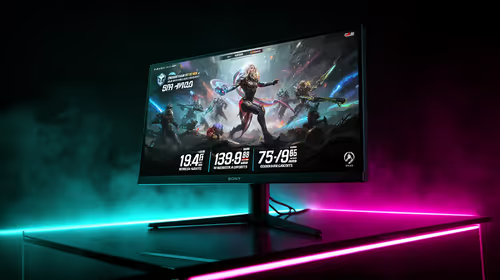
IPS vs OLED for Competitive esports in SA
IPS vs OLED depends on Competitive esports needs, platform limits, and budget fit. Compare compatibility, latency, upgrade path, and real setup constraints before choosing for an SA build.
Read moreChoose 100Hz for smoother study and work, then check Full HD clarity, HDMI, VESA support and local warranty. South African students in res or digs also need a compact stand footprint, easy laptop connection and a price that leaves room for essentials.

Choose 100Hz when smoother study and work motion matters, then check Full HD clarity, HDMI, VESA support, and local warranty. Students in res or digs also need a compact stand footprint, an easy laptop connection, and a price that leaves room for essentials. A monitor should make reading, research, and shared work easier without taking over a small desk or budget.
A home-office buyer may have a dedicated desk and permanent cable management. A student may have a narrow desk in a residence room, a shared dining table, or a bedroom corner that must serve several roles. The right monitor needs to fit that real environment before its specifications can become useful.
Measure the available desk width and depth. Leave room for a keyboard, notebook, charger, and the laptop if it will remain open beside the monitor. Check where power is available and how the cable will reach without crossing a walkway. A screen that technically fits but forces a cramped typing position is not a good study upgrade.
Also think about transport and change. Students may move between home, res, digs, and group-study spaces. A compact base, sensible cable route, and a screen that connects directly to the laptop can be more helpful than a complex multi-device setup that only works in one room.
Compare office monitors and the wider monitor range against the desk and laptop you already use.
A 100Hz monitor can refresh the picture more often than a 60Hz screen. That can make scrolling through lecture notes, browser pages, spreadsheets, and long PDFs appear cleaner. Pointer movement and window changes may also feel more settled during the repetitive desktop actions that fill a study day.
This is a comfort and usability benefit, not a productivity miracle. A higher refresh rate does not make a slow laptop process a large document faster, repair a weak internet connection, or replace good study habits. It can make the visual side of ordinary interaction feel less choppy when the computer supplies the frames.
The Lenovo L24-4e is specified as a 100Hz monitor. Connect it by HDMI to a compatible laptop or desktop, then select the stated rate in the system display settings. Confirm the active setting rather than assuming it changed automatically.
Full HD means 1920x1080 resolution. On a 23.8-inch display, that can provide a useful balance between readable text and workspace for documents, browser windows, and video calls. Students often need to keep a reference page visible beside notes, and a properly sized external screen can make that less cramped than working on a small laptop panel alone.
Do not judge text size from the desk next to you. Set the monitor roughly an arm's length away, adjust operating-system scaling if required, and read a normal page in the font size you use for an hour. If you need to lean forward to see a paragraph, fix the screen distance or text scaling before deciding that a larger panel is the only answer.
The L24-4e is a 23.8-inch Full HD IPS monitor. Its IPS panel and 178/178 degree viewing angles can suit a desk where a roommate, project partner, or tutor occasionally looks at the screen from beside you.
Look at the exact ports on the laptop or desktop you will use. HDMI is a common direct digital connection, but a slim laptop may have another type of output or require a dock. Identify that requirement before adding a monitor to a cart. It is better to budget for the correct connection than to discover a port mismatch when the screen arrives.
The Lenovo product information lists HDMI 1.4 and VGA inputs. HDMI is the normal choice for a current PC. The VGA input can be useful where an older desktop needs to stay in service, such as a family computer or inherited office machine. For a laptop with a different connector, check the correct adapter direction and its capabilities rather than buying an unverified cable.
Use a cable with enough length to reach comfortably but not so much excess that it becomes a tangle in a small room. Leave slack if the monitor will tilt or move.
A monitor should sit at a height and distance that lets you work with relaxed shoulders and a neutral head position. The L24-4e has a tilt stand, which can adjust the viewing angle. If the desk is low, shallow, or shared with many other items, its documented 100mm VESA mount can provide an option for a compatible arm or bracket.
A VESA arm is not mandatory. A stable desk arrangement with the supplied stand may be all you need. If you consider an arm, check the mount's rating, clamp fit, desk construction, and cable route. Avoid improvised stacks of books as a permanent height solution, even if they are useful for a short trial.
The best ergonomic choice is the one you can keep using through a normal assignment session, not an elaborate setup that is difficult to restore after every desk change.
A student budget has competing priorities: data, transport, textbooks, food, software, and course materials can all matter more than a premium feature that will not improve daily work. Define a total budget, then decide which qualities are non-negotiable: readable Full HD, a stable panel, the right connection, and a suitable desk fit.
The L24-4e costs R2,199 including VAT. Prices can move, so confirm the live listing before making a decision. Keep the invoice and read the applicable local warranty terms. Local warranty support gives a South African buyer a practical route if a product has a fault.
Do not spend the entire budget on the screen if the desk still needs a correct cable, surge protection, a lamp, or a secure mounting solution. A complete working environment is more valuable than a monitor selected in isolation.
It can make scrolling through notes, PDFs, websites, and spreadsheets look cleaner. It does not make a slow computer or internet connection faster, but it improves the display's motion when the system is working normally.
For many users, 1920x1080 at 23.8 inches provides readable text and useful workspace. Test it at your normal viewing distance and adjust text scaling if necessary.
Measure the desk, identify the laptop's video output, confirm the connection, consider screen position, and leave budget for essentials such as the correct cable or a suitable mount.
Its listed inputs include HDMI 1.4 and VGA. HDMI is the normal route for current devices, while VGA can help connect older hardware that still uses that output.
Choose the monitor that makes the next study session easier, then leave enough space and budget for the essentials around it.
It can make scrolling through notes, PDFs, websites, and spreadsheets look cleaner. It does not make a slow computer or internet connection faster, but it improves the display's motion when the system is working normally.
For many users, 1920x1080 at 23.8 inches provides readable text and useful workspace. Test it at your normal viewing distance and adjust text scaling if necessary.
Measure the desk, identify the laptop's video output, confirm the connection, consider screen position, and leave budget for essentials such as the correct cable or a suitable mount.
Its listed inputs include HDMI 1.4 and VGA. HDMI is the normal route for current devices, while VGA can help connect older hardware that still uses that output.
IPS vs OLED depends on Competitive esports needs, platform limits, and budget fit. Compare compatibility, latency, upgrade path, and real setup constraints before choosing for an SA build.
Read more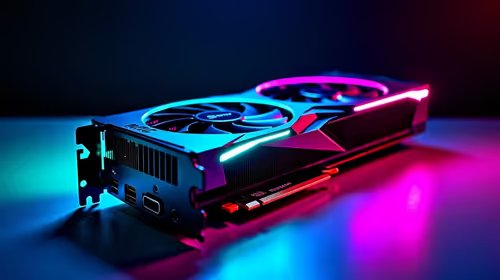
Skip the RTX 5060 for local AI workloads if memory headroom is the bigger need. SA buyers should compare VRAM capacity, CUDA support, PSU needs, case space, gaming overlap, software stack, and realistic model sizes before choosing a GPU for your PC.
Read more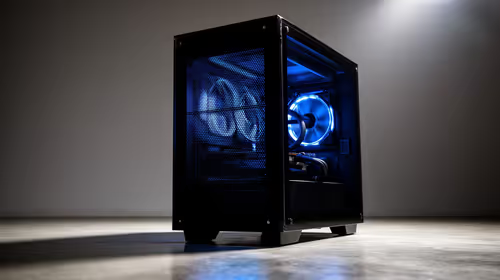
Front-mesh airflow cases has practical trade-offs for SA buyers, not one answer for every setup. Compare fit, compatibility, upgrade path, price tier, and daily gaming needs before deciding.
Read more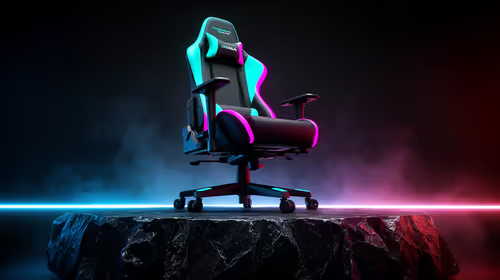
gaming chair guide for Pietermaritzburg gamers should be shortlisted around the job it must do. South African buyers should compare fit, performance, compatibility, and upgrade room, warranty path, and upgrade room before treating any pick as best.
Read more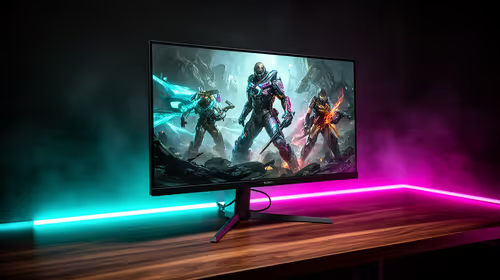
Where East London gamers buy a gaming monitor should be shortlisted around the job it must do. South African buyers should compare panel type, resolution, refresh rate, and ports, warranty path, and upgrade room before treating any pick as best.
Read more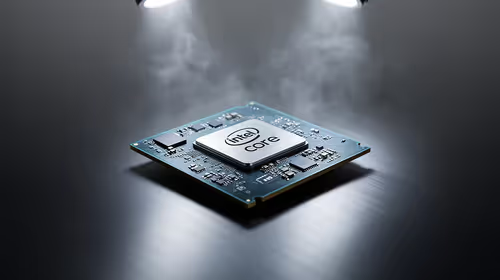
Intel Core Ultra CPU S-tier through F-tier should be shortlisted around the job it must do. South African buyers should compare fit, performance, compatibility, and upgrade room, warranty path, and upgrade room before treating any pick as best.
Read more
Steam game recording black screen needs a fresh capture and export test before a hardware upgrade. Check the recording mode, free space and whether another game records correctly. Community reports suggest testing broadcasting settings, but that is not a universal fix.

MSI Stealth 16 RTX 5070 specs need an exact SKU check because current listings disagree on GPU memory. One UK listing says 12GB while MSI's family table says 8GB. Confirm the supplied configuration rather than assuming either describes every machine.

SHIELD TV Pro price increase means a higher US price for the existing streaming box. NVIDIA confirmed the change starts on 2 October and cited component costs. Compare playback needs, regional service access and the full local quote before buying.

Is a transparent phone mount the key to clearer windshield views? 🚗 We analyze if these see-through accessories actually reduce obstruction while driving or if they’re just a clever marketing gimmick. Find out which mount keeps your dash clean. 📱

Steam game missing from library usually needs an account and filter check before a reinstall. Match your receipt to the signed-in account, clear library filters and inspect hidden games. Installed files do not establish ownership on the account you are using.
Steam game recording black screen needs a fresh capture and export test before a hardware upgrade. Check the recording mode, free space and whether another game records correctly. Community reports suggest testing broadcasting settings, but that is not a universal fix.

Windows 11 two finger scroll not working needs a gesture and driver check first. Test pointer movement and scrolling in more than one app, inspect Touchpad settings and use Windows Update or the laptop maker's driver. A new mouse is only a workaround.

Windows 11 Insider 26220.9587 is a Beta preview released on 2 October. Microsoft lists Unicode text support, Settings performance work and a Cloud Rebuild entry point. These are preview changes, not a reason to move your only working PC onto a test build.

Steam Linux ARM support is not provided for general ARM hardware in Valve's 4 October reply. An experimental client running is different from official support. Check processor architecture, operating system and exact games before buying.
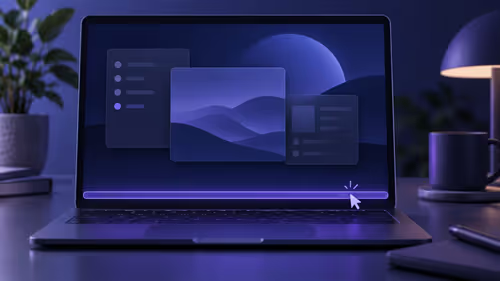
Windows 11 taskbar auto hide not working needs a setting and app check first. Confirm auto-hide, test the screen edge and compare apps. A saved-work Explorer restart is a troubleshooting trial, not a guaranteed fix or reason to buy a laptop.

Outlook mouse pointer disappears is a documented classic Outlook issue under investigation. Try the listed workarounds and test other apps. Hover reactions can show input still works; an invisible pointer alone does not prove mouse failure.

MediaTek Filogic 8800 is a router platform in the 6 October Network X announcement. The showcase covers mixed-generation networking and energy management. It does not establish a finished local router SKU, stock or faster fibre.