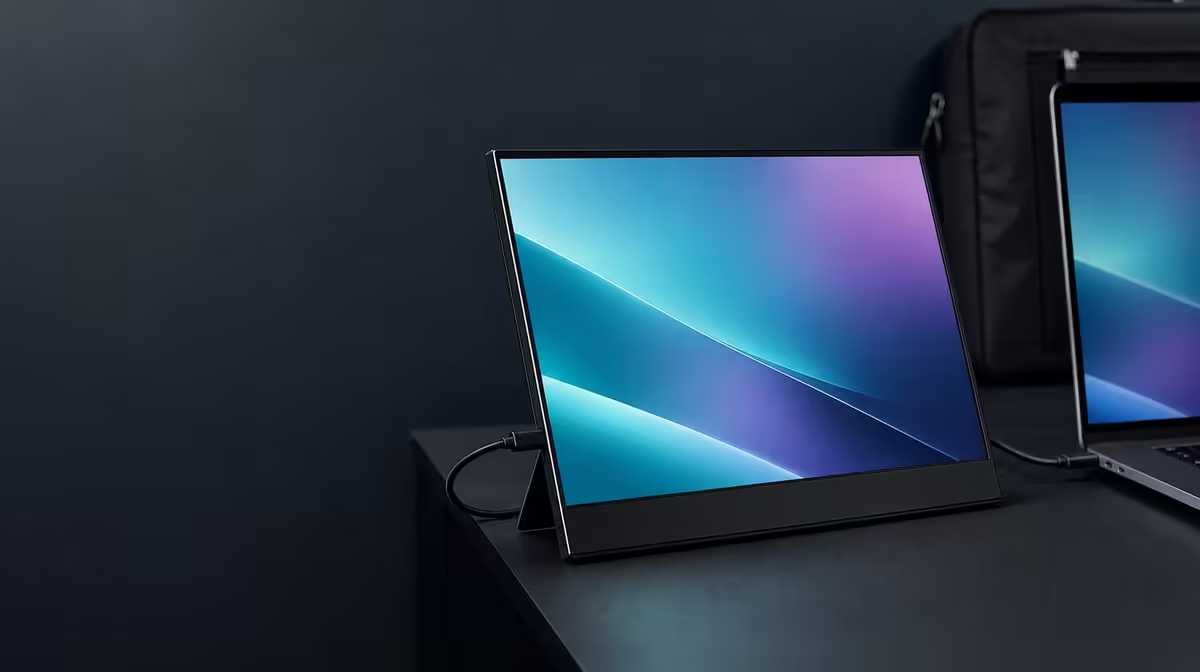
A second screen can separate research from writing or calls from notes, but it also adds something else to carry. Portable monitors for SA students and mobile professionals should be chosen by the balance between useful workspace, source compatibility, daily luggage, and the places where the panel will be opened.
Quick Answer
The R5,999 UPERFECT UColor J5 suits students and mobile professionals who need a roomy 17.3-inch 3840 x 2160 IPS workspace and can plan its transport. HDMI and USB-C provide two source routes, while 400cd/m2 brightness and VESA support let the screen move between changing indoor locations and a more permanent residence or home desk.
📚 Give study and work a second surface
Keep source material, references, a call, or a preview on the J5 while the primary document remains on the laptop. The value comes from reducing repeated window switching, not from filling both displays with unrelated content.
Native 4K can show fine text and detailed material, but a 17.3-inch panel needs suitable scaling. Set 3840 x 2160 first, then enlarge interface elements and application content until they are readable at a natural distance.
The screen can also serve presentations, entertainment, or creative work, subject to the source and task. Evetech's portable monitor selection gives South African buyers current size and resolution choices.
🎒 Decide whether it is daily-portable
Measure the complete bag load: protected monitor, laptop, power, video cables, and other essentials. A 17.3-inch screen favours viewing area over ultralight carry. It may suit planned movement between campus, residence, client, and home better than constant spontaneous travel.
Rehearse setup on the smallest surface you expect to use. Leave room for typing, the laptop, cables, and stable panel support. If the second screen creates poor posture or crowds the work, the larger format is not helping.
For mostly fixed work, compare Evetech's PC monitor category. A desktop display may be better when the panel rarely leaves one room.
🔌 Test every laptop and device
USB-C video requires the correct source port and cable. Connector shape alone is insufficient. HDMI gives another video route, with the display's power needs planned separately.
Test the actual laptop before an important deadline or trip. Confirm power, input selection, host detection, native resolution, scaling, and the work applications. Document the working route so setup does not become a fresh experiment in each location.
The J5's 400cd/m2 rating offers brightness headroom in changing indoor rooms. Control reflections first, then adjust output. Low Blue Light can suit extended reading, but breaks and posture remain part of comfort.
🏠 Let the panel earn a fixed role too
VESA support can move the J5 onto a compatible arm at a residence or home office. Verify pattern, load, fasteners, and cable movement. A stable height can improve long-session use while the panel remains removable for planned travel.
FreeSync and the 10ms response figure broaden entertainment use, but neither should outweigh study or work compatibility if those are the primary jobs. The 1000:1 contrast figure also does not establish colour accuracy for professional final decisions.
Evetech's best-selling monitors offer another current reference. Check the J5's R5,999 price and availability when buying, then rank the panel by tasks it will handle every week.
Build a weekly schedule around the second screen. Assign study research, video calls, document comparison, or project previews to specific sessions. This reveals whether the 17.3-inch panel removes enough window switching to justify carrying and setting it up.
Test the screen in the least convenient location, not only at the ideal desk. A small table or shared room exposes cable reach, stand stability, bag practicality, glare, and viewing distance. If the routine remains usable there, planned travel has stronger evidence.
For students, R5,999 should be weighed against the frequency of demanding work rather than against a vague desire for more pixels. For mobile professionals, the source and client-space compatibility may carry more value than the resolution alone.
Keep a neutral connection card with the laptop model, port, cable, power plan, selected input, native output, and scaling. A deadline is the wrong moment to rediscover which USB-C socket sends video.
At a residence or home office, compare the temporary stand with a compatible VESA arm. The mounted position may improve posture and clear desk space, while a rehearsed removal process protects mobility. One panel can serve both roles when neither setup depends on improvisation.
Students should map the display to a real study sequence. Place source material on one screen and the active document on the other, then check whether readable scaling leaves both useful. A 4K panel can present fine detail, but a comfortable view matters more than fitting the maximum number of tiny windows. The same test applies to code, research notes, lecture material, and long-form writing without assuming that every course needs identical layouts.
Mobile professionals need a handover test as well. Measure the bag, identify a safe place for the 17.3-inch panel, and account for the video cable and power arrangement. At the destination, there must be enough surface area to position both laptop and monitor without unstable overhang or stressed connectors. That makes "portable" a complete setup property rather than a label attached to the display alone.
For hybrid use, plan a fixed home role that does not undermine travel. VESA support can move the J5 off the desk when a compatible mount, pattern, load, fasteners, and cable routing have been checked. HDMI may serve one source while a video-capable USB-C path serves another. A buyer who documents both layouts can decide whether the R5,999 panel removes enough daily window juggling to merit its extra carrying and setup responsibility.
A timetable can reveal the right ownership pattern. Note which days require campus, client, or shared-office travel and which happen at a fixed desk. If the display moves only occasionally, the roomy canvas may be a sensible transport trade-off; if it must cross town every day, repeat the complete packing test with the laptop, cables, and power arrangement included. Then simulate a rushed setup before a class or call. The right monitor is not merely the one that fits into a bag, but the one that can be placed safely, connected correctly, and made readable without consuming the time it was meant to save.
For group work or presentations, add a source-change routine. Confirm which participant's device will connect, which known video route it offers, and how the screen returns to the primary laptop afterwards. This is where documented HDMI and USB-C paths become more valuable than a vague promise of flexibility. It also prevents a shared session from becoming the first time anyone tests the cable.
Frequently Asked Questions
How can a second screen help study?
It can keep research, notes, calls, or reference material visible beside the main assignment.
Is 17.3 inches a light daily carry?
It prioritises viewing area. Test the full protected bag load before committing to daily movement.
Will every student laptop work over USB-C?
No. The laptop port and cable must support display video; HDMI may provide an alternative route.
Can the J5 serve a home desk?
Yes. Its VESA support can be useful after the mount pattern, arm capacity, fasteners, and cable slack are matched.
What local price frames the decision?
The UPERFECT UColor J5 costs R5,999 in this comparison.
Ready to add workspace without adding daily friction?
Browse Evetech's portable monitors and compare current size, 4K detail, inputs, and mounting against your study or mobile-work routine.