



PCIe 5.0 vs PCIe 4.0 for Strategy and Sim Games in SA
PCIe 5.0 and PCIe 4.0 differ most in lane support, compatibility, and upgrade value for strategy and sim games. SA buyers should match the choice to their actual hardware and games.
Read moreX870E board features should support the devices and workflows in a gaming, AI or creator system rather than accumulate without purpose. The X870E Extreme combines PCIe 5.0, five M.2 positions, USB4 Type-C, Wi-Fi 7 and AI Overclocking plus Networking.
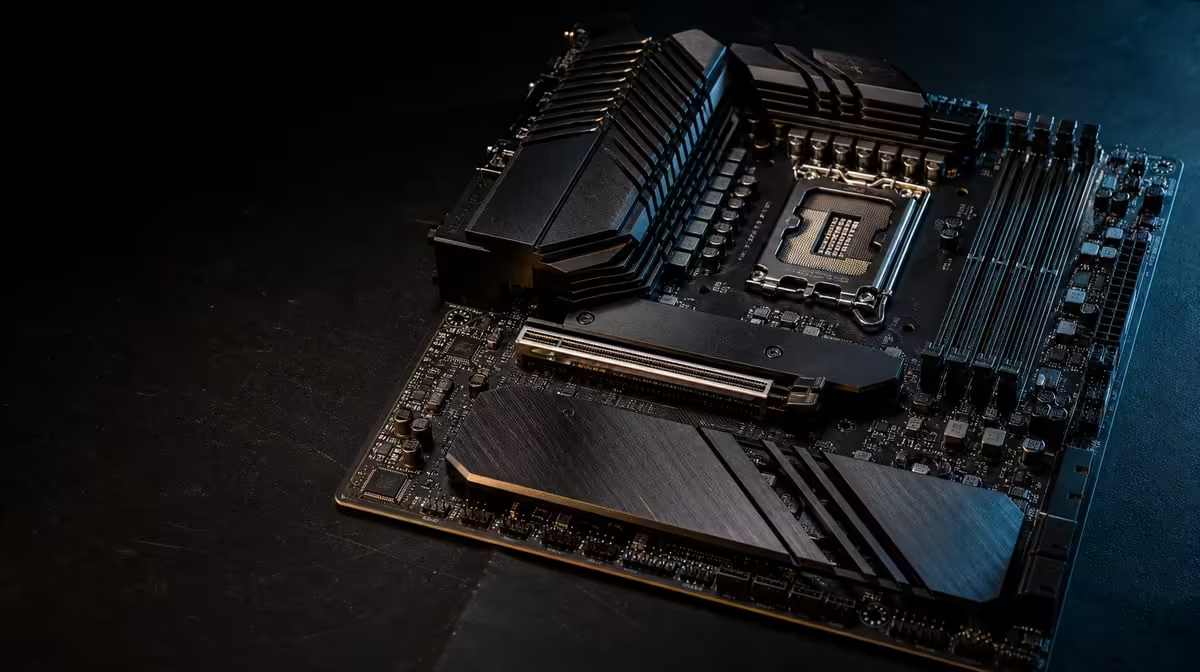
Gaming, AI-assisted platform tools and creation do not become one workload because they share a motherboard. The useful AMD X870E features for gaming, AI and creation are the routes that connect the chosen processor, storage, network and external devices. ASUS's flagship provides broad capability, but every part of that breadth should have an owner.
Choose X870E features by mapping the actual CPU, DDR5, graphics, SSDs, local network and external workflow. For R24,899, the Extreme covers five internal M.2 locations and a PCIe 5.0 path, then adds USB4, three network routes and two named AI assistance tools. Several should solve weekly tasks.
Exact CPU support comes first. Use Evetech's AMD processor range to define the model, then verify its current board and firmware path. Confirm DDR5 and the graphics-card layout before premium extras enter the budget.
PCIe 5.0 supplies expansion capability, but the graphics result depends on the complete system and game. A larger feature set does not create frame rates by itself.
The E-ATX format requires a suitable chassis. Check mounting, right-edge cable access, cooler space and the finished graphics-card area.
Five M.2 positions can separate the system, active projects, scratch work, games and another defined storage role. Assign each drive before purchase, including its interface, thermal setup and installation order.
USB4 Type-C can support compatible external devices. Name the hardware and task rather than treating the port as abstract future value. External workflows still need capacity and data-protection planning.
Browse Evetech's X870 motherboard selection after drawing the complete device map. Compare layouts and access, not only totals.
Use a representative project transfer, application task and long export. Observe storage, processor, graphics and temperature together. This prevents a delay elsewhere from being assigned to the motherboard.
AI Overclocking addresses tuning assistance; AI Networking addresses network management. Neither supplies compute for an AI application. Establish a stable baseline, record the configuration, make one assisted change and repeat the same test.
Set limits for temperature, noise and stability before accepting a tuning result. For networking, measure a specific game, call or transfer through one interface at a time.
Save the known-good settings and record what the tool changed. An automated action is still a system action, and the owner needs a clear return path.
Wi-Fi 7 suits compatible wireless infrastructure and suitable room conditions. The 10G port can serve a fast local transfer route, while 5G provides another wired option. Internet service and remote servers keep their own limits.
At R24,899, the complete bundle should outperform a focused alternative. Compare Evetech's broader AMD motherboard category, holding the CPU and workload constant.
After a month, list which storage positions, network paths, external interfaces and AI tools were used. This evidence improves the next expansion decision and reveals whether the flagship premium is productive.
Boot with essential memory and storage first. Add drives, network routes and external devices gradually, updating the build record after each stable stage.
For gaming, record the target CPU, graphics card, library size, display and preferred network path. For creation, record active project capacity, scratch needs, external devices and local transfer destination. For platform assistance, name the tuning or traffic-management task. A single shared parts list can then reveal which board capabilities serve more than one sheet.
This exercise prevents the creator requirement from being reduced to "more storage" and the AI requirement from becoming a label. It also shows where one feature has compound value. A 10G route, for example, may support project transfers without affecting ordinary online play.
Mark the interface and physical location for each planned SSD. Include thermal hardware, access beneath the graphics card and the order of installation. Reserve positions for known growth rather than filling them with small launch drives.
Test recognition and sustained behaviour after every addition. Several drives introduced together make it harder to identify a slot, cooling or configuration issue.
Hold the total budget fixed and compare the Extreme with a focused AM5 board. Move any saving into useful graphics, memory or SSD capacity, then evaluate the finished systems across the three workload sheets.
The flagship wins when its shared expansion and networking routes remove multiple constraints. The alternative wins when broader motherboard features stay idle while another component improves current work.
Firmware, network configuration and device layouts change over time. Keep the original stable state, note each update and repeat a small set of gaming, transfer and productive tests. This turns future diagnosis into comparison rather than guesswork.
Map monitors, capture equipment, portable storage and any other daily peripherals. USB4 Type-C has value when it removes a connection constraint for a compatible device, but it should not be credited for equipment that will never use it.
Test external transfers and reconnect procedures before a deadline. A creator platform must be convenient to operate as well as broad on paper.
Once the graphics card is fixed, revisit case space, power routing and the motherboard budget. If the Extreme forces a weaker GPU for games and accelerated creation, compare the two completed systems again. Platform headroom should support the workload, not starve its primary compute component.
The gamer may want stable play, fast updates and enough library space. The creator may value smooth project movement and several drive roles. The user of platform automation may want repeatable tuning with less manual setup.
Score the board separately for each audience before combining the totals. This prevents a strong creator-storage result from being presented as a gaming frame-rate gain, or an AI tool from receiving credit for application compute it does not provide.
The final flagship case should contain benefits from more than one column. At R24,899, a single narrow advantage is a reason to compare focused alternatives again.
PCIe 5.0 provides a modern interface route for compatible devices, subject to the exact layout and workload.
They can assign separate storage roles and preserve expansion, provided each position is mapped and cooled correctly.
The board specifies AI Overclocking and AI Networking.
The named tools assist platform tuning and networking. Application compute depends on the processor, graphics hardware, memory and software.
The X870E Extreme offers 5G LAN and 10G LAN alongside Wi-Fi 7.
No. Staged expansion is sensible, but paid capacity should have a credible future role.
Ready to map gaming, creation and platform tools' Compare Evetech's AMD motherboards against named devices and weekly tasks, then choose X870E breadth only where the complete workflow can use it.
PCIe 5.0 provides a modern interface route for compatible devices, subject to the exact layout and workload.
They can assign separate storage roles and preserve expansion, provided each position is mapped and cooled correctly.
The board specifies AI Overclocking and AI Networking.
The named tools assist platform tuning and networking. Application compute depends on the processor, graphics hardware, memory and software.
The X870E Extreme offers 5G LAN and 10G LAN alongside Wi-Fi 7.
No. Staged expansion is sensible, but paid capacity should have a credible future role.
PCIe 5.0 and PCIe 4.0 differ most in lane support, compatibility, and upgrade value for strategy and sim games. SA buyers should match the choice to their actual hardware and games.
Read more
AM5 vs AM4 for video editing in 4K Difference explained is mostly about compatibility, budget, upgrade path, and setup fit. SA buyers should check device support and real needs before expecting a clear win from either option.
Read more
OLED vs QD-OLED for strategy and sim games buyers - what changes is mostly about compatibility, budget, upgrade path, and setup fit. SA buyers should check device support and real needs before expecting a clear win from either option.
Read more
DisplayPort 2.1 and 1.4 differences matter when SA PC builders match GPUs, monitors, and refresh targets. Use this difference between displayport 2 1 and displayport 1 4 explained pc builders guide to avoid mismatched parts.
Read more
Ray tracing vs Path tracing depends on Strategy and sim games needs, platform limits, and budget fit. Compare compatibility, latency, upgrade path, and real setup constraints before choosing for an SA build.
Read more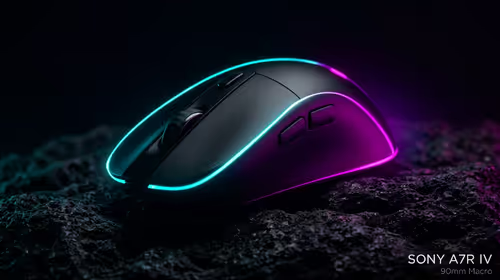
wireless mouse guide for Gqeberha gamers should be shortlisted around the job it must do. South African buyers should compare sensor, shape, weight, and wireless latency, warranty path, and upgrade room before treating any pick as best.
Read more
From 1 October 2026, WhatsApp Business Platform service replies in South Africa are expected to cost about $0.0076, or 12 cents, per delivered message.

DDR5-8000 RAM Kits pros and cons depend on the build, budget, and workload. Weigh gaming needs, platform fit, power, cooling, warranty support, and South African pricing context before shortlisting it.

Wi-Fi 6E vs Wi-Fi 6 depends on AAA single-player gaming needs, platform limits, and budget fit. Compare compatibility, latency, upgrade path, and real setup constraints before choosing for an SA build.

Ryzen 9 9950X3D dead pixel checks should isolate the panel first. Run colour fills, inspect the monitor menu, test another cable or input, and capture proof before linking it to the SA CPU upgrade.

YouTube will count public views from the first frame across video formats from 24 August, while earnings and eligibility remain tied to engaged viewing.

Canonical expects Ubuntu on WSL users to outnumber native Ubuntu desktop users before the end of 2026. The software is open source and runs inside supported Windows PCs.

Telkom's daily bundles pair WhatsApp access with 10 all-network voice minutes. The R15 option includes 300MB, while the R17 option uses a fair-use threshold.

A 10,000-hour test found similar image retention across older and newer OLED TVs, while newer panels were brighter and more efficient. Local OLED monitors started at R9,999.

Windows 11 update KB5121003 is linked to crashes in several multiplayer games on versions 24H2 and 25H2. Check the build, report the fault and avoid risky file or update changes unless the problem is confirmed on your PC.

Comsol's standalone 5G network covers about one million Gauteng homes and starts commercial ISP service in September. Early packages range from R275 to R875 a month, but coverage and fair-use rules still decide the real value.

Sennheiser's Momentum True Wireless 5 adds user-replaceable batteries, 12-hour playback and a $299.95 launch price. There is no confirmed South African date, so compare longevity with live earbuds from R199 to R2,999.

AVerMedia's GC531 and GC535 are professional HDMI capture devices for continuous streaming, with RGB24 capture up to 2K30 and 4K30. South African creators should compare them with live 4K capture cards from R2,099.