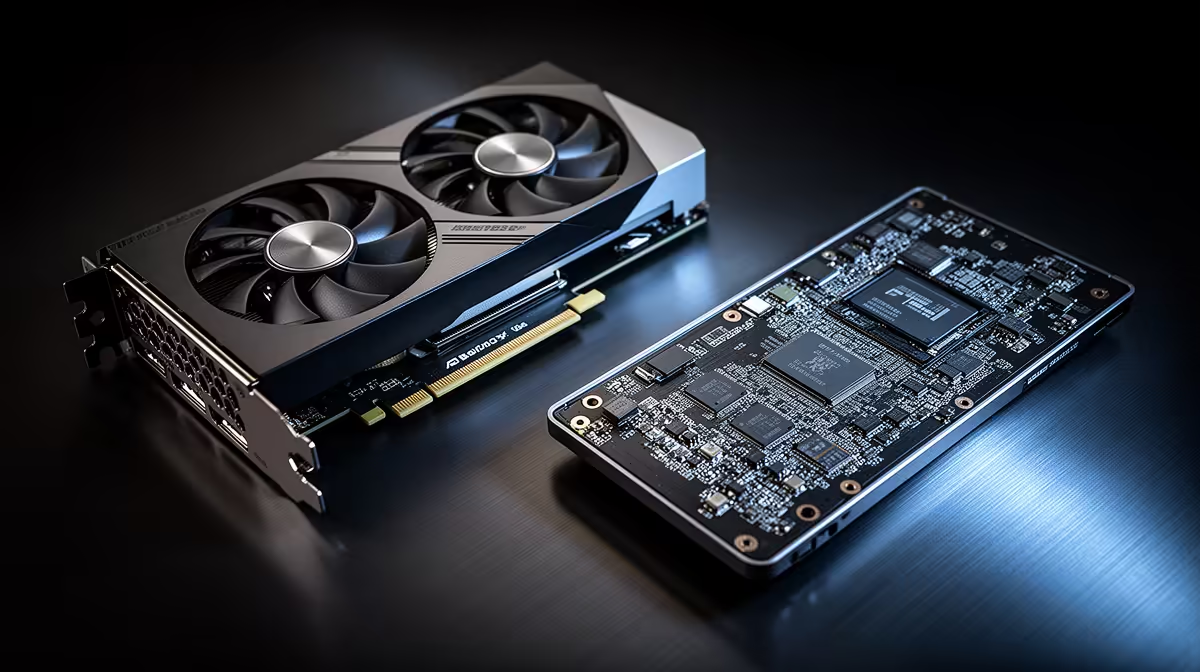
Two cards share a name and a price tier in conversation, but on an AI coding workstation the desktop RTX 5090 and its laptop namesake are not the same tool. The split that decides which one belongs on your desk is memory: 32GB of GDDR7 on the desktop card against 24GB on the laptop part. For gaming that 8GB gap is a footnote. For loading a local coding model, it is the line between running a quantised compromise and running the model you actually wanted.
Quick Answer
The desktop RTX 5090 carries 32GB of GDDR7 on a 512-bit bus at roughly 1,792 GB/s, while the laptop RTX 5090 is cut to 24GB on a smaller die. For AI coding, that 8GB difference decides how large a local model you can hold in VRAM without aggressive quantisation. If local LLM size is your priority, the desktop wins clearly.
The VRAM Gap Is The Whole Story
VRAM is where a language model lives while it runs. The more you have, the larger the model, or the longer the context window, you can keep on the card before performance falls off a cliff into system memory. The desktop RTX 5090's 32GB lets you load mid-size coding models at a usable quantisation and still keep headroom for a generous context. At 24GB, the laptop card forces you down a notch: either a smaller model or a heavier quantisation that reduces the model's precision to make it fit.
That 8GB is not the only difference, though. The two cards are built on different silicon. The desktop RTX 5090 uses the full GB202 die with 21,760 CUDA cores, while the laptop version runs the smaller GB203 chip, the same family as the desktop RTX 5080, with roughly 10,496 cores. So the desktop card is both wider in memory and far stronger in raw compute, which matters for the speed at which a model generates tokens.
What 32GB Buys A Local Coding Setup
Bigger models without losing precision
Lowering quantisation precision is a genuinely useful technique for fitting oversized models into VRAM, but every step down trades accuracy for a smaller footprint, and for code generation that accuracy shows up as subtler bugs and weaker reasoning over long files. With 32GB you can run a larger coding model at a higher bit-width than the laptop card permits, which means cleaner completions and fewer cases where the model loses the thread of a multi-file change.
Longer context for whole-repository work
Modern coding assistants work best when you can feed them a big slice of the codebase at once. Context length eats VRAM quickly. The desktop card's extra memory is what lets you push the context window wider while the model is loaded, so the assistant can reason across more of your project instead of a single function at a time.
Sustained performance, not throttled bursts
A desktop card runs at a high power budget inside a case with real airflow. A laptop GPU lives in a thin chassis, shares its thermal headroom with the CPU, and runs at a far lower power ceiling. Even setting VRAM aside, the desktop part holds its clocks during long generation runs where a laptop would throttle.
How the Die Difference Shows in Inference Speed
The GB202 die in the desktop 5090 has roughly double the CUDA core count of the laptop's GB203 chip. For LLM inference, which is memory-bandwidth-bound rather than compute-bound, the core gap matters less than the bus width difference. The desktop card's 512-bit memory bus against the laptop's narrower interface means real bandwidth headroom is meaningfully higher, and that gap widens at longer context lengths where each token generation demands more weight reads. Benchmarks put the desktop part noticeably ahead in sustained multi-turn sessions.
Mixture-of-Experts Models and Why 32GB Matters More Now
The strongest coding models in 2026 increasingly use Mixture-of-Experts designs, with total parameter counts well above 70B but only a fraction active per token. The 32GB desktop card keeps a large MoE model entirely in VRAM without any offloading. The 24GB laptop card either cannot hold the same model at all or requires offloading the inactive experts to system RAM, which reintroduces the PCIe bottleneck the card was bought to avoid. For anyone who wants to run the best open-weight coding assistants without compromise, the extra 8GB is no longer a nice-to-have.
When The Laptop RTX 5090 Still Makes Sense
The laptop card is not a poor choice, it is a different one. Its 24GB is the largest frame buffer ever fitted to a mobile GPU, and that is plenty for running smaller local models, hardware-accelerated tooling, and most day-to-day inference while you travel. If you genuinely need to code with a local model on the move, between an office, a coffee shop, and home, the laptop RTX 5090 is the card that travels with you. What you give up is model size, context length, and sustained throughput.
For a fixed setup where the machine never leaves the desk, the desktop card is the rational pick. You can compare prebuilt configurations in the AI PCs range at Evetech, which is where the desktop RTX 5090 builds sit. To check what is selling across the broader desktop lineup right now, the PC best sellers at Evetech reflect current local demand across configurations.
Picking The Right One For AI Coding
Decide by where the work happens and how big your models are. If you run mid-size coding models, want wide context, and the rig stays on a desk, the desktop RTX 5090 and its 32GB is the clear answer. If portability is non-negotiable and you can live within 24GB and smaller models, the laptop variant earns its place. Do not pay desktop money expecting desktop model sizes from the mobile chip; the name is shared, the capability is not.
Frequently Asked Questions
How much VRAM difference is there between the two RTX 5090 cards?
8GB. The desktop RTX 5090 has 32GB of GDDR7, the laptop version has 24GB. For AI coding that gap determines the largest model you can hold in memory without heavier quantisation.
Are the two cards the same chip?
No. The desktop RTX 5090 uses the full GB202 die with around 21,760 CUDA cores, while the laptop RTX 5090 uses the smaller GB203 die, roughly 10,496 cores, the same silicon family as the desktop RTX 5080.
Can the laptop RTX 5090 still run local LLMs?
Yes. Its 24GB is the largest VRAM ever put in a laptop GPU and runs smaller local models comfortably. You are limited on model size, context length, and sustained speed compared to the desktop card.
Does the desktop card's memory bandwidth matter for coding models?
Yes. The desktop RTX 5090's roughly 1,792 GB/s bandwidth on a 512-bit bus feeds the GPU faster during token generation, so larger loaded models also run quicker, not just fit.
Should I quantise models on the 24GB laptop card?
Often yes, to fit larger models into 24GB. Just be aware that reducing precision trims model quality, which can mean weaker reasoning and subtler bugs in generated code.
If your AI coding work lives on a desk, the 32GB desktop RTX 5090 is the card that loads the models you actually want. Explore the configurations in the AI PCs range at Evetech and match the build to the model sizes you run.