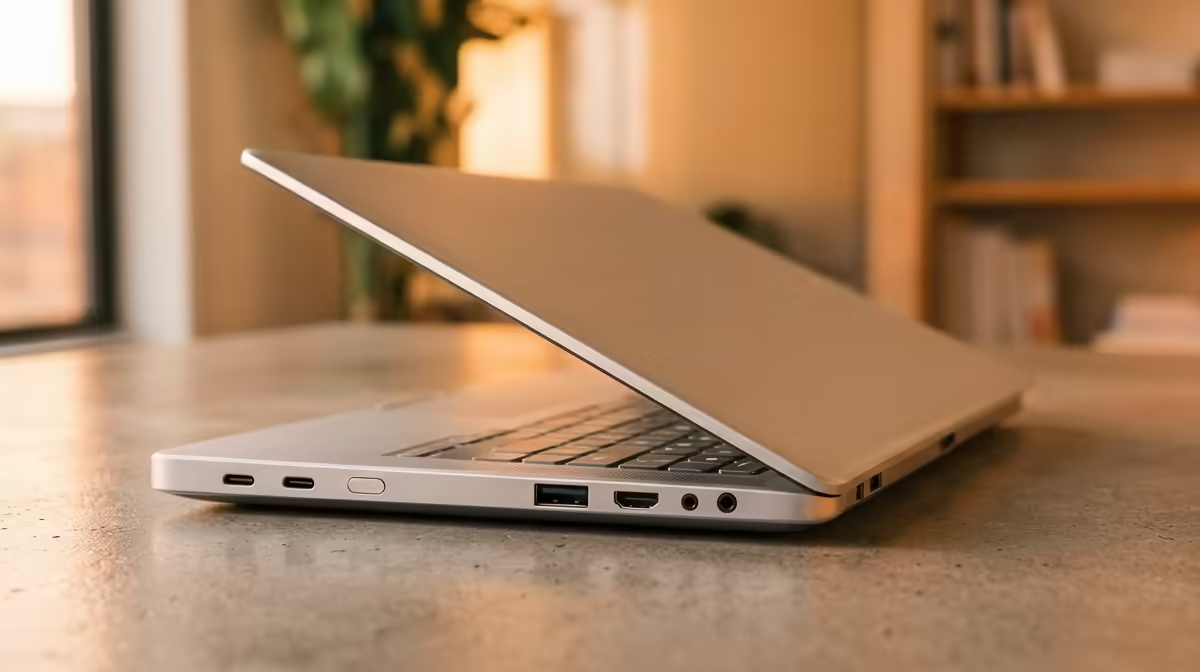
So, you’ve found it. The perfect lightweight laptop. It’s sleek, feather-light, and slips into your bag like a dream. But then you get it home and reality hits… where are all the ports? 💻 In the race to make laptops thinner, manufacturers often ditch the very connections we rely on. Suddenly, you’re living the "dongle life," juggling adapters just to connect a mouse. This guide covers the essential laptop ports for lightweight laptops in South Africa, ensuring you choose a machine that works for you, not against you.
The Great Port Disappearance
Why are ports vanishing? It's a mix of aesthetics and the rise of a single, powerful standard: USB-C. This versatile port can handle data, video, and power delivery all through one cable. While fantastic in theory, many of our favourite accessories—from gaming mice to external monitors—still use older connectors. This creates a gap between the ultra-modern laptop and the real-world gear South Africans use every day. Understanding which ports are truly non-negotiable is key to avoiding frustration.
Your Non-Negotiable Laptop Ports
When browsing for a new machine, certain ports should be at the top of your checklist. These are the connections that save you from carrying a bag full of adapters.
USB-A: The Old Faithful
Don't underestimate the classic rectangular USB port. Most peripherals, including wireless mouse receivers, keyboards, USB sticks, and external hard drives, still use USB-A. While you can use a hub, having at least one built-in USB-A port is incredibly convenient for quick plug-and-play action. It’s a must-have for students and professionals alike.
HDMI: For the Big Screen Experience
Want to connect your laptop to a TV for a movie night or a monitor for a proper work-from-home setup? A full-size HDMI port is your best friend. It’s the most common video connection standard, meaning you can plug into almost any modern display without needing a special adapter. When you check out the latest laptop specials for sale in South Africa, keep an eye out for this port in the specifications.
3.5mm Headphone Jack: Still Essential 🎧
While Bluetooth headphones are popular, a dedicated 3.5mm audio jack remains one of the most essential laptop ports for gamers and content creators. It offers zero-latency audio, which is critical for competitive gaming, and guarantees a reliable connection for video calls or music production. For pure audio quality and reliability, wired is still king.
Ports That Are Nice to Have
Beyond the essentials, a few other ports can make your life much easier, depending on your workflow. Their absence isn't a deal-breaker, but their presence is a huge bonus.
The All-in-One Fix ⚡
If your dream laptop is missing a port or two, a good quality USB-C hub is your best solution. A single hub can give you extra USB-A ports, an HDMI output, an SD card reader, and even an Ethernet port, all by plugging into just one USB-C or Thunderbolt port on your laptop. It's the ultimate dongle-life upgrade!
An SD or microSD card reader is a huge time-saver for photographers, videographers, and drone pilots, allowing for direct file transfers without a separate reader. Similarly, an Ethernet (RJ45) port provides the most stable, high-speed internet connection possible—a must for serious online gamers or anyone downloading massive files. Whether you're browsing powerful AMD laptops on special or the newest Intel-based machines, you'll notice that gaming-focused models are more likely to include this port for lag-free performance.
Making the Right Choice in South Africa
Choosing the right lightweight laptop is about balancing portability with practicality. Before you buy, make a quick list of the devices you use daily: your mouse, monitor, headphones, and any other gear. This will give you a clear picture of the essential laptop ports you need. Don't let a sleek design fool you into a future of frustration. A little planning ensures your new machine has the connectivity to handle everything you throw at it. ✨
Ready to Ditch the Dongles for Good?
Finding a lightweight laptop shouldn't mean sacrificing connectivity. By knowing which ports are essential for you, you can avoid a tangled mess of adapters. Explore our massive range of laptop specials and find the perfect machine with the ports to power your productivity and play.