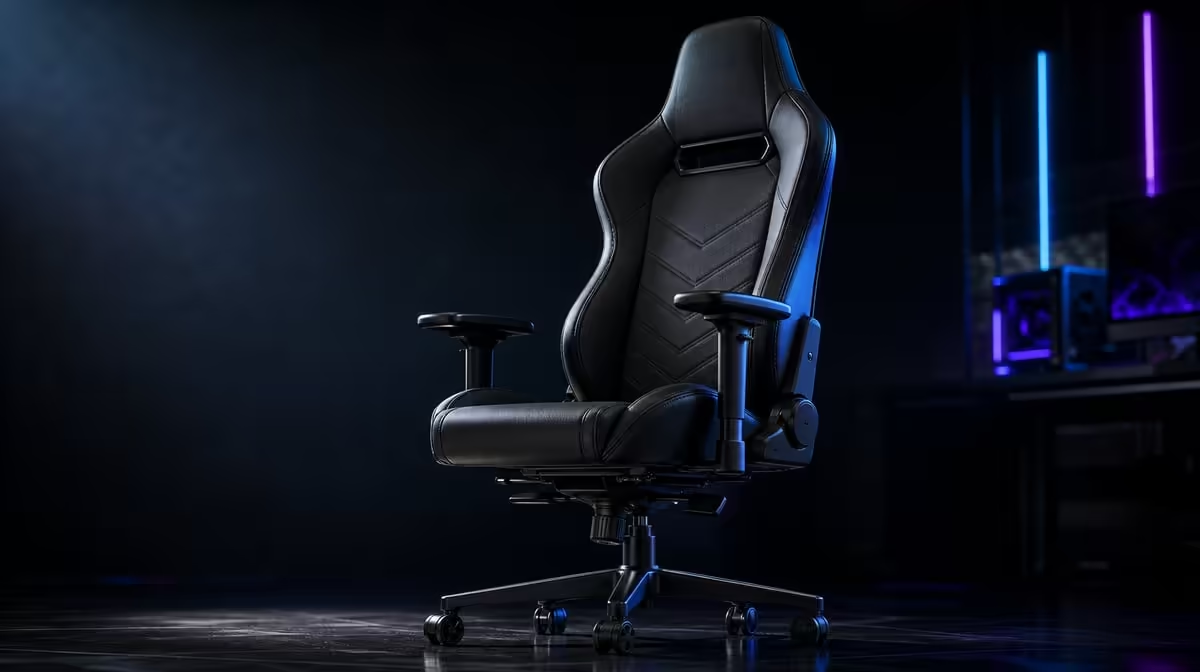
Chair adjustments work best in a sequence because every change moves the body relative to the next control. Gaming chair adjustments from seat height to 4D armrests should establish the seated base, then lower-back contact, then forearm support. The R8,599 noblechairs HERO Black Edition documents continuous lumbar control and enlarged 4D pads as its main fine-tuning features.
Quick Answer
Begin with a stable seated height and position appropriate to the desk, then bring the controls within reach. Tune the HERO's lumbar depth gradually before setting the 4D armrests under relaxed forearms. At R8,599, use each adjustment to solve an observed mismatch and save separate references for work and gaming where needed.
🪑 Establish the seat and desk relationship
Set the seated base so the user feels stable and can approach the desk without the armrests trapping the chair away. Do not invent a universal height or angle for every body.
Place the screen where content can be read without moving the head forward. Bring the keyboard and mouse close enough that the torso stays against the backrest.
Check the feet and seated position as reference points. The aim is repeatability, not a rigid posture that must be held all day.
Use normal entry, sitting and standing to test desk clearance. A setting that works only while the chair remains motionless is incomplete.
If a seat-height control is part of the chair being assessed, change it only enough to establish a stable relationship with the desk. Do not invent a universal measurement or claim an unconfirmed adjustment range for the HERO.
Check whether the desk itself can accommodate the chosen position. A low edge may interfere with armrests, while a high control surface may make the user lift the shoulders. The chair and desk have to pass together.
Place the mouse, keyboard and controller in their actual working locations before continuing. An empty-desk posture does not survive the tasks that follow.
Record the base with a photograph showing chair distance and screen position. It gives later adjustments a reference after another user or cleaning moves the setup.
Evetech's noblechairs chair selection keeps the HERO comparison product-specific.
🎚️ Set lower-back depth next
Begin with mild contact from the HERO's infinite lumbar system. Make one small increase and repeat a familiar task.
Stop when the lower back feels supported without the torso being pushed away from the upper backrest. Maximum pressure is not the objective.
Recheck desk reach after lumbar changes. A different torso position moves the elbows and can make the controls feel farther away.
For shared seating, each user should retune from a mild baseline. The chair's design for users up to 150kg does not create one lumbar setting.
If persistent discomfort appears, stop treating the control as a diagnosis. Appropriate professional assessment belongs outside the chair setup.
Use two familiar tasks to confirm lumbar depth. A typing block and controller section reveal whether the torso remains supported when the hands move from the desk towards the body.
If the user slides forward to avoid contact, reduce the setting and restore the seated base. More depth should never be treated as more ergonomic value.
After a movement break, return to mild contact before deciding the setting has failed. The body can feel different after prolonged stillness, and the chair should not be adjusted endlessly around that moment.
For a shared chair, each person should have a posture cue rather than a supposed universal dial position. The continuous mechanism exists to make those individual stops possible.
↔️ Position the enlarged 4D pads
Let the shoulders drop and elbows bend naturally. Raise the pads to meet the forearms, then refine depth, width and angle around the chosen controls.
Set each side independently where necessary. Mouse and keyboard arms can follow different paths.
Controller use usually moves the hands closer to the torso. Save a second pad reference rather than holding a compromised work position.
The broad pad surfaces should distribute contact along the forearm, not press into the wrist. Check the hand's line towards the controls.
Move the chair in and out to ensure the pads clear the desk. Restore the saved position after standing to confirm repeatability.
Check the width setting while the elbows hang naturally. Supports too far apart make the arms seek them; supports too close can crowd the torso.
Refine the pad angle to follow the forearm. Do not rotate it merely because the direction is available.
Test mouse travel across the normal working area. If the forearm loses contact at the far edge, move the mouse or pad rather than raising the shoulder.
During controller use, let both hands settle first and move the supports to meet them. Preserving the desk position can force an unnecessary compromise.
The enlarged pads should provide gentle contact along the forearm. They are not surfaces for the user to press down heavily.
Browse the wider Evetech gaming chair category when comparing other adjustment systems.
🔄 Finish with a task and movement test
Type, use the pointer, hold a controller and look between screens. Note the first point at which the user leans, shrugs or loses forearm contact.
Change only the control linked to that observation. Several simultaneous changes hide the useful result.
Stand and move during long sessions. Return to the base position before retuning.
Breathable PU and styled air channels give the HERO a contact-heat feature, while its steel frame supplies structural context. Keep those facts separate from adjustment outcomes.
Run the full sequence on a realistic warm day. Ventilation can affect comfort, but it should not change the order: stable base, back contact, forearms, then task test.
Keep the PU clean through a gentle routine and dry it promptly. Care does not count as a chair adjustment and should not be folded into the ergonomic score.
Use the 150kg intended range before setup. A user who passes the structural filter still needs every individual adjustment check.
Write a final settings note with the task, chair-to-desk distance, lumbar feel and pad roles. It is more useful than a generic instruction to adjust everything.
At R8,599, value comes from settings that remain useful and easy to restore. Compare premium seating in Evetech's chairs above R4,000, then check the live category.
Frequently Asked Questions
Why should adjustments follow an order?
Changing the seated base or lumbar depth moves the body relative to the desk and armrests.
What comes before lumbar tuning?
Establish a stable seated position and bring the screen and controls within reach.
Which lumbar capability is known on the HERO?
It offers infinitely adjustable lower-back support.
When should armrests be positioned?
Set them after the torso and lower-back contact are stable.
What is distinctive about the HERO pads?
They are enlarged and support four-direction positioning.
Must every adjustment be used?
No. Use only the controls that solve a real fit or task mismatch.
How can a setup be preserved?
Record the task and successful chair-to-desk relationship or take a simple reference photograph.
What finishes the process?
Run realistic tasks, include movement and confirm the settings can be restored.
Does seat height have one correct number?
No. Establish a stable relationship with the user and desk without assuming a universal measurement.
Ready to adjust the chair in an order that keeps every later setting meaningful?
Explore Evetech gaming chairs and tune the HERO from seated base through lumbar and forearm support.