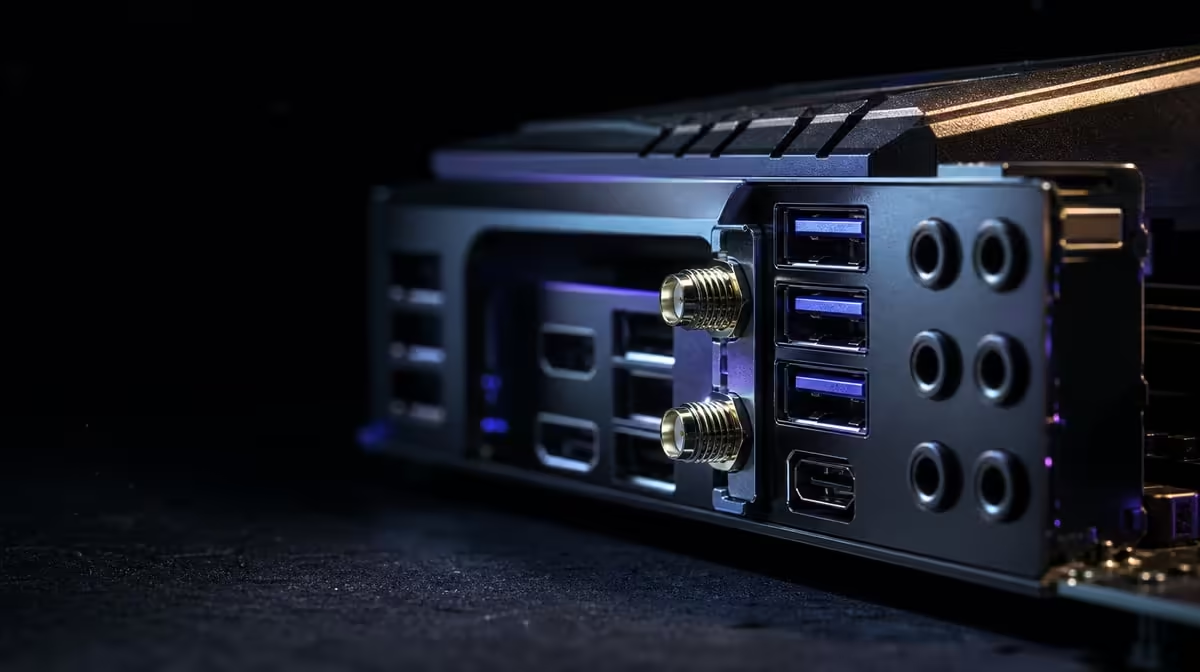
Wi-Fi 7 can strengthen the wireless section between a gaming PC and its router. It cannot control the fibre service, wider internet route or game server. Asking whether Wi-Fi 7 improves gaming and downloads therefore requires two measurements: connection consistency during play and throughput during a large download.
Quick Answer
Wi-Fi 7 can improve the local link when the current radio path is the constraint and compatible equipment supports it. The Extreme's R24,899 network package pairs that radio with separate 5G and 10G Ethernet routes, enabling fair comparison while the service and game server retain their own influence.
?? Build a valid wireless baseline
Attach and position the antenna as directed, then test from the tower's actual location. Record distance, walls and major obstacles. A close-range demonstration may show the radio's potential while saying little about the desk.
Confirm router capability before valuing the board interface. The two ends negotiate within the complete wireless environment. Nearby traffic and interference can change the result even when the PC hardware remains constant.
Evetech's AMD X870 motherboard page can help compare current high-end connectivity after the room and router are understood.
?? Measure game consistency
Online play often cares more about steady latency than headline throughput. Use the same game mode and server region where practical, then observe delay variation, interruption and behaviour during ordinary household traffic.
Compare a suitable wired route. The Extreme offers both 5G and 10G LAN, although the cable and network equipment must support the chosen port. A stable wired result beside an inconsistent wireless result narrows the problem to the local radio path.
Keep server effects separate
A game server may be busy or geographically distant. Repeat at another time before treating one session as a motherboard result. If wired and wireless both change together, the cause may sit beyond the PC.
Do not expect Wi-Fi 7 to turn a limited fibre plan into a faster service. It can remove a weaker local segment, not exceed every other part of the route.
?? Test downloads in context
Choose a large, repeatable source and avoid changing server, time and background activity between comparisons. Monitor whether the download is limited by the service, remote source, wireless path or local storage.
A faster connection can help when an older radio was the bottleneck. If wired and wireless both reach the same service ceiling, the upgrade may improve flexibility or consistency without changing peak download time.
Include SSD behaviour
Game installation includes storage work after data arrives. A network improvement does not guarantee the entire install finishes in the same proportion. Observe network and drive activity separately.
The motherboard's five M.2 positions and PCIe 5.0 support give storage-heavy builders options, but each drive must be placed and cooled appropriately.
?? Decide whether the board bundle fits
At R24,899, the Crosshair is not a Wi-Fi adapter purchase. Its price includes E-ATX construction, broad storage, USB4 Type-C and multi-gig wired links. Builders should be able to use several of those functions.
Select the processor through Evetech's AMD CPU range and confirm exact compatibility before networking drives the budget. Then compare Evetech's wider AMD motherboard choices.
Price the surrounding network
Include router changes, mesh equipment or cable installation needed to realise the intended connection. If none is planned, value Wi-Fi 7 according to what the existing environment can deliver.
Keep a fallback
A creator or competitive player using wireless can retain a tested wired path for critical transfers or diagnosis. This does not make Wi-Fi a failure; it keeps the workstation resilient when room conditions change.
Recheck after placement changes
Moving the tower, router or antenna can alter the wireless route. Save the known-good arrangement and repeat the same gaming and download tests after any physical change.
Compare three useful scenarios
First test a quiet online session when few other devices are active. Next repeat while the household streams, calls or downloads normally. Finish with a large game download. These scenarios reveal whether Wi-Fi 7 helps consistency, shared-traffic behaviour, throughput or none of them.
Keep the server region, PC position and major settings fixed. A result from a different room or remote source answers a different question.
Inspect the local path before blaming fibre
Use a suitable wired connection as a reference and, where possible, a local transfer between compatible devices. If local Wi-Fi is weak while the wired route is healthy, signal or wireless configuration deserves attention. If both internet paths stop at the same point, the service or remote source may be the ceiling.
This separation matters in South African homes where fibre speed, router placement and the PC room can be three independent constraints. Upgrading the motherboard addresses only the PC end.
Include game installation after the download
Modern game delivery can involve decompression, file verification and storage writes after network data arrives. Watch the handover from network to disk instead of attributing the entire completion time to Wi-Fi.
The Extreme's PCIe 5.0 capability and five M.2 positions can support a strong storage plan, but the SSD, slot, cooling and processor still influence installation work. A balanced platform may improve more of the process than a radio change alone.
Set a practical success threshold
Decide what improvement would justify the board or network upgrade: fewer interruptions, stable latency at the desk, or a meaningful reduction in a typical download. A small benchmark change without a better experience should carry little budget value.
Retain the baseline results after setup. They help determine whether a later slowdown comes from room changes, router updates, external service conditions or the PC.
Evaluate download recovery, not only acceleration
Large game downloads are sometimes interrupted by household use, wireless changes or a moved device. Test whether the chosen Wi-Fi route can resume and remain stable after normal interruptions. Reliability can save more time than a brief peak-speed advantage.
Compare the final installed game, not only delivery. Observe storage work, verification and first launch. If network transfer finishes sooner but installation remains bound elsewhere, the complete wait may improve by less than expected.
Keep both results in the upgrade record. Wi-Fi 7 should be valued for the part of the process it actually changes, while SSD and processor decisions cover the rest.
Frequently Asked Questions
What can Wi-Fi 7 improve directly'
It can improve the local wireless path when compatible equipment, signal conditions and configuration allow it.
Will it lower every game's latency'
No. External routing, server behaviour and household traffic remain part of the experience.
Can downloads improve'
Yes, when the previous wireless segment constrained throughput and the service plus remote source can deliver more.
Why does the router matter'
The PC's radio operates with the equipment at the other end. The motherboard interface alone cannot establish every capability.
When might Ethernet remain preferable'
A fixed tower with a suitable cable route can gain predictable local connectivity and fewer wireless variables.
How should the upgrade be tested'
Use the intended desk, same game or download, comparable traffic and a wired baseline, then change one factor at a time.
Ready to measure a better wireless gaming route'
Compare Evetech's AMD motherboards alongside your router and fibre setup, then test gaming consistency and download speed as separate outcomes.