The Esports Starter Loadout: One Kit for Valorant and CS2
Quick Answer
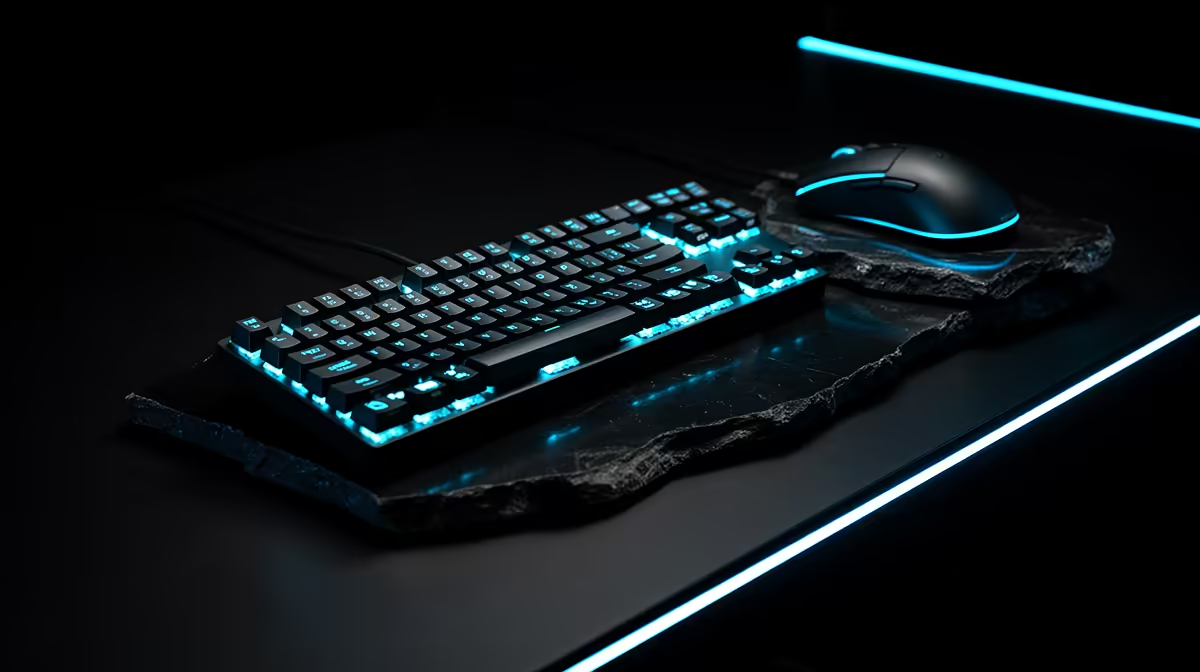
Valorant and CS2 can share one mouse, pad, compact keyboard, high-refresh 1080p monitor and clear headset. Both reward stable frame delivery, repeatable aim and dependable communication. You do not need separate hardware for each game.
Keep game sensitivities separate where needed. The shared kit creates the same physical input path; it does not force identical settings or tactics.
Build Around the Mouse and Pad
Measure your hand, grip and full low-sensitivity turn. Choose a mouse shape that stays comfortable through several matches and a pad wide enough for the swipe.
A clean modern sensor at your chosen DPI is the useful floor. Extreme DPI and polling labels matter less than stable tracking, shape and click control once that floor is met.
Route a wired cable with slack or keep a wireless receiver close. Test the complete path for snags, dropouts and frame-time effects.
Share Physical Sensitivity, Not a Number
The same in-game sensitivity number can produce a different turn distance between games. If you want a shared feel, measure centimetres for a full turn and convert with a trusted method.
Some players prefer separate values because movement, scope behaviour and recoil differ. That is fine. Record both settings and stop changing them every loss.
Use the same short aim drill in each game, then judge full matches. The target is a repeatable hand movement, not a mathematically perfect conversion.
Keep the Keyboard Compact and Reliable
A tenkeyless or smaller board can open mouse space. Make sure the layout still carries every bind, communication key and desktop action you use.
Switch colour does not determine rank. Choose a feel that allows clean repeated movement without fatigue or accidental presses.
Test simultaneous movement, crouch, jump and ability input. Keep the board angle low enough for a relaxed wrist.
Match the Monitor to Both PCs and Games
A 1080p 144Hz or 165Hz monitor can serve a starter competitive setup when the PC holds a useful frame-rate range. A 240Hz screen needs stronger, steadier output to earn the premium.
Check response behaviour, adaptive-sync support and the correct HDMI or DisplayPort path. Set the full refresh rate in Windows.
Use a frame-rate cap or sync approach suited to your measured system and current game guidance. Keep the method documented so each update can be retested.
Use One Headset for Cues and Calls
Both games need clear team communication and useful positional audio. Test left-right placement, front-back confusion, microphone clarity and comfort.
Do not raise volume until quiet cues become dangerous peaks. Use a sensible game mix and keep voice chat clear enough to understand without masking the fight.
A wired headset is a strong starter choice. Wireless can work when the exact model has sound latency, battery and platform support.
Shop the Shared Functions
Browse peripheral best sellers by function: mouse shape, pad size, keyboard layout, display target and headset connection.
Use gaming accessories for the supporting parts. Open every product specification and keep links inside the one shared basket.
Avoid buying two branded versions of the same control. The mouse should fit the hand in both games. The monitor should accept the PC output in both. The headset should keep calls clear in both.
Decide the Buying Order
Test the current setup. Replace a skipping or painful mouse first. Replace a tiny or worn pad when it ends the swipe. Move the monitor forward when the PC produces high frames but the display stays at 60Hz.
Buy the headset first when audio direction or team chat fails. Buy the keyboard first when keys miss or the board steals the required mouse space.
The largest product category does not automatically deserve the largest share. The logged fault chooses.
Keep Each Game Profile Separate
Save sensitivity, crosshair, key binds, display mode and audio settings for Valorant and CS2. The hardware stays common while the games keep their own tuning.
Use onboard mouse memory when available and allowed. Do not depend on software you cannot install on a shared or event PC.
Record the monitor refresh rate and Windows pointer setting. A reinstallation should be able to restore the same physical control.
Test Over Two Weeks
Alternate planned sessions rather than changing games after every poor match. Use the same warm-up length and keep equipment settings fixed.
Track pad-edge hits, missed clicks, audio confusion and comfort. Rank movement is noisy and reflects teammates, decisions and form, so it should not be the only measure.
At the end, fix one repeated hardware issue. Leave the kit alone when the errors are tactical or practice-related.
Pack One Event Bag
Carry the mouse, protected receiver or cable, pad, headset adapter and saved settings. A keyboard can join when an event does not provide a familiar layout.
Label small receivers and keep them in a case. Roll the pad according to its maker's guidance or transport it flat.
One prepared kit reduces setup variables between Valorant and CS2. That repeatability is worth more than a second colour-matched mouse.
Keep Performance Settings Reproducible
Save each game's resolution, graphics preset, frame-rate cap and display mode. Record driver-level sync settings beside them.
Run a short frame-time capture in a busy match after major updates. If the PC no longer holds the monitor target, adjust the game profile before blaming the shared peripherals.
Keep background launchers and capture tools consistent. The same mouse can feel different when frame delivery or input latency changes.
Clean and Inspect the Kit
Check mouse feet, cable or receiver, pad surface, key registration and headset pads once a month. A worn patch or loose connection can create a gradual error that looks like poor form.
Follow product cleaning guidance. Let cloth surfaces dry flat and keep liquids away from switches and electronics.
Replace the failed small part when possible. A cable route, fresh compatible pad or new headset cushions may restore the known setup without buying a second kit.
FAQ
Do Valorant and CS2 need the same gear?
Their core physical needs overlap: clean mouse tracking, pad room, reliable keys, high-refresh output and clear audio. Game settings can remain separate.
Which item matters first?
The one causing a measured control, display or communication fault. There is no universal first purchase for every player.
Can one sensitivity work in both games?
You can match physical turn distance, but you do not have to. Record each game's value and keep it stable long enough to learn.
Measure one shared mouse-and-pad path, save separate Valorant and CS2 profiles, and replace only the hardware fault that appears in both.