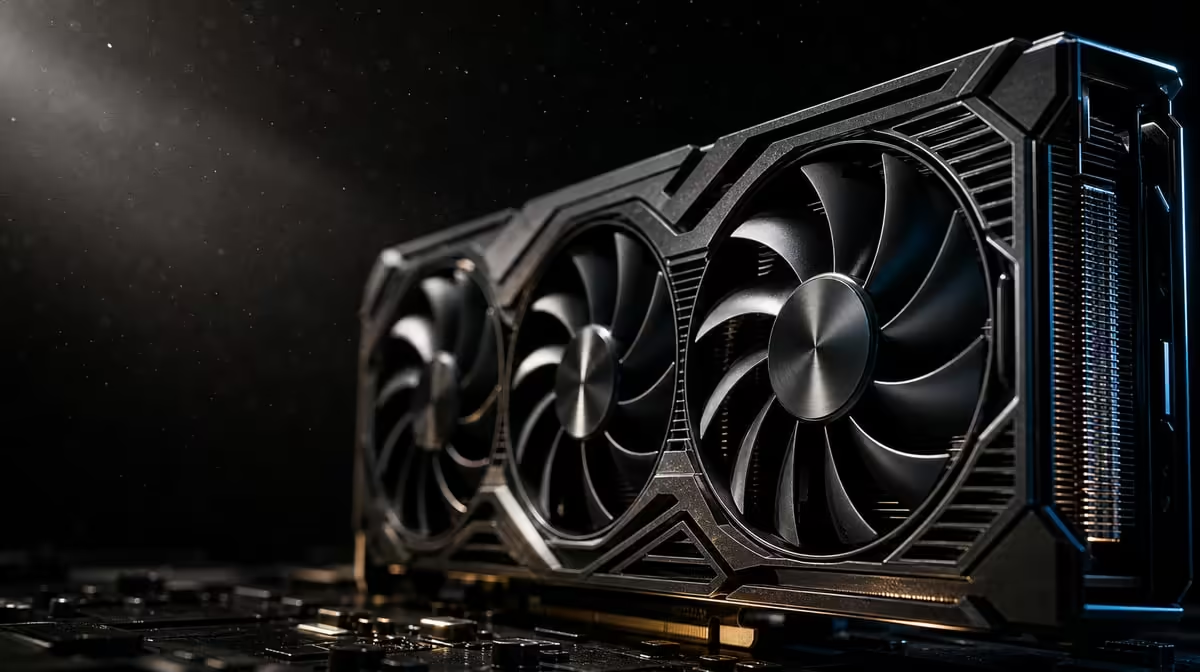
Modern graphics-card cooling is a sequence of transfers, not a contest between named parts. GPU cooling chambers, fans and thermal pads may serve different stages, but only model-specific evidence should be used to describe the materials inside a particular card.
Quick Answer
The R73,599 ASUS TUF RTX 5090 specifically names a patented vapor chamber and axial-tech fans. Those spread heat and move air through the cooler. Judge the complete thermal design through sustained clocks, temperatures and acoustics in the intended case.
🌡️ Follow heat through the assembly
Heat begins in active components and must cross into a cooling structure. Thermal interface materials can help fill microscopic gaps between contacting surfaces, but their exact type and placement vary by product.
A vapor chamber spreads energy from a concentrated source across more cooling area. It is part of an air-cooled system, not a replacement for fans.
The heatsink provides surface area between the heat-spreading device and moving air. Every stage depends on effective physical contact and an unobstructed flow path, which is why one impressive component cannot describe the entire result.
Axial-tech fans move air through the heatsink. That airflow collects heat and releases it into the chassis environment, where case ventilation must continue the route.
The cooling chain is only as useful as its weakest practical stage. A capable card cooler can receive warm intake air or discharge into a case with poor exhaust.
Component names do not reveal one fixed temperature. Workload, room conditions, chassis configuration and control behaviour influence the result.
They also do not determine one noise level. Fan speed, case acoustics, seating distance and the character of the workload affect what the user hears. Compare from the normal desk position.
See Evetech's ASUS graphics-card selection to compare confirmed cooler descriptions without filling gaps from another model.
🧩 Keep confirmed and unknown materials separate
"Thermal pad" is a broad description for interface material used in some hardware contexts. It does not prove that a particular GPU uses a certain compound, thickness or phase-change formulation.
For this ASUS TUF RTX 5090, the safe confirmed features are the patented vapor chamber and axial-tech fans. Do not transfer a claim from another ASUS card, an RTX 5090 from another manufacturer or a general technology article.
Product construction can vary within a family. Marketing names and external appearance are not enough to establish the internal interface stack.
Even a material used somewhere in the cooler cannot be assumed to cover every heat-producing component. Placement, thickness and contact pressure are engineering details that require model-level documentation.
Phase-change behaviour is a specific material claim. Do not apply it merely because another high-end GPU or a repair discussion mentions such pads.
Avoid dismantling the cooler to satisfy a specification question. Opening expensive hardware can create damage or affect support. Consult authoritative product material or qualified technical support when an internal detail affects a decision.
If maintenance requires more than external filter cleaning or a safe visible inspection, pause and check the applicable support process. An unneeded teardown can turn a research question into a hardware problem.
The protective PCB coating is another stated feature. It belongs to durability context, not the thermal path, and it should not be described as a pad or heat-spreading layer.
Use Evetech's NVIDIA GPU range for complete-model comparison rather than assuming a shared internal recipe.
🌬️ Give the card suitable case airflow
Map the intake and exhaust paths before installation. Cooler room air needs to reach the axial-tech fans, and warmed air needs an unobstructed exit.
Confirm chassis clearance from the card's actual dimensions, accounting for front fans, radiators, drive cages and safe cable space. A physically cramped build can obstruct airflow as well as installation.
Keep filters clean and vents away from walls or furniture. The environment changes the air presented to the vapor chamber and heatsink system.
Route cables so they cannot enter fan blades or cover intake openings. Check the route again after fitting the side panel because a panel can shift a loose lead.
Place the tower where its exhaust does not face a closed cabinet wall. Warm air that cannot leave the furniture can circulate back toward the intake even when internal fans are arranged well.
Avoid using loose tissue or smoke inside the running case to visualise airflow. External observation and safe monitoring provide enough evidence without introducing material near fans or electronics.
Do not chase fan count without direction. Several case fans can still create a poor route when their intake and exhaust roles conflict or when a solid panel restricts them.
Test the completed system with panels in their normal position. An open-case run can help investigate restriction, but it is a changed airflow configuration.
Compare a normal closed-panel result with any diagnostic open-panel run using identical settings and duration. A difference can suggest enclosure restriction, while no difference directs attention elsewhere.
🧪 Compare thermal behaviour responsibly
Choose a repeatable game scene, render or supported AI task. Preserve settings, application version and duration, then note room conditions.
Record starting behaviour and the settled long-run state. Its memory and AI hardware may support sustained workloads whose thermal pattern is not visible during a brief menu.
Observe performance, stability and fan response alongside temperature. A single peak without context cannot establish whether cooling is effective or problematic.
Include the return to idle after the task. Fans and temperatures should transition in a repeatable way, and an unusual change after completion can be useful diagnostic evidence.
Change only one factor at a time: clear an obstruction, clean a filter or restore a supported control setting. Repeat the identical task after each step.
If a fan stops unexpectedly, the system becomes unstable or a sharp change persists, pause the workload and seek appropriate technical help. Do not improvise an internal material replacement.
Keep a baseline with date, room state, case placement and workload. It makes later dust maintenance or a chassis change measurable.
Repeat the baseline after cleaning filters, not after changing several components. A small maintenance comparison can show whether airflow resistance was building gradually.
At R73,599, the build deserves accurate model-level language. Confirmed components can be praised for their role without inventing the unseen thermal stack.
Review Evetech's GPU best sellers after planning the chassis and check current availability.
Frequently Asked Questions
What job does a GPU vapor chamber perform?
It spreads concentrated heat across more of the card's cooling area.
How do axial-tech fans complement a vapor chamber?
They drive air through the heatsink so spread thermal energy can leave the cooler.
Where do thermal interface materials fit into cooling?
They can assist heat transfer between contacting components and cooler surfaces, with type and placement varying by model.
Does every modern GPU use phase-change thermal pads?
That cannot be assumed; exact materials need product-specific confirmation.
Which cooling parts are confirmed for this ASUS TUF model?
A patented vapor chamber and axial-tech fans are the named thermal features.
Why does chassis airflow remain important with these components?
The card releases heat into case air, which the enclosure must continually replace and exhaust.
Can cooler component names predict one temperature result?
No. Workload, room air, chassis design and control behaviour also shape operating temperature.
Comparing GPU cooling without guessing at internals?
Trace the confirmed heat path, prepare the case and compare Evetech graphics cards by model-specific cooling evidence.