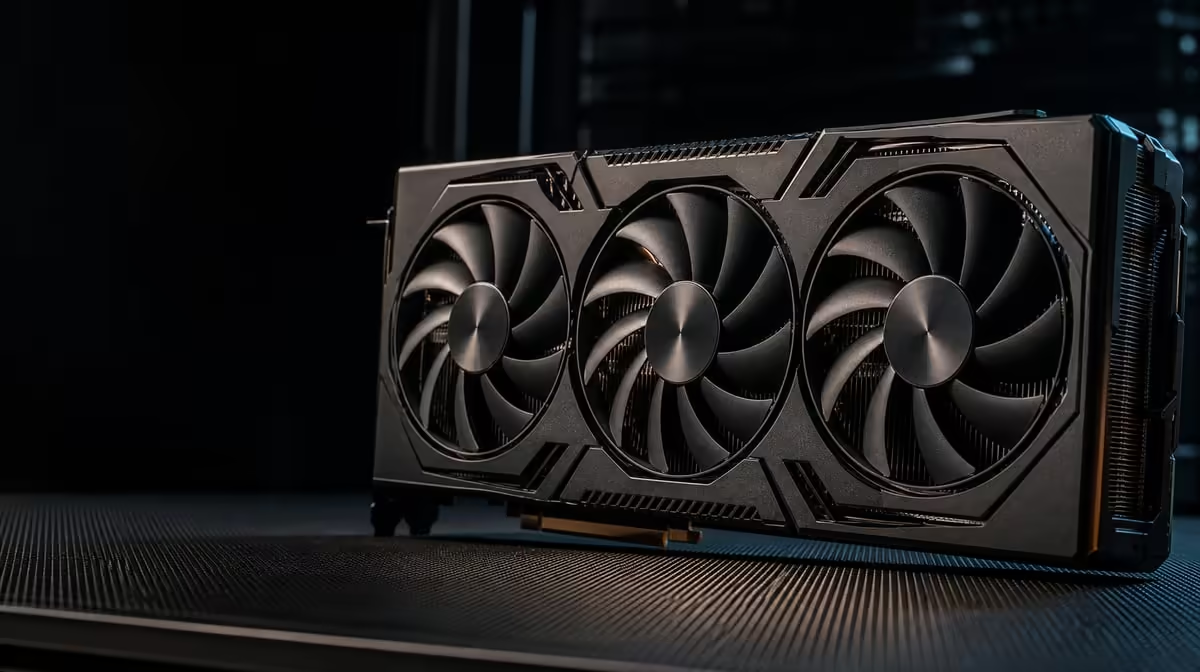
A flagship graphics card does not cool itself in isolation. Choosing cooling for a high-end gaming GPU means tracing heat from the processor, through the card's cooler and into a chassis that can move the warmed air away during long gaming or creator sessions.
Quick Answer
The R73,599 ASUS TUF RTX 5090 combines a patented vapor chamber with axial-tech fans. Those parts spread heat and drive air through the card, while case airflow, room conditions and sustained workload still shape the operating result.
🌡️ Trace where the heat must travel
GPU cooling is a chain rather than a single component. Heat begins at active silicon, crosses the cooling assembly, reaches the heatsink airflow and then enters the case. Chassis fans must replace that warmed air with cooler room air; otherwise the graphics-card fans repeatedly work with a hotter environment.
A vapor chamber is a heat-spreading device within that chain. It helps distribute thermal energy from a concentrated source across a larger cooler area. It is not an alternative to airflow and does not expel heat beyond the chassis.
Axial-tech fans provide the moving air across the heatsink. Their task complements the vapor chamber: one spreads heat into the cooling structure and the other drives air through it. Describing the ASUS system as air cooling versus a vapor chamber therefore creates a false choice.
No component name reveals an exact temperature. Game engine, graphics settings, frame-rate target, room temperature, case layout and fan control can all change readings. Compare results only when the workload and conditions are known.
Examine Evetech's ASUS graphics-card listings with this complete heat path in mind, not merely the cooler labels.
🧭 Plan the chassis before the card arrives
Begin with the chassis documentation. Confirm the graphics-card clearance for the precise build, including any front radiator, drive cage or other part occupying the same space. Use the product dimensions from an official listing rather than estimating from photographs or the "TUF" name.
Map intake and exhaust positions. Fresh air needs a clear route toward the graphics card, while hot air needs a route out. Loose cables, a solid panel or a crowded expansion area can interrupt that path. A large fan count is not automatically effective when the directions conflict.
Check the power requirements and connections from the card's documentation. Cable routing should avoid forcing a sharp bend or pressing a connector against a side panel. The goal is a secure installation with clearance around both the power path and the cooling intake.
PCIe 5.0 support identifies the host interface, but the builder still needs the appropriate motherboard slot arrangement. Check whether another expansion device changes lane configuration or physically crowds the GPU area. Interface compatibility does not settle fit, power or ventilation.
Before mounting the card, remove unnecessary obstructions and clean existing filters. Photograph the empty interior so later changes can be compared. Do not alter a proven fan arrangement simply to make the case look more symmetrical.
Use Evetech's NVIDIA GPU category to shortlist cards only after the case and power checklist is complete.
🎮 Test gaming and creator heat separately
A short game menu, a long competitive session and a sustained render are not equivalent thermal tests. Select tasks that represent real use and give each one enough time to show stable behaviour. Note room conditions so a winter test is not blindly compared with a warm summer afternoon.
For gaming, choose a repeatable scene or built-in sequence if one exists. Keep resolution, graphics settings and frame-rate controls unchanged. Record temperature behaviour, fan response and frame delivery rather than hunting for one lowest reading.
Creator and AI workloads can keep the GPU active in a different pattern. The RTX 5090's 32GB GDDR7 and 3352 AI TOPs may suit supported projects, but the software determines how continuously those resources are exercised. Run the actual application, not a synthetic substitute alone.
Listen for changes as the session progresses. A gradual fan increase may be the cooling system responding to sustained heat; it is not automatically a fault. Sudden performance loss, unusual fan behaviour or instability deserves a controlled investigation that separates software, airflow and hardware variables.
Test with the panels fitted in the intended configuration. An open-case run can help diagnose restricted intake, but it does not represent daily operation. Compare one change at a time: filter cleaned, cable moved or fan curve restored. Multiple simultaneous edits obscure the cause.
The card also has a protective PCB coating. That is a named durability feature, not a cooling device, so do not credit it with reducing temperatures or replacing airflow.
🧹 Maintain the path instead of chasing a number
Dust gradually changes resistance through filters and heatsinks. Inspect filters on a schedule suited to the room, then clean them using the equipment maker's safe method. Keep the PC powered down and avoid spinning fans aggressively during cleaning.
Check that all case and graphics-card fans can rotate freely and that no cable has shifted into a blade path. A visual inspection can catch a simple obstruction before software settings are changed. If fan behaviour appears abnormal, use supported monitoring tools and product guidance rather than forcing an untested control value.
Room placement matters. A case pushed against a wall, placed inside a closed cabinet or surrounded by heat-producing equipment has less opportunity to exchange air. Leave sensible space around intake and exhaust areas.
Create a baseline after installation. Record the game or project, duration, room conditions, frame-rate control and resulting behaviour. Repeat the same test after cleaning or changing the chassis layout. The trend is more informative than comparing your reading with an unrelated online system.
At R73,599, the build deserves this preparation. Premium cooling features cannot correct a blocked case or a guessed fit, but a planned environment lets the vapor chamber and axial-tech fans perform their intended roles.
Consult Evetech's GPU best sellers for a broader view, then check current availability once the chassis plan and workload test are settled.
Frequently Asked Questions
What does a vapor chamber do inside a graphics card?
It spreads heat from a concentrated source across more of the card's cooling assembly.
What role do axial-tech fans play in this design?
They move air through the heatsink so thermal energy can pass from the cooler into the chassis environment.
Can a premium GPU cooler compensate for poor case airflow?
Not fully. The card still needs the case to bring in cooler air and remove the heat it releases.
Why do creator workloads affect the cooling choice?
Long renders or supported AI tasks may sustain GPU activity differently from a brief game test, exposing the complete system's thermal behaviour.
Does a cooler specification reveal exact operating temperature?
No. Workload, room conditions, case arrangement and control settings all influence the reading.
How should builders prepare the chassis before installation?
Confirm documented clearance and power needs, map intake and exhaust routes, clear cable obstructions and inspect filters.
What maintenance helps axial-tech fans keep working well?
Keep filters and airflow paths clean, ensure cables cannot touch the blades and follow supported cleaning guidance.
Building around a flagship GPU?
Compare Evetech graphics cards only after mapping the complete heat route through your case, then select cooling features that match the sessions you genuinely run.