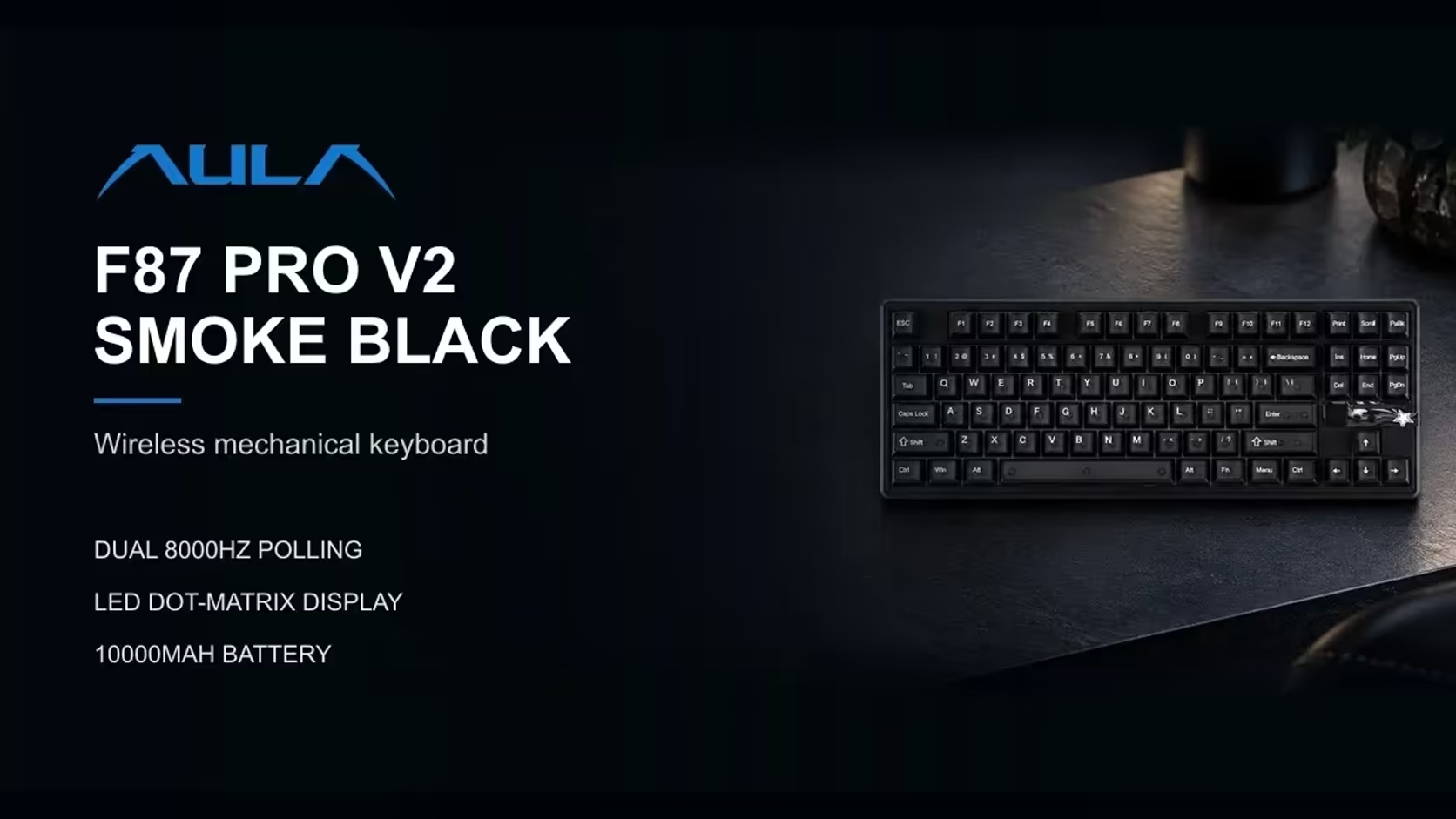
AULA had a good idea with its dot-matrix displays and then put it on two very different boards. The F87 Pro V2 is a tenkeyless keyboard that drops the number pad to give your mouse more room. The AULA F108 PRO V2 is a full-size board that keeps every key. Both carry a small audio-reactive panel, so choosing between them is really a question of TKL versus full-size, with the display as a shared bonus rather than the deciding factor.
Quick Answer
The F87 Pro V2 suits anyone who rarely touches a number pad and wants a tenkeyless (80%) frame that frees up mouse space. The F108 PRO V2 is the answer when that number pad matters for data entry, spreadsheets or games that bind keys to it. Both have a dot-matrix display that shows audio and custom GIFs, both use a gasket mount with seven dampening layers, both are hot-swappable, and both connect by cable, 2.4GHz or Bluetooth. The F87 Pro V2 sells for R899 at Evetech, and the F108 PRO V2 for R949 in Black/Grey/White or R1,099 in Dark/Light Grey.
📏 The layout question comes first
What tenkeyless removes
A tenkeyless layout, often called TKL or 80%, cuts the number pad off the right-hand side but keeps the arrows and the navigation keys. For many gamers this is the sweet spot: you lose a block you seldom use and your mouse sits closer to your keyboard hand, which keeps your shoulders more relaxed in long sessions.
The F87 Pro V2 follows that pattern exactly. Arrow keys and the navigation cluster remain, and the board is noticeably shorter than a full-size keyboard.
What full-size keeps
AULA built the F108 PRO V2 as a 100% layout. On top of the main keys, arrows and navigation cluster, it adds a full number pad on the right. If you type figures all day, work in spreadsheets, or play games that put commands on the numpad, that block is hard to give up. The cost is width: your mouse ends up further to the right.
A quick self-test helps. Look at your current keyboard's number pad: if the keycaps look shiny from use, you need a full-size board. If they look brand new, a TKL will probably suit you better.
🎞️ Two takes on the same display
Both boards use a dot-matrix display rather than a colour screen, but they present it differently.
On the F87 Pro V2, 49 LEDs form the panel, drawing a moving audio spectrum or playing GIF animations you set up in AULA's software. AULA folds it into a 360-degree light zone alongside per-key RGB, three LEDs under the spacebar and five more in an ambient bar that wraps the case.
On the F108 the panel lives in the pocket between the arrow cluster and the Insert and Home block. It reacts to audio, runs animations and accepts GIFs uploaded through AULA's driver. Around it the board adds per-key RGB, three programmable LEDs beneath the spacebar and a linear light bar.
In practice they serve the same purpose: a visualiser for whatever is playing, or a small canvas for your own art. The difference is where it lives on the board and how much surrounding lighting comes with it.
🔧 Build, switches and key modes
Shared foundations
Both boards are gasket-mounted with seven layers of dampening. A gasket mount suspends the plate on soft pads rather than screwing it rigidly to the case, which gives a softer landing and reduces fatigue over a long day. Both are also hot-swappable in every socket, so you can change switches later without soldering.
Switch options
On the tenkeyless side, the switch is LEOBOG's X3. The F108 comes in two editions with different LEOBOG linears:
- Sea Dome, in the dark grey and light grey board, registering at 32gf.
- Panda, in the black, grey and white board, registering at 38gf.
Both F108 switches bottom out at 45gf and fire 1.8mm into the press. If you know you prefer a very light touch, the Sea Dome edition is the obvious pick.
Advanced key modes
This is where the F87 Pro V2 pulls ahead for competitive players. It supports SOCD, Mod-Tap and Toggle. SOCD settles what happens when opposing movement keys are held together, Mod-Tap gives a single key two jobs depending on whether you tap it or hold it down, and Toggle latches a key on and off. AULA does not list those modes for the F108, so if they matter to your play, the tenkeyless board is the one to look at.
Connections for more than one machine
Cables are optional on both. The F87 Pro V2 runs over USB-C, its 2.4GHz dongle or Bluetooth, and AULA says it can hold links to as many as three devices, which makes hopping from a gaming tower to a work laptop a keystroke rather than a replug. The full-size board matches it on connection types, with USB-C, a USB dongle for 2.4GHz and Bluetooth, though its page gives no device count. For a single desktop, plug in and forget about it; for a shared desk with two machines, the wireless options earn their keep on either keyboard.
🧭 Making the call
Here is the short version:
- Mostly gaming, tight desk, little number entry: the F87 Pro V2. You get the extra mouse room plus SOCD and Mod-Tap.
- Office work, spreadsheets, numpad binds: the F108. You keep the full layout and can choose a lighter or firmer linear.
- Mixed use with a big desk: the F108 again, since a full-size board covers every job and the display still keeps it fun.
Whichever layout wins, Evetech's cover is identical: a 1 Year Local Warranty on each board. You can see them alongside other tenkeyless and full-size boards in Evetech's gaming keyboards section, or check the keyboard best sellers to see which layout people are favouring.
Frequently Asked Questions
What does TKL mean?
Tenkeyless, a layout without the number pad. The F87 Pro V2 uses it, keeping the arrows and navigation keys.
Do both boards show GIFs on their displays?
Yes. Both dot-matrix panels react to audio and can play custom GIFs set through AULA's software.
Which board supports SOCD?
The F87 Pro V2, along with Mod-Tap and Toggle. AULA does not list those modes for the F108.
How many devices can the F87 Pro V2 connect to?
Up to three, across USB-C, a 2.4GHz receiver and Bluetooth.
Are both boards gasket-mounted?
Yes. Each uses a gasket mount with seven layers of dampening.
Which is better for data entry?
The F108. Keeping the numpad means figures go in with one hand.
Numpad or more mouse room?
Compare tenkeyless and full-size boards in Evetech's gaming keyboard range and pick the layout your desk and your games need.