Your first PC build usually goes wrong in the gaps between compatible-looking parts. The processor fits the socket but needs newer firmware. The cooler fits the socket but hits the side panel. The GPU fits the slot but not the case or power supply. Use this checklist before checkout, then check every manual again before assembly.
Quick Answer
Lock the CPU, motherboard and memory platform first. Match the graphics card to the monitor and games. Choose a named power supply with the right native connectors, then measure case, cooler and GPU clearances. Confirm storage lanes, fan airflow and firmware support. Build the entire basket at once so no essential bracket or cable appears after the return window.
Trap 1: choosing a CPU before the platform
A processor price means little without its motherboard, memory and cooler. Confirm socket, chipset support and BIOS version. A board may support the CPU family only after an update, and the update method may need an older processor unless BIOS Flashback is available.
Check whether the processor includes graphics and a cooler. An F-suffix or other graphics-free model needs a discrete card for display. A high-power chip sold without a cooler adds another line.
Trap 2: treating motherboard size as a feature list
ATX, Micro-ATX and Mini-ITX describe dimensions, not quality. A smaller board may have fewer memory slots, fan headers and expansion connectors. A larger board may add features you never use.
Map the actual devices: GPU, SSDs, Wi-Fi, capture card and front-panel USB. Check whether a thick graphics card blocks the slot intended for another device.
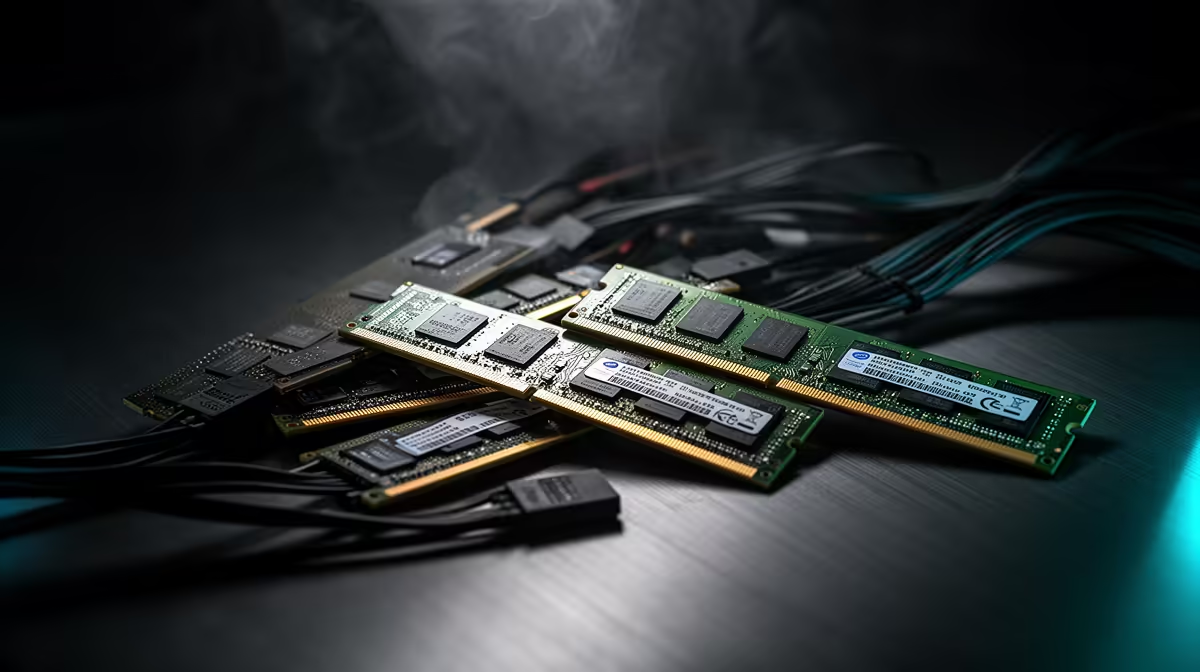
Trap 3: buying one memory module
One module can reduce memory bandwidth on a platform designed for dual-channel use. Buy a matched kit with the total capacity you need and install it in the manual's recommended slots.
DDR4 and DDR5 are not interchangeable. Rated XMP or EXPO speed may need profile activation and stability testing. A successful boot at default speed does not prove the advertised profile works.
Trap 4: sizing the PSU by wattage alone
The PSU needs suitable electrical quality, protections, capacity and native connectors. Use the graphics-card maker's system guidance as a start, then check the exact CPU and other loads.
Never mix modular cables between power supplies unless the manufacturer confirms exact compatibility. Plugs can fit while pinouts differ. Do not open the PSU enclosure.
Trap 5: forgetting physical GPU fit
Measure card length, thickness and height. Front radiators or drive cages reduce length. Thick cards can cover lower slots. New power connectors need a safe bend before the side panel.
The case specification is the first check, followed by a drawing or measured review. Leave intake room under the fans. A card that touches the glass or cable bundle will run hotter.
Trap 6: matching cooler socket but not volume
An air cooler must fit the case height and clear memory, motherboard heatsinks and the first GPU slot. Raising its front fan over tall RAM increases total height.
An AIO needs full radiator length and thickness plus fans. Top mounting can clash with memory or VRM heatsinks. Front mounting can reduce graphics-card clearance. Use the exact case position in the calculation.
Trap 7: buying storage by headline speed
Confirm the M.2 slot supports the drive's NVMe or SATA interface and length. Read lane-sharing notes because populating one slot can disable a SATA port or divide bandwidth.
Capacity and sustained behaviour may matter more than the highest sequential figure. Leave free space for game patches. Keep important files backed up on separate storage.
Trap 8: ignoring the monitor
A high-end GPU cannot show its full value on an old 1080p 60Hz panel. A 4K high-refresh monitor can overwhelm an entry card. Match graphics performance to native resolution, refresh and the games you own.
Check display outputs and adaptive-sync support on both ends. Include the cable standard required for the full mode.
Trap 9: spending on appearance before airflow
A sealed front panel and poor fan layout can make modest parts loud. Choose a clear intake, filtered openings where useful and a direct exhaust path.
Count included fans and headers. More fans are not always better. Two well-placed intakes and one exhaust can beat several fans fighting each other.
Trap 10: forgetting front-panel and network needs
The case may have USB-C while the motherboard lacks the matching internal header. The board may rely on Ethernet while the room needs Wi-Fi. An adaptor added later can block a slot or USB port.
List every external connection: headset, controller, storage, webcam and network. Rear and front placement changes daily use.
Trap 11: building without a safe first-boot plan
Prepare the current motherboard manual, operating-system installer and supported network and graphics drivers. Assemble on a clear non-conductive surface. Use anti-static precautions and keep liquids away.
On first boot, check CPU temperature, fan and pump readings before tuning memory. Update firmware only when there is a reason and follow the board's exact supported method. Do not interrupt the process.
Trap 12: using an old parts list as a live basket
Prices, stock and revisions change. A recommended PSU may have a different model suffix. A memory kit can change availability. Rebuild the basket from named current items and confirm each specification.
Start from current complete gaming systems, then see which configurations appear among popular desktop PCs. Those pages provide real examples, while the manuals decide compatibility.
A five-minute final check
Read the basket aloud as connections: CPU to socket and firmware, memory to board, cooler to CPU and case, GPU to case and PSU, storage to lanes. Then read it as outcomes: game target, monitor mode, network and upgrade route.
Ask a second person to verify part numbers, not family names. Similar product titles can hide another board size, memory generation or PSU platform.
Frequently Asked Questions
Should I buy the GPU first?
Choose it early around the game target, but confirm the complete CPU, PSU, case and monitor relationship before ordering.
Is a PC-part compatibility tool enough?
It is a useful filter. Exact manuals, firmware lists and physical drawings remain the final authority.
Can I add missing parts later?
Storage and memory may be planned upgrades. The first build still needs every component, bracket and cable required to boot and operate safely.
Run all 12 first-build checks against exact part numbers and manuals, then order only after the complete system fits on paper.