




IPS vs VA for Strategy and Sim Games in SA
IPS vs VA for strategy and sim games should be judged by fit, not a single winner. Compare compatibility, latency, capacity, upgrade path, cost planning, and South African setup needs.
Read moreThe AULA SC900 MAX swaps batteries, the SC590 Pro has a screen, the SC800 MAX is 48g and the SC620 Contour has RGB. All four are tri-mode. The SC900 MAX reaches up to 8000Hz and 30,000 DPI at 62g with its battery, and each has 1 year of cover at Evetech.
Four wireless mice from one brand can look like four versions of the same thing. They are not. Each of AULA's SC-series mice at Evetech is built around one idea: a battery you can change, a very low weight, lighting through the shell, or a screen on the mouse itself. This AULA mouse comparison takes them one at a time, then helps you match one to your hand and your habits.
The AULA SC900 MAX swaps batteries, the SC800 MAX weighs 48g, the SC620 Contour shows RGB through a honeycomb shell, and the SC590 Pro has a built-in display. All four are tri-mode. The SC900 MAX is the performance pick, reaching up to 8000Hz and 30,000 DPI at 62g with its battery fitted. Evetech sells the SC900 MAX for R749, the SC800 MAX for R629, the SC620 Contour for R349 and the SC590 Pro for R319.
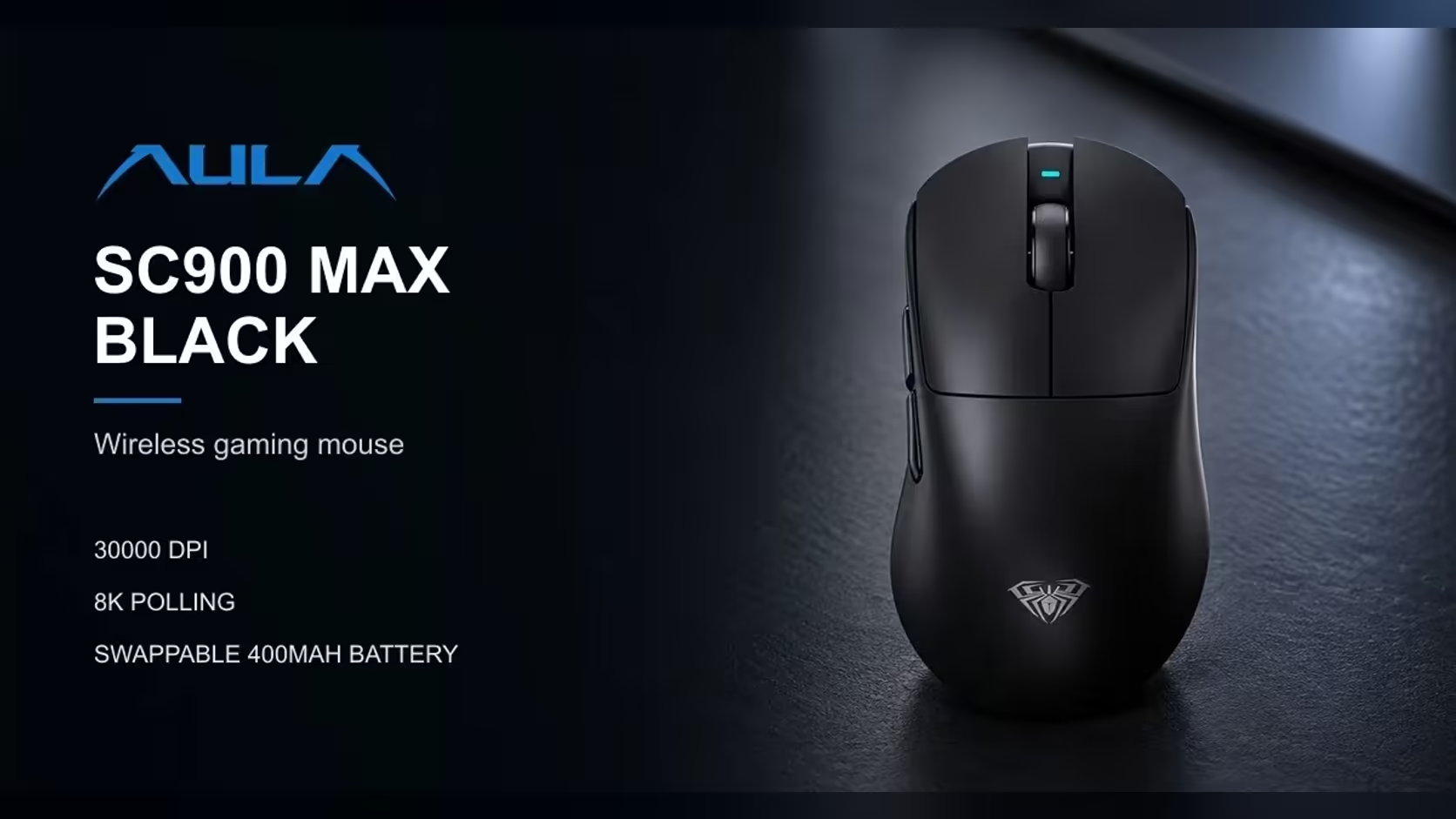
Most wireless mice stop when the battery runs down. The SC900 MAX keeps its 400mAh lithium cell behind a removable base cover, so a charged cell can replace a flat one without plugging in. If you keep a second cell topped up, downtime drops to the few seconds the swap takes.
This is the fastest mouse of the four on paper. It polls at 1000Hz out of the box, and a change in AULA's software takes it to 8000Hz on the 2.4GHz receiver or the USB-C cable; Bluetooth runs at 125Hz. DPI moves through six steps, 400, 800, 1600, 3200, 6400 and 30,000, cycled by a button underneath, and an indicator changes colour with each step.
It measures 126 x 68 x 44mm. The body weighs 50g and the cell 12g, so it is 62g in use. Three colours are listed: Black, White and Red.
The SC800 MAX is about one thing, and AULA puts it front and centre: 48g. That makes it the lightest mouse in the group by a clear margin. Like the others, it is tri-mode, so it runs on a 2.4GHz receiver, over Bluetooth or on a cable.
Why does weight matter so much? A lighter mouse takes less effort to start and stop, which helps with fast flicks and quick corrections, and it reduces strain over long sessions. Players who pick up and reposition the mouse often, especially at low sensitivity, feel the difference most. It comes in Black and White.
The SC620 Contour's body is a hollowed-out honeycomb, and its RGB lighting shows through the holes rather than from a single logo. The same shell keeps the weight to 67g. AULA shapes it for claw, palm and fingertip grips.
Its party piece is a dedicated Fire button. You map it to one command, such as a rapid click burst or a program shortcut, and it runs with a single press.
It uses 6 DPI levels, 800 to 12,000, and polls at 1000Hz. It connects over 2.4GHz, Bluetooth 5.3 or a USB cable on a 400mAh battery. The AULA driver handles button remapping, macros, DPI, polling, sleep time and lighting brightness and speed. AULA notes the driver works on Windows over 2.4GHz or the cable, not Bluetooth. Black and White are listed.
The SC590 Pro carries a small built-in screen that shows three things: how it is connected, how much charge is left to the percent, and which DPI step is live. Buttons next to the display switch DPI. For anyone who has been caught out by a mouse dying mid-game, a precise battery readout is genuinely useful.
It uses six DPI levels from 1200 to 20,000 and polls at 1000Hz, reporting its position every millisecond. It is tri-mode over 2.4GHz, Bluetooth and USB-C, on a 500mAh battery.
About 64g and about 118 x 60 x 38mm, a shade shorter and narrower than the SC900 MAX. It comes in Black.
Shape matters as much as specs. The SC620 Contour is the only one AULA describes for claw, palm and fingertip grips. Larger hands usually settle more comfortably on a longer body, so compare the SC900 MAX's 126mm length with the SC590 Pro's 118mm if you palm your mouse. Fingertip players often favour the lightest option, which points to the SC800 MAX.
Long evenings reward two things: low weight and a battery you do not have to babysit. The SC800 MAX covers the weight side. The SC900 MAX's removable cell covers the power side, and the SC590 Pro's exact battery readout means you are never surprised. If you mostly play short sessions, any of the four will do, and the choice comes down to shape and features.
A fast mouse shows its best on a smooth, consistent surface. If you are pairing one with a keyboard, AULA's magnetic boards pair naturally with the SC900 MAX, since both can run at 8000Hz.
Compare these with the wider range in Evetech's gaming mice category, and look at the gaming keyboards section to complete the desk. Evetech backs each of the four with a 1 Year Local Warranty, in every colour.
The SC800 MAX at 48g. The SC900 MAX follows at 62g with its cell.
It turns a flat mouse into a working one in seconds, as long as you keep a charged cell ready.
Yes, the SC900 MAX, after a software change. Two others sit at 1000Hz, and AULA gives no figure for the SC800 MAX.
Its link type, the precise remaining charge and the current DPI step.
AULA notes it works on Windows over 2.4GHz or the cable, not Bluetooth.
Yes. Every one is tri-mode, with a receiver, Bluetooth and a cable option.
Ready to pick the AULA mouse that fits your hand? Browse Evetech's gaming mice and compare weight, lighting and features before you choose your next one.
The SC800 MAX at 48g. The SC900 MAX follows at 62g with its cell.
It turns a flat mouse into a working one in seconds, as long as you keep a charged cell ready.
Yes, the SC900 MAX, after a software change. Two others sit at 1000Hz, and AULA gives no figure for the SC800 MAX.
Its link type, the precise remaining charge and the current DPI step.
AULA notes it works on Windows over 2.4GHz or the cable, not Bluetooth.
Yes. Every one is tri-mode, with a receiver, Bluetooth and a cable option.
IPS vs VA for strategy and sim games should be judged by fit, not a single winner. Compare compatibility, latency, capacity, upgrade path, cost planning, and South African setup needs.
Read more
Gen 5 NVMe SSD guide for Bloemfontein gamers should be shortlisted around the job it must do. South African buyers should compare capacity, speed, thermals, and motherboard support, warranty path, and upgrade room before treating any pick as best.
Read more
Skip the RTX 5070 if your first-time builder budget needs better balance. Better SA picks can free room for the right CPU, PSU, case, monitor, storage, and cooling while still giving a strong first gaming PC experience this year in South Africa.
Read more
RTX 5080: weighing the pros and cons for SA should be shortlisted around the job it must do. South African buyers should compare GPU tier, VRAM, cooling, and PSU headroom, warranty path, and upgrade room before treating any pick as best.
Read more
Core i5-13400F gives South African PC builders a capable mid-range CPU choice with clear limits. Check its gaming fit, discrete GPU requirement, LGA1700 platform costs, and upgrade path before locking in your parts list.
Read more
Pros and cons of the Wi-Fi 7 routers for SA should be shortlisted around the job it must do. South African buyers should compare WiFi standard, coverage, latency, and device support, warranty path, and upgrade room before treating any pick as best.
Read more
Steam content servers unreachable needs a download-path check, not an immediate reinstall of every game. Restart the client, inspect download settings and compare another connection when practical. Clearing the download cache is separate from deleting installed games.

Keychron G6 HE has built-in and swappable battery versions with different weights. The product brief lists 42g and 46g respectively, each with a 3g tolerance. Choose by grip and battery preference before treating one headline weight as universal.

Corsair HS80 v2 MAX supports 2.4GHz wireless and Bluetooth. Its maximum battery figures use RGB-off conditions and differ by connection. Check microphone routing, comfort and the exact device support before assuming every wireless mode behaves alike.

Windows taskbar notification badges can be shown or hidden in Taskbar behaviours. This changes the small app indicators, not the underlying messages. Choose a calmer desktop while keeping a deliberate routine for checking important conversations and app updates.

Windows title bar window shake can minimise other open windows when you shake the active window by its title bar. Inspect the Multitasking setting and switch it off if that gesture interrupts your work. The preference costs R0 and does not require new hardware.

Windows Print Screen opens Snipping Tool when its keyboard preference is enabled. Change the option under Accessibility, Keyboard to choose another workflow. Test whether you need a clipboard image or a saved file.

Windows desktop icons missing may be a visibility setting. Right-click the desktop, choose View and inspect Show desktop icons. If only system icons are absent, use Desktop icon settings. Check the Desktop folder before assuming files were deleted.

Windows set time zone automatically greyed out calls for a location and device-policy check. Automatic time-zone selection relies on location services. A manual time-zone choice is separate from synchronising the clock; check both before replacing hardware.
Windows title bar window shake can minimise other open windows when you shake the active window by its title bar. Inspect the Multitasking setting and switch it off if that gesture interrupts your work. The preference costs R0 and does not require new hardware.
Windows Print Screen opens Snipping Tool when its keyboard preference is enabled. Change the option under Accessibility, Keyboard to choose another workflow. Test whether you need a clipboard image or a saved file.
Windows desktop icons missing may be a visibility setting. Right-click the desktop, choose View and inspect Show desktop icons. If only system icons are absent, use Desktop icon settings. Check the Desktop folder before assuming files were deleted.
Windows set time zone automatically greyed out calls for a location and device-policy check. Automatic time-zone selection relies on location services. A manual time-zone choice is separate from synchronising the clock; check both before replacing hardware.