You're dropping serious ZAR on a new rig, so the GPU and CPU get all the attention. But what about the part you touch thousands of times per session? Your keyboard. For gamers in South Africa, choosing a laptop with the right keyboard is the difference between a clutch win and a frustrating loss. It’s your primary input, your weapon... and it deserves a closer look. Let’s dive into the world of gaming laptop keyboards in South Africa. 🚀
Why Your Laptop Keyboard Matters More Than You Think
A standard laptop keyboard is designed for typing emails, not for executing split-second commands in a heated firefight. A proper gaming laptop keyboard is a different beast entirely. It's engineered for speed, accuracy, and durability.
The key differences lie in features like key travel (how far a key presses down), actuation force (how much pressure is needed to register a press), and crucial anti-ghosting technology. These aren't just fancy marketing terms; they are core technologies that ensure every single one of your commands is registered instantly and accurately, even when things get chaotic.
The Great Debate: Mechanical vs. Membrane
When exploring the landscape of gaming laptop keyboards in South Africa, the first major choice you'll encounter is the type of switch technology under the keycaps.
The Classic Feel: Membrane & Scissor-Switch
Most non-gaming laptops use membrane keyboards. They have a soft, rubbery dome under each key. They’re quiet and affordable but can feel "mushy" and lack the precise feedback competitive gamers need. They are less durable and can struggle to register multiple keystrokes at once, a phenomenon known as "ghosting."
The Pro's Choice: Mechanical Switches
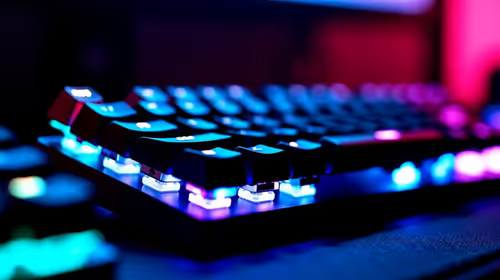
This is where true gaming performance begins. Each key on a mechanical keyboard has its own individual spring-loaded switch. This provides superior tactile feedback, faster response times, and a much longer lifespan. You'll find that a huge variety of MSI gaming laptops now feature high-performance mechanical or mechanical-feel keyboards, often from renowned brands like SteelSeries, giving you that satisfying click and confidence with every press.
Key Features for the South African Gamer
Beyond the switch type, several other features define the best gaming laptop keyboards in South Africa. Look out for these when you're browsing for your next machine.
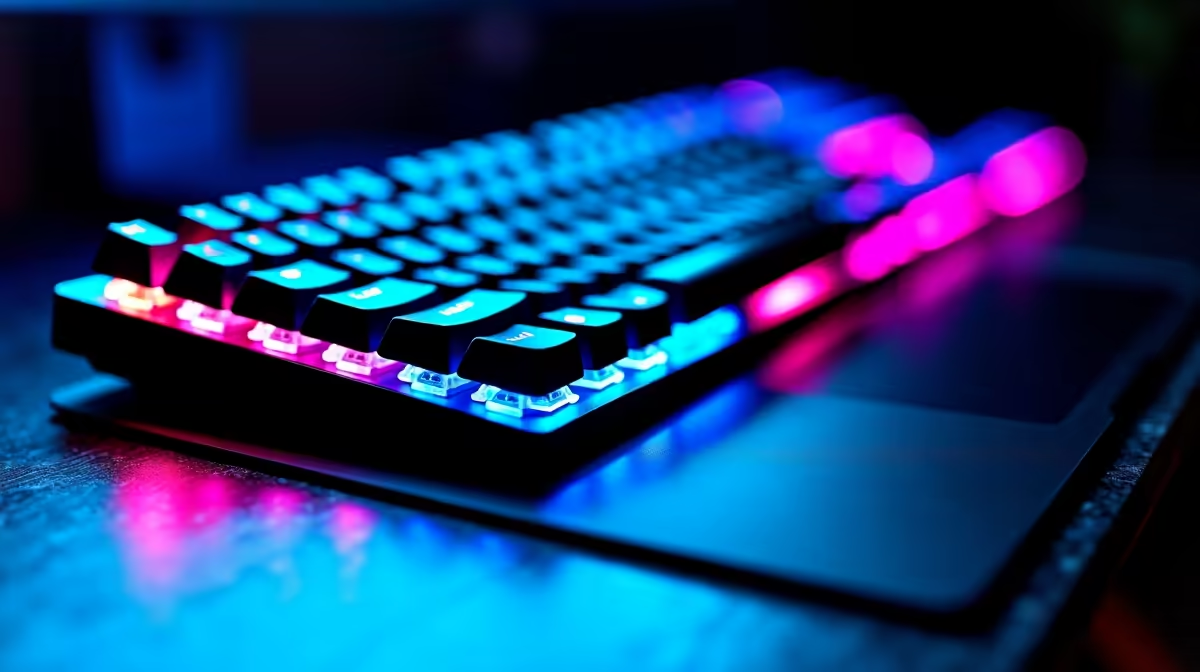
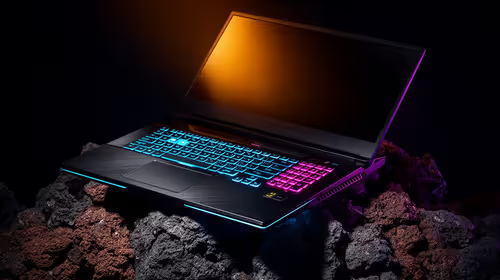
- Per-Key RGB Lighting: This is more than just a pretty light show. ✨ Customisable per-key RGB lets you colour-code your keys for specific games. You can highlight your ability keys in Dota 2, your weapon-swap keys in Apex Legends, or set up visual cues for cooldowns. Premium machines, including many in the high-end MSI Raider series, offer incredibly deep customisation through their software.
- N-Key Rollover (NKRO) & Anti-Ghosting: This is non-negotiable for serious gaming. Anti-ghosting ensures that when you press multiple keys simultaneously (like sprinting, jumping, and reloading), they all register correctly. N-Key Rollover is the ultimate version of this, meaning you can press every single key at once, and they will all be detected.
- Customisation Software: Powerful software suites like MSI Center allow you to remap keys, create complex macros (a sequence of commands tied to a single keypress), and fine-tune your RGB lighting profiles. This level of control allows you to tailor your keyboard perfectly to your playstyle.
Keep Your Keys Crisp 🔧
Dust and crumbs are the enemy of a good keyboard. To clean your laptop's keys safely, turn it off and unplug it. Use a can of compressed air (held upright!) to blow out debris from between the keys. For surface grime, use a microfibre cloth lightly dampened with a 70% isopropyl alcohol solution. Never spray liquid directly onto the keyboard.
Finding the Right Keyboard for Your Game
The "best" keyboard is subjective and depends heavily on the games you play.
- For the FPS Veteran (CS2, Valorant): You need speed and precision. Look for keyboards with linear switches (like Cherry MX Reds) that offer a smooth, fast keypress without a tactile bump. NKRO is essential for advanced movement techniques.
- For the MMO & MOBA Strategist (WoW, Dota 2): Your keyboard is your command centre. Tactile switches, which provide a noticeable "bump" on actuation, are excellent. The ability to create complex macros is a massive advantage, and per-key RGB can help you track ability cooldowns at a glance.
- For the All-Rounder: If you play a wide variety of games and also use your laptop for work or studies, a balanced tactile switch is often the perfect middle ground. It provides satisfying feedback for typing and is still highly responsive for gaming. Many versatile options like the MSI Vector GP series offer keyboards that excel in any scenario.
Ultimately, the keyboard is a fundamental part of your gaming laptop. Giving it the attention it deserves will pay off in comfort, performance, and maybe even a few more wins.
Ready to Feel the Difference?
From tactile mechanical switches to dazzling per-key RGB, the right keyboard transforms your gaming experience. Don't just buy a spec sheet... buy a machine you'll love to use. Explore our massive range of gaming laptop deals and find the perfect rig to dominate the competition in South Africa.