


Using GitHub Copilot: Complete Beginner's Guide for SA Developers
Using GitHub Copilot: Complete Beginner's Guide for SA Developers. Everything you need to know with SA-specific pricing and recommendations.
Read moreGaming mouse specs — Checklist: • Explain key terms • Compare sensors & DPI • Show polling rate & latency • Recommend buying priorities ✅ Learn DPI, sensors, polling rate, buttons and weight to choose the right gaming mouse.
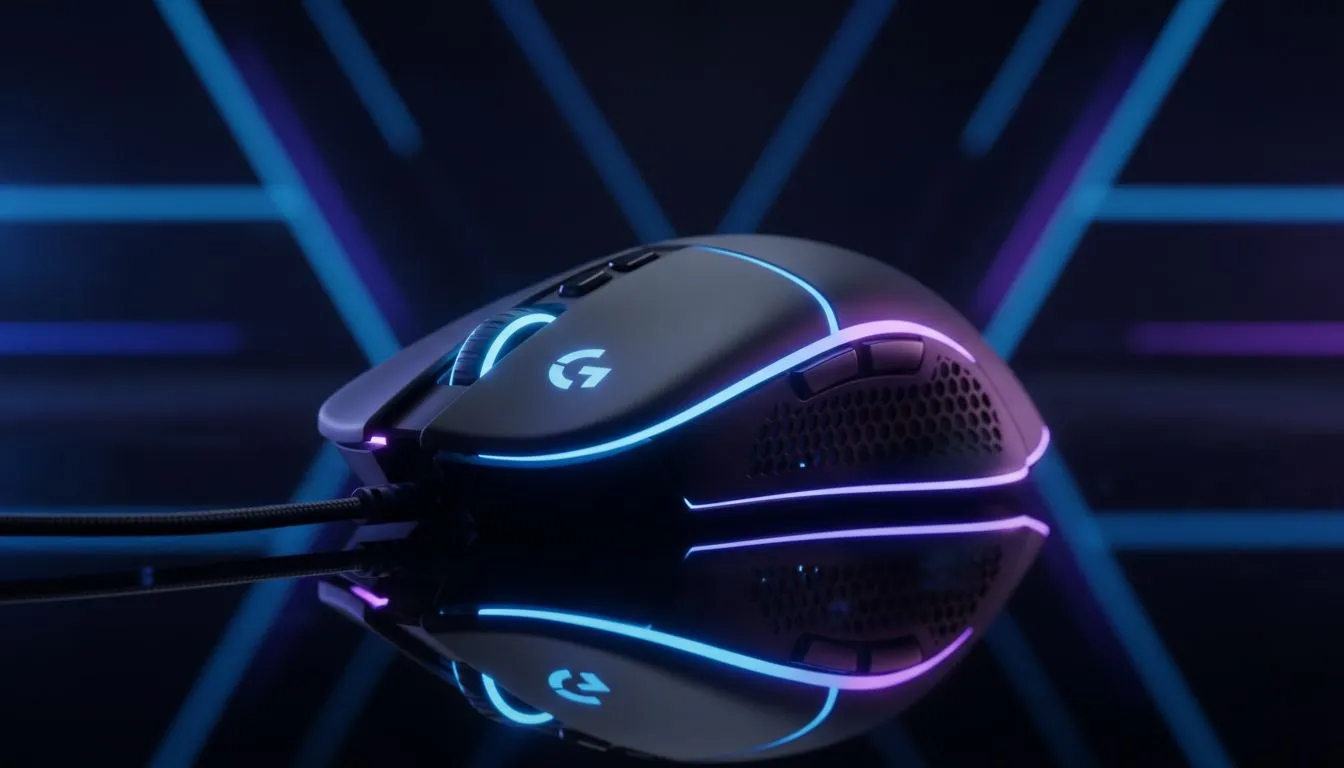
Tired of missing headshots in CS2 or lagging during a frantic Dota 2 team fight? Choosing the right gear shouldn't feel like a boss battle. Whether you are a casual player or an aspiring pro in South Africa, understanding gaming mouse specs is the first step to upgrading your setup. Let’s break down what actually matters before you spend your hard-earned Rands. ✨
When browsing for a new gaming mouse, the first number you see is DPI. This stands for Dots Per Inch. It determines how far your cursor moves on the screen relative to your hand. Many beginners think a higher DPI is always better. However... most professional players prefer lower settings... typically between 400 and 800 DPI. This allows for more precise aiming in high-stakes shooters.
High DPI is useful for 4K monitors or multi-screen setups. It helps you navigate the desktop quickly. For gaming, look for a sensor that offers a wide range of adjustments. This ensures you can find your "sweet spot" without pixel skipping. 🔧
The sensor is the heart of your device. Most modern enthusiasts look for the best gaming mouse deals featuring optical sensors. These use LED lights to track movement and are incredibly reliable on cloth surfaces. Laser sensors can work on glass... but they often introduce unwanted jitter or acceleration.
If you play on a standard mouse pad, an optical sensor provides the most raw, unfiltered input. This consistency is vital when you are trying to build muscle memory for flick shots.
Your mouse communicates with your PC at a specific frequency called the polling rate. Most gaming mice default to 1000Hz, meaning they report their position 1,000 times per second. If you have a high-refresh-rate monitor (144Hz or 240Hz), a higher polling rate makes the cursor movement feel significantly smoother and more responsive.
A few years ago, wireless meant lag. That is no longer the case. If you want a clean desk setup, you can buy wireless mouse models that use 2.4GHz technology. These offer speeds identical to their plugged-in cousins. You won't feel any delay during a clutch moment in Valorant.
However, some players still prefer to buy wired mouse options. They are generally lighter because they don't need a battery. Plus... you never have to worry about charging mid-session. It often comes down to personal preference and your budget in ZAR. 🚀
The physical feel of the mouse is just as important as the internal tech. Lightweight mice... often under 70 grams... are currently trending for fast-paced games. Ergonomics also play a huge role. Do you use a palm, claw, or fingertip grip?
Before you checkout, remember to buy mouse accessories like a bungee or extra skates. A mouse bungee prevents cable drag for wired users. High-quality PTFE skates ensure your mouse glides effortlessly across your desk. These small investments can make a budget-friendly mouse feel like a premium tool. ⚡
Ready to Find Your Perfect Match? The right specs can turn a good gaming session into a great one. Whether you need a lightweight speedster or a feature-packed powerhouse, we have the gear to help you dominate. Explore our massive range of gaming mouse deals and find the perfect tool to conquer your favorite games.
Gaming mouse specs cover DPI, sensor type, polling rate, buttons, weight and shape — they determine tracking accuracy, speed and comfort for play.
Most gamers use 400–3200 DPI depending on genre and sensitivity. Prioritize a high-quality sensor over max DPI and tune in software.
Polling rate is how often the mouse reports to the PC (Hz). Higher rates reduce input lag, helpful in fast-paced games like FPS.
Optical sensors typically offer more consistent tracking with less jitter. Choose sensor quality and tracking specs over just the type.
Modern wireless mice can match wired latency. Pick wireless for freedom, wired for no batteries; verify wireless gaming mouse latency.
Weight and shape affect control and comfort: lighter for quick flicks, heavier for steadier aim. Test sizes and use weight tuning if needed.
Programmable buttons let you map actions or macros for faster responses. Look for reliable switches and good software support.
Using GitHub Copilot: Complete Beginner's Guide for SA Developers. Everything you need to know with SA-specific pricing and recommendations.
Read more
Back-to-School Headset Buying Guide for SA 2026. Everything you need to know with SA-specific pricing and recommendations.
Read more
Mesh Front Panel Setup and Configuration: Complete Tutorial. Comprehensive coverage with SA insights, Rand pricing, and practical recommendations.
Read more
Black Screen: Troubleshooting Guide #1. Everything you need to know with SA-specific pricing and recommendations.
Read more
The Complete 2026 Guide to Storage in South Africa. Everything you need to know with SA-specific pricing and recommendations.
Read more
1000W PSU Not Working After Load Shedding: Recovery Guide. Everything you need to know with SA-specific pricing and recommendations.
Read more
AMD RX 9050 XT: Rumoured Specs, Price & Release. SA-focused analysis with local pricing data, real-world insights & actionable buying advice.

Can RTX 4080 Super Run AI Workloads for SA Developers Detailed answer with SA data, expert analysis & practical recommendations for local buyers.

Can RTX 4090 Run AI Workloads for SA Developers Detailed answer with SA data, expert analysis & practical recommendations for local buyers.

Top Settings for Intel Arc B580 at Ultrawide 1440p picks evaluated on performance, value & SA availability with current Rand pricing from Evetech.

RTX 4060 CS2 Low Settings at 1080p: FPS Results. Real-world benchmark data, FPS numbers & performance analysis. What SA gamers can actually expect.

Visual Artifacts: Possible GPU Issue Issue #1. Diagnosis steps, proven fixes & when to seek professional help. SA-specific support info included.

Can the RTX 4090 Handle 1440p 144Hz Gaming. Performance testing verdict with real data & practical recommendations for SA buyers.

Top ASUS GPU Under R15000 picks evaluated on performance, value & SA availability with current Rand pricing from Evetech.

GTA 6 Max Settings on RTX 5070. Tested & verified settings for best FPS and visual quality on SA hardware budgets.

Cyberpunk 2077 Max Settings on RTX 5080. Tested & verified settings for best FPS and visual quality on SA hardware budgets.

Starfield Max Settings on RTX 5070 Ti. Tested & verified settings for best FPS and visual quality on SA hardware budgets.

Top RTX 5090 Under R5000 picks evaluated on performance, value & SA availability with current Rand pricing from Evetech.