Quick Answer
For Centurion buyers, the top three Gen 5 NVMe SSDs are the Crucial T705 (R2,800/1 TB), Seagate FireCuda 540 (R2,600/1 TB), and Corsair MP700 Pro (~R3,000/1 TB). All three deliver 10,000–14,100 MB/s sequential read — roughly double a Gen 4 drive. A PCIe 5.0 M.2 slot (AMD X670E/B650E or Intel Z790) is required. Evetech delivers to Centurion within 1–2 business days.
The Short-List Explained
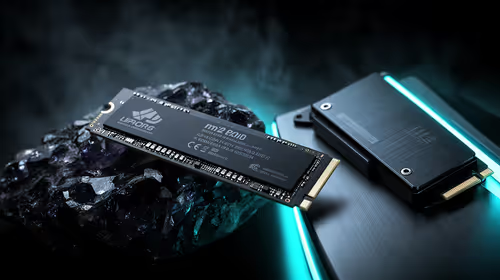
Crucial T705 1 TB (~R2,800) — peak Gen 5 performance at 14,100 MB/s read, 11,800 MB/s write. Top endurance (600 TBW). Best pick for professionals who transfer large files daily.
Seagate FireCuda 540 1 TB (~R2,600) — 10,000 MB/s read, more affordable, runs cooler. Best for gamers who want Gen 5 without a large premium over Gen 4.
Corsair MP700 Pro 1 TB (~R3,000) — 12,400 MB/s read, includes heatsink options. Solid all-rounder for new builds.
Gen 4 alternative — WD Black SN850X 1 TB (~R1,800) — if your board lacks PCIe 5.0, this is the best performing Gen 4 option and saves R800–R1,200.
Centurion-Specific Context
Centurion's population includes many professionals near the CSIR, BBI Tower, and several large corporate campuses. Many home setups double as work-from-home stations where SSD speed genuinely matters for database performance and large document handling. Students at Midrand Graduate Institute or nearby UP Hatfield campus may also benefit from fast NVMe storage for project work. For pure gaming, Gen 4 remains sufficient.
Thermal Management
Gen 5 drives reach 70–80°C under sustained load. Evetech stocks M.2 heatsinks and SSD cooling accessories. Centurion's warm Highveld summer temperatures mean case airflow is important — ensure at least one front intake fan if running a Gen 5 drive without a motherboard-mounted heatsink.
FAQ
What is the best Gen 5 NVMe SSD for a home office in Centurion?
The Crucial T705 at ~R2,800 is ideal — its 14,100 MB/s read speed accelerates database queries, VM performance, and large file operations that matter for home office use.
How do I know if my motherboard supports Gen 5 NVMe?
Check your board's M.2 slot specification in the manual — it will be labelled PCIe 5.0 x4 if supported. AMD X670E and B650E boards always include at least one Gen 5 M.2 slot.
Is the R800–R1,200 premium of Gen 5 over Gen 4 worth it in Centurion?
For content creators and professionals: yes. For pure gaming: probably not — the real-world load time benefit is 1–4 seconds per game load, which is barely perceptible after a few minutes of play.
builders on X670E get PCIe 5.0 M.2 as standard — drop in the Crucial T705 with a heatsink and you have a storage setup that won't be a bottleneck for the next 5–6 years.