



80+ Gold vs 80+ Platinum for Couch co-op gaming in SA
80+ Gold vs 80+ Platinum for couch co-op gaming is about PSU efficiency, heat, fan behaviour, quality, and wattage headroom, not direct FPS. SA buyers should compare the whole build.
Read more🚀 Unlock the best display output for productivity! Compare HDMI and DisplayPort features, compatibility, and performance. Find your ideal connection 🔌 today!
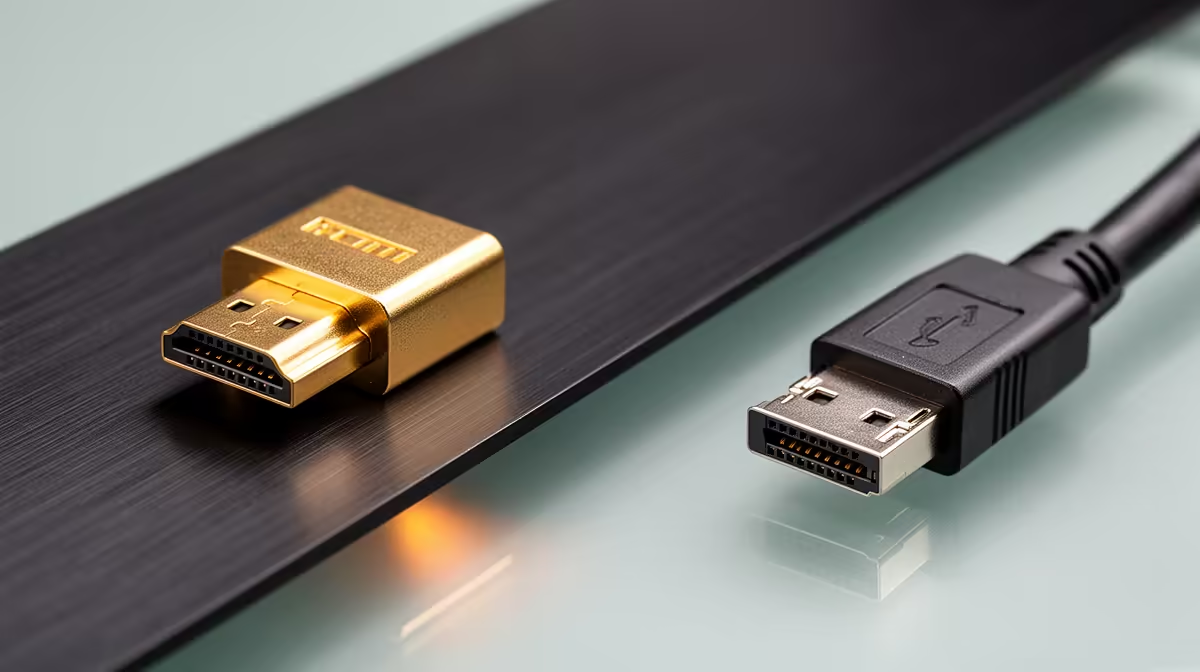
You’ve just unboxed a shiny new monitor for your home office in Jozi, or maybe you're setting up your new laptop for some after-hours gaming. You reach for a cable and face the eternal question: HDMI or DisplayPort? They look similar, they both connect your screen, but the choice can seriously impact your performance. So, when it comes to HDMI vs DisplayPort, which output truly powers your work and play? Let's settle the debate. 🤔
HDMI, or High-Definition Multimedia Interface, is the connector you know and love. It’s on your TV, your PlayStation, and probably the laptop you’re reading this on. Its biggest strength is its universality. For most standard work tasks—think spreadsheets, documents, and video calls—a modern HDMI connection is more than capable of delivering a crisp 1080p or even 4K image at a smooth 60Hz.
The latest versions, like HDMI 2.1, have seriously upped the ante, supporting higher resolutions and refresh rates. This makes them a solid choice for a wide range of powerful laptops that need to double as entertainment hubs. However, for pure PC-centric tasks, it has a formidable competitor.
DisplayPort might be less common on TVs, but it’s the undisputed champion in the PC world, especially for gamers and creative professionals. Why? It generally offers more bandwidth than its HDMI equivalent. This extra data lane is crucial for driving ultra-high refresh rates (144Hz and above) at high resolutions without compromising on colour quality. ⚡
One of DisplayPort’s killer features for productivity is Multi-Stream Transport (MST), or "daisy-chaining." This allows you to connect multiple monitors to your PC using a single DisplayPort output from your graphics card or laptop. You simply connect the first monitor to your PC and the second monitor to the first one. It’s a clean, efficient way to build a multi-monitor setup, a feature HDMI simply doesn't offer. This makes it a go-to for many top-tier gaming laptops aimed at power users.
Not all ports are created equal. A laptop might have an HDMI 2.0 port but only a DisplayPort 1.2. Always check the specific version of the port on both your device and your monitor to ensure you’re getting the maximum performance you paid for.
So, when the cables are on the table, which one should you pick? The decision between HDMI vs DisplayPort boils down to your specific hardware and what you want to achieve.
If you have a 144Hz (or higher) gaming monitor, DisplayPort is almost always the better choice. It has a longer history of supporting adaptive sync technologies like NVIDIA G-SYNC and AMD FreeSync, ensuring a tear-free, buttery-smooth experience. While HDMI 2.1 is catching up, DisplayPort remains the most reliable option for PC gamers, especially on high-performance powerful AMD laptops paired with a premium display.
Working with two or three screens? DisplayPort’s daisy-chaining capability is a massive advantage for creating a clean and minimalist desk setup. It reduces cable clutter and simplifies your connections. For professionals who live in a world of multiple applications and windows, this feature alone makes DisplayPort the superior option for a work-focused rig.
If you're using a standard 60Hz monitor for everyday office work, browsing, or streaming, either cable will do the job perfectly. HDMI often wins on convenience since the cables are more common and it's the standard for connecting to TVs and projectors. When it comes to the DisplayPort vs HDMI debate for a simple, single-monitor setup, you can’t go wrong with either. ✨
Find Your Perfect Connection Whether your work demands pixel-perfect clarity or your gaming requires lightning-fast refresh rates, the right laptop makes all the difference. Explore our massive range of laptop specials for sale in South Africa and find the machine that powers your passion.
DisplayPort often excels for multi-monitor setups; HDMI suits home office simplicity.
DisplayPort 1.4 matches HDMI 2.1 at 8K@60Hz, but HDMI 2.1 is better for 4K@120Hz.
Adapters exist, but native compatibility requires correct port standards (e.g., HDMI 2.1 vs DP 1.4).
DisplayPort edges ahead in variable refresh rates; HDMI 2.1 excels with 4K HDR gaming TVs.
HDMI 2.0+ and DisplayPort 1.4 support HDR, but HDMI has broader device compatibility.
DP 1.4 cables avoid compression artifacts at 144Hz; HDMI 2.0 works but may require compression.
HDMI 2.1 offers broader ecosystem scalability for hybrid work setups and next-gen displays.
80+ Gold vs 80+ Platinum for couch co-op gaming is about PSU efficiency, heat, fan behaviour, quality, and wattage headroom, not direct FPS. SA buyers should compare the whole build.
Read more
80+ Platinum or 80+ Titanium for competitive should be shortlisted around the job it must do. South African buyers should compare fit, performance, compatibility, and upgrade room, warranty path, and upgrade room before treating any pick as best.
Read more
The real world difference between IPS and OLED for AAA single-player gaming is immersion versus versatility. OLED lifts contrast and dark scenes, while IPS can suit bright rooms, mixed PC use, and SA buyers watching total setup cost.
Read more
HDMI 2.1 vs HDMI 2.0 for SA MMO needs a workload-first comparison. For SA buyers, judge real performance, platform fit, warranty path, power needs, and upgrade timing before choosing either side.
Read more
USB4 and Thunderbolt 4 differ for competitive esports through dock, display, and capture consistency. Use this real world difference between usb4 and thunderbolt 4 for competitive guide to keep SA tournament desks tidy without assuming better ping.
Read more
Magnetic switches vs Mechanical switches depends on Competitive esports needs, platform limits, and budget fit. Compare compatibility, latency, upgrade path, and real setup constraints before choosing for an SA build.
Read more
NVIDIA lists 550W required system power for the RTX 5060 reference specification, based on a high-end test system. A quality 550W unit can be enough, but CPU draw, transient load, connectors and ageing decide real headroom.
80+ Gold vs 80+ Platinum for couch co-op gaming is about PSU efficiency, heat, fan behaviour, quality, and wattage headroom, not direct FPS. SA buyers should compare the whole build.

Upgrade your setup with the best USB-C hubs for creators. Discover why high-capacity card readers and dual 4K output are essential for professional South African content production. 🚀💻

B850 motherboard FPS drops needs a methodical troubleshooting pass. Review drivers, thermals, power settings, background apps, cables and game settings before replacing parts in an SA gaming setup.
NVIDIA lists 550W required system power for the RTX 5060 reference specification, based on a high-end test system. A quality 550W unit can be enough, but CPU draw, transient load, connectors and ageing decide real headroom.

OpenRGB's master branch now carries changes labelled for 1.0 final, including translation and platform work, but the official tags page still lists 1.0rc3.1 as the newest packaged release. Stable users should wait for the signed release channel.

A motherboard can remain useful for many years when power, cooling and connectors stay healthy. Replace it for confirmed faults, damaged power delivery or a blocked platform need, not simply because the calendar reaches a fixed age.

The VAIO T combines a 13.3-inch display with a multi-flip mechanism for laptop, tablet and outward-facing viewing modes. Orders begin in Japan on 18 September; South African availability is unconfirmed.
NVIDIA lists 550W required system power for the RTX 5060 reference specification, based on a high-end test system. A quality 550W unit can be enough, but CPU draw, transient load, connectors and ageing decide real headroom.
The VAIO T combines a 13.3-inch display with a multi-flip mechanism for laptop, tablet and outward-facing viewing modes. Orders begin in Japan on 18 September; South African availability is unconfirmed.
OpenRGB's master branch now carries changes labelled for 1.0 final, including translation and platform work, but the official tags page still lists 1.0rc3.1 as the newest packaged release. Stable users should wait for the signed release channel.

The Cooler Master GPU Shield Adapter monitors current on individual 12+4-pin contacts, adds visual and audible warnings, and can reduce system power during a severe abnormality. Local availability is unconfirmed.