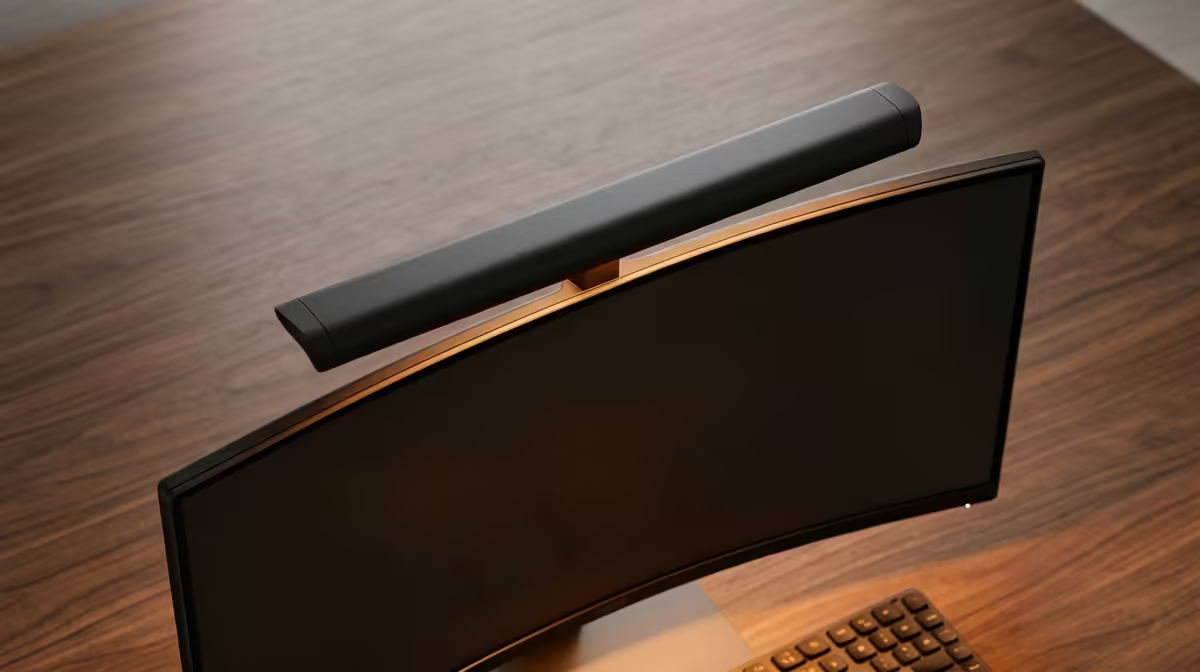
Most South African home offices run on a single overhead bulb that throws light onto the back of your head and bounces glare straight off the screen. A monitor light bar fixes that by clipping to the top of your display and aiming an asymmetric beam down onto the desk, lighting your keyboard, notes, and hands without a single reflection landing on the panel. The catch is that the cheap ones flicker, run one fixed colour, and need constant manual fiddling, while a well-chosen bar sets itself and disappears into your routine.
Quick Answer
Choose a monitor light bar with adjustable colour temperature from roughly 2700K warm to 6500K cool, a flicker-free LED rated against IEEE PAR 1789, and an auto-dimming sensor that targets about 500 lux on the desk surface. Those three features separate a bar you will actually keep using from one that ends up in a drawer.
How a light bar earns its place on your desk
A monitor light bar clips over the top bezel of your screen and points its LEDs downward and forward at an angle, so the light covers the desk in front of you but never reaches the panel itself. That asymmetric design is the whole trick. A normal desk lamp lights the desk too, but it also spills onto the glossy screen and creates the washed-out reflections that make text harder to read and your eyes work harder. Because the bar sits on the monitor and not on the desk, it also clears space, which matters on the compact setups common in a flat or a res room where the desk doubles as everything.
The eye-strain angle is real. Working on a bright screen in an otherwise dim room forces your pupils to keep readjusting between the glowing panel and the dark surroundings. Lighting the desk and the area around the screen evens out that contrast, and that is why these bars have moved from a niche gadget to a standard part of a considered desk setup. The same logic that drives people to upgrade to a purpose-built ergonomic desk applies here: small ergonomic fixes compound over a full working day.
The specs that actually matter
Colour temperature range
Light colour is measured in Kelvin, and the best bars let you slide across a wide range, typically 2700K to 6500K. Warm light around 2700K to 3000K suits the evening and reduces the harsh blue cast that keeps you wired late at night. Cool light around 5000K to 6500K mimics daylight and helps you stay alert and read detail during the day. A fixed-temperature bar forces a single compromise; an adjustable one lets the light match the time of day and the task, which is the difference between a tool you tune to comfort and one you tolerate.
Flicker and eye safety
Cheap LEDs dim by rapidly switching the backlight on and off, and if that switching is slow enough your eyes register it as flicker, even when you cannot consciously see it. Over hours that contributes to fatigue and headaches. Look for a bar that advertises flicker-free operation, ideally certified against the IEEE PAR 1789 standard, which sets the threshold for safe, imperceptible dimming. This is the spec that most often separates a genuine eye-care product from a generic LED strip on a clip.
Auto-dimming and control
The premium feature is an ambient light sensor that reads the room and adjusts brightness automatically to hit a target on the desk, usually around 500 lux, which is the recommended level for office work. It means the bar compensates as daylight fades through the afternoon without you touching anything. Lower-cost models use a wired puck or a dial instead, which works fine but needs manual adjustment. Newer high-end bars add a motion sensor that switches the light on when you sit down, and a rear backlight that washes the wall behind the monitor to soften the contrast further.
Matching the bar to your setup
Measure your monitor's top bezel thickness and curve before buying, because the clip has to grip securely. Flat panels are straightforward; some bars are explicitly designed to sit on curved and ultrawide monitors, so check that compatibility if you run one. Most bars are USB powered, drawing from a spare port on the monitor or PC, which keeps the cabling tidy and means no extra wall plug. If you run an ultrawide, look for a longer bar so the light spread covers the full desk width rather than leaving the edges dim.
Power and clip aside, think about how you work. If you keep predictable hours at one desk, a manual dial model is cheaper and perfectly good. If your light changes through the day, or you simply do not want to think about it, the auto-dimming sensor is the upgrade worth paying for. Either way, this is a once-off purchase that you set up and forget, so spending a little more for flicker-free LEDs and a proper colour range pays back over years of use. A comfortable, well-lit workstation is the sum of these small choices, the same way the right gear from the desk accessories best sellers at Evetech changes how a long day feels.
Who should actually buy one
A light bar makes the most sense for anyone working long hours at a screen in a room lit by a single overhead bulb, which describes most home offices and student desks in South Africa. Students reading and typing late, remote workers on video calls who want their face and desk evenly lit, and anyone prone to screen-related eye strain all benefit. If your room already has bright, even, glare-free lighting from multiple sources, the gain is smaller. But for the typical setup where the desk sits in the shadow of your own body, a light bar is one of the cheapest meaningful upgrades to daily comfort.
Frequently Asked Questions
Will a monitor light bar cause glare on my screen?
No, and that is the point of the design. The LEDs are angled to throw light down onto the desk and forward, with the housing shaped so no light reaches the panel. That asymmetric beam is what separates a light bar from a normal desk lamp clipped to the monitor.
What colour temperature should I use?
Use warmer light, around 2700K to 3000K, in the evening to reduce blue light and eye strain, and cooler light, around 5000K to 6500K, during the day for alertness and detail work. A bar with an adjustable range lets you switch as the day changes rather than living with one fixed setting.
How is a light bar powered?
Most are USB powered and draw from a spare port on your monitor or PC, so there is no extra wall adapter and the cabling stays hidden behind the screen. Check the bar includes the cable length you need for your setup.
Does it fit a curved or ultrawide monitor?
Some bars are specifically designed for curved and ultrawide panels, with clips and beam spread to match. Measure your bezel and check the product's stated compatibility, and choose a longer bar for an ultrawide so the light covers the whole desk width.
Is the flicker-free certification worth caring about?
Yes. Flicker you cannot consciously see still contributes to fatigue over a long session. A bar certified flicker-free, ideally against IEEE PAR 1789, is the safer choice for hours of daily desk work and is one of the clearest signs of a quality product.